
Source: BIM Tips

The detailed schedule is one of Revit’s most powerful features. It allows you to extract all component data, batch edit component parameters, and output the data for statistical analysis.
Application
To illustrate its use, let’s take the door schedule as an example. This schedule collects all parameter information from the door family and displays it directly as a door and window schedule, as shown in Figure 1:
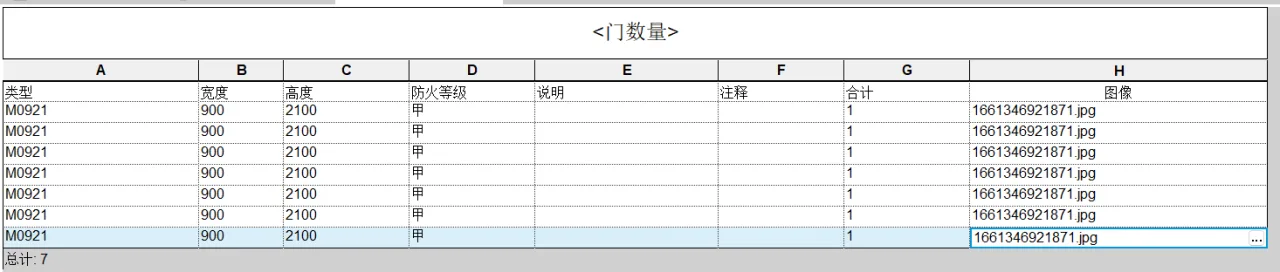
Figure 1
Next, we enhance this schedule by merging parameters, as demonstrated in Figure 2:
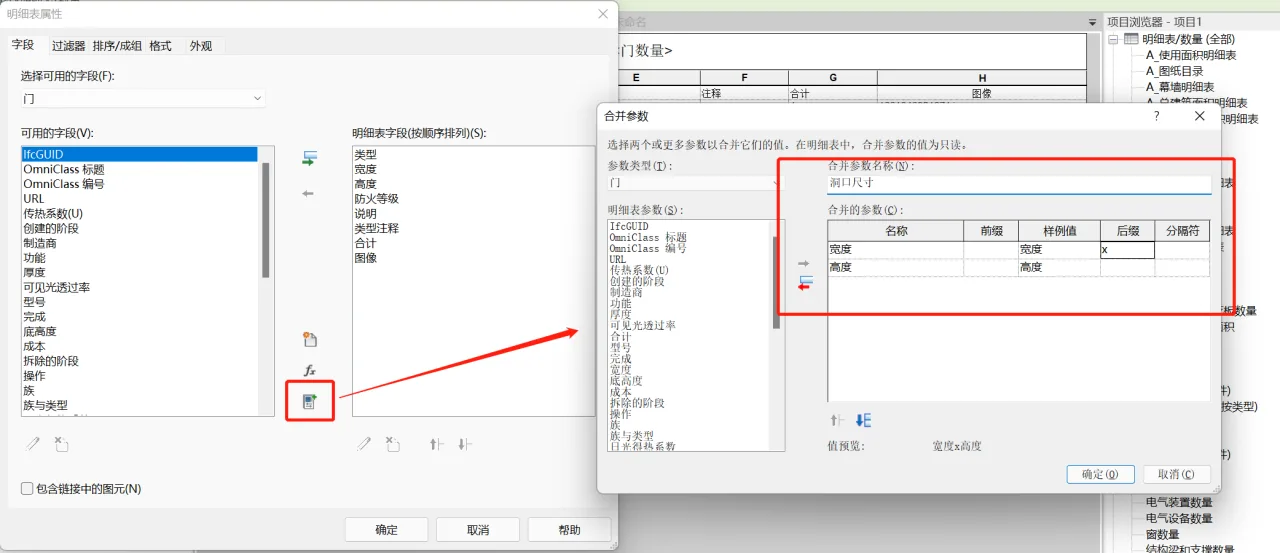
Figure 2
In this refined schedule, the width and height parameters are merged into a single ‘Opening Size’ parameter, as shown in Figure 3:
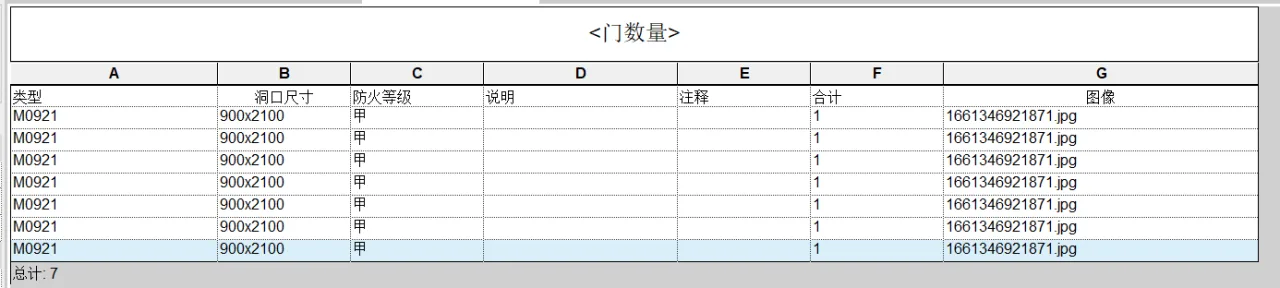
Figure 3
Note: Images can also be embedded within the schedule. By locating the instance parameter containing the image, you can insert it as needed. However, the image will only appear when the schedule is placed into a drawing view, as illustrated in Figure 4:
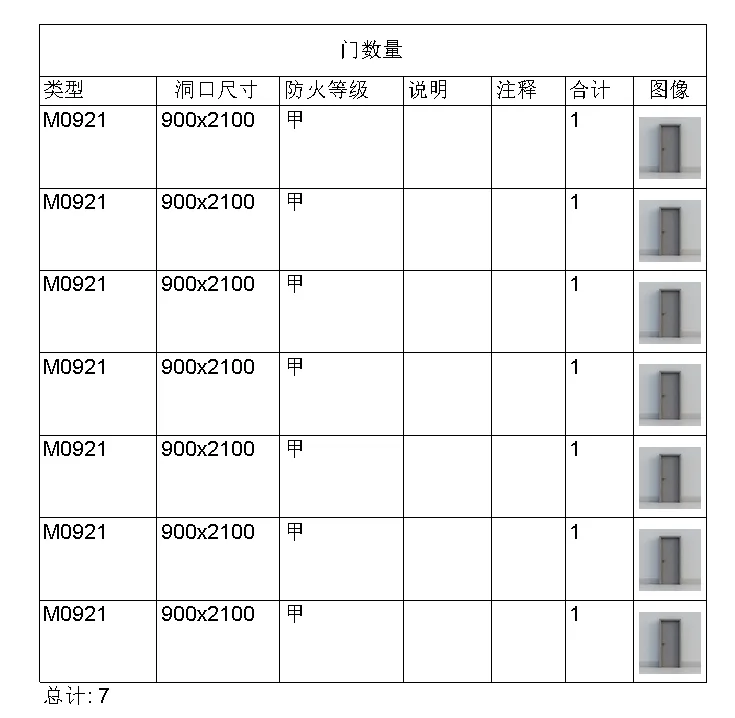
Figure 4
















Must log in before commenting!
Sign Up