
Wondering how to use Cinema 4D (C4D) to create various water surface effects across different scenarios? This article will guide you through several effective methods.
① Using Noise and Mapping Instead of Deformers to Create Water Ripples
First, select the noise option within the replacement shader.
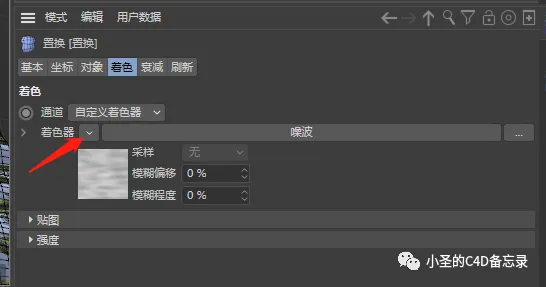
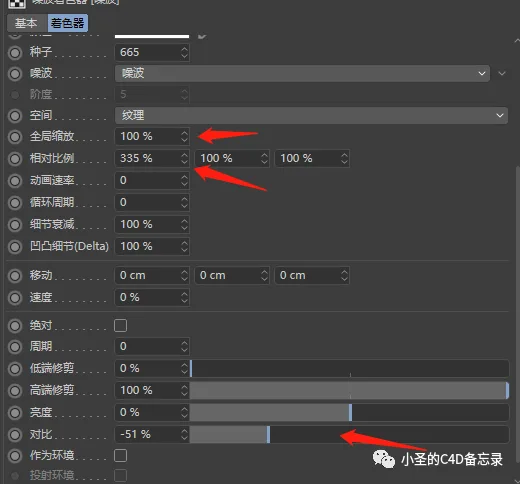
Next, fine-tune the noise parameters:
- Global Scaling: Adjusts the overall size of the water ripples.
- Relative Proportion: Controls the length and shape of the ripples.
- Comparison: Determines the size of wave fluctuations.
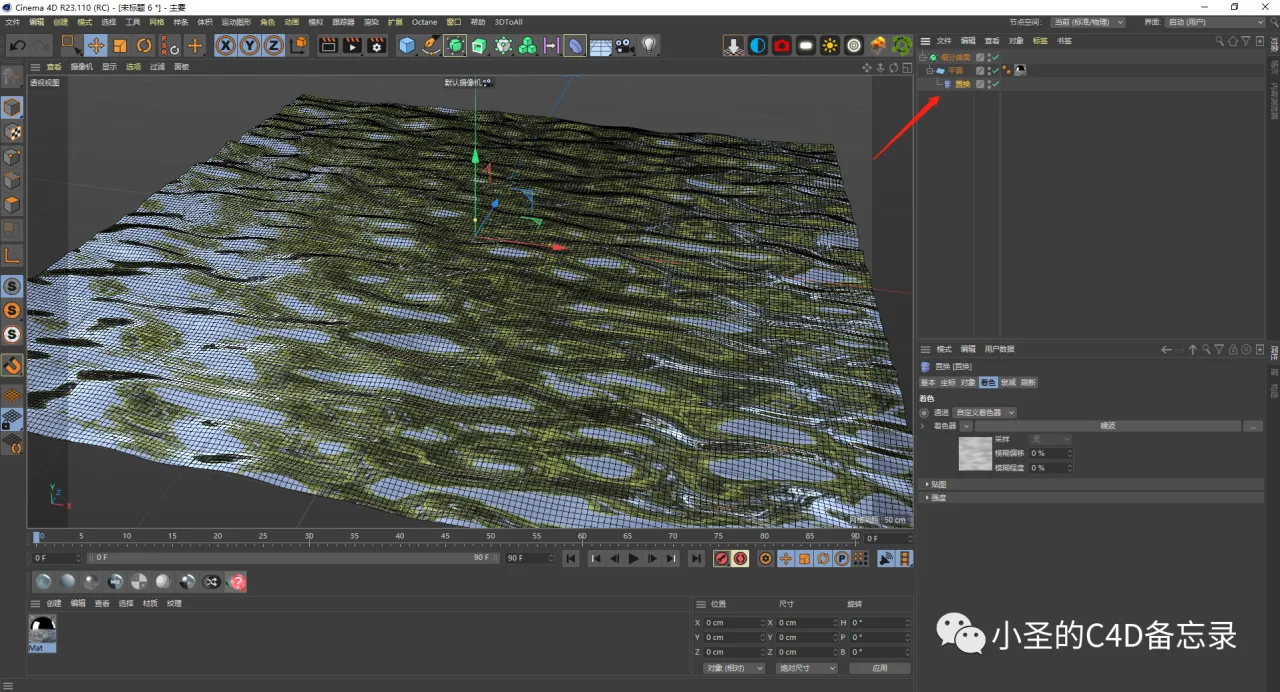
Here is the final ripple effect achieved with these adjustments:
② Combining Vibrate Deformer with Force Fields for Natural Water Surfaces
To simulate natural water motion, add a vibrate deformer to the water mesh.
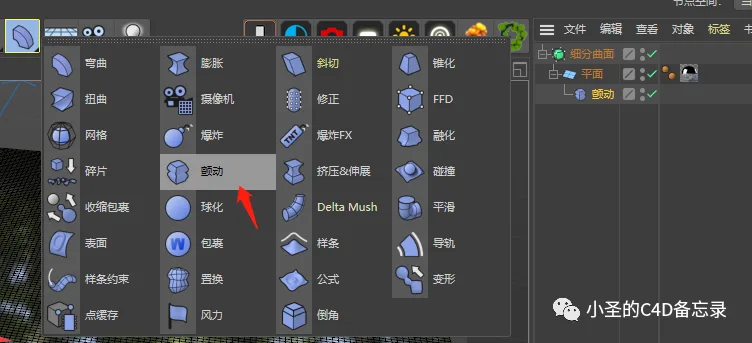
Select the positions where you want the vibrate effect and include them in the vibration influence list.
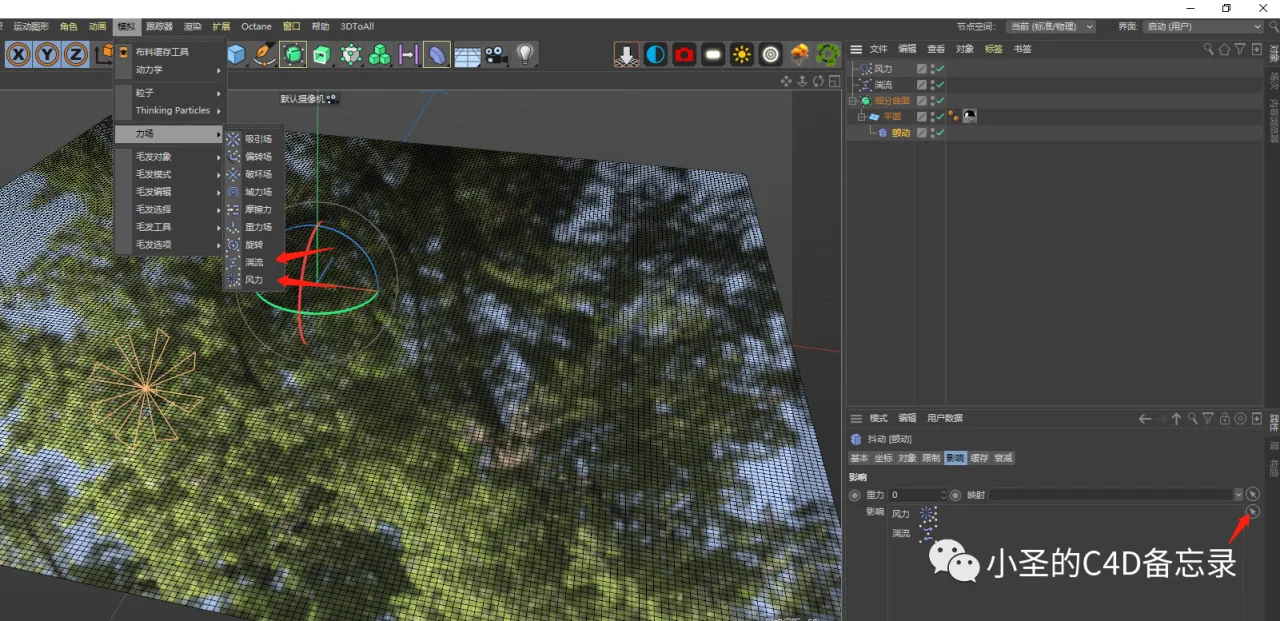
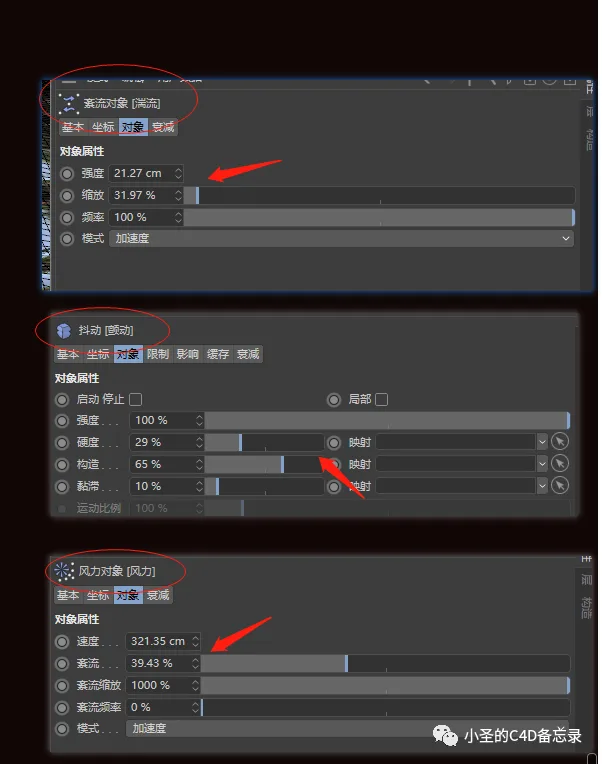
Adjust the parameters of the vibrate deformer and the positions of force fields accordingly. Keep in mind that the wind force field needs to be repositioned as required.
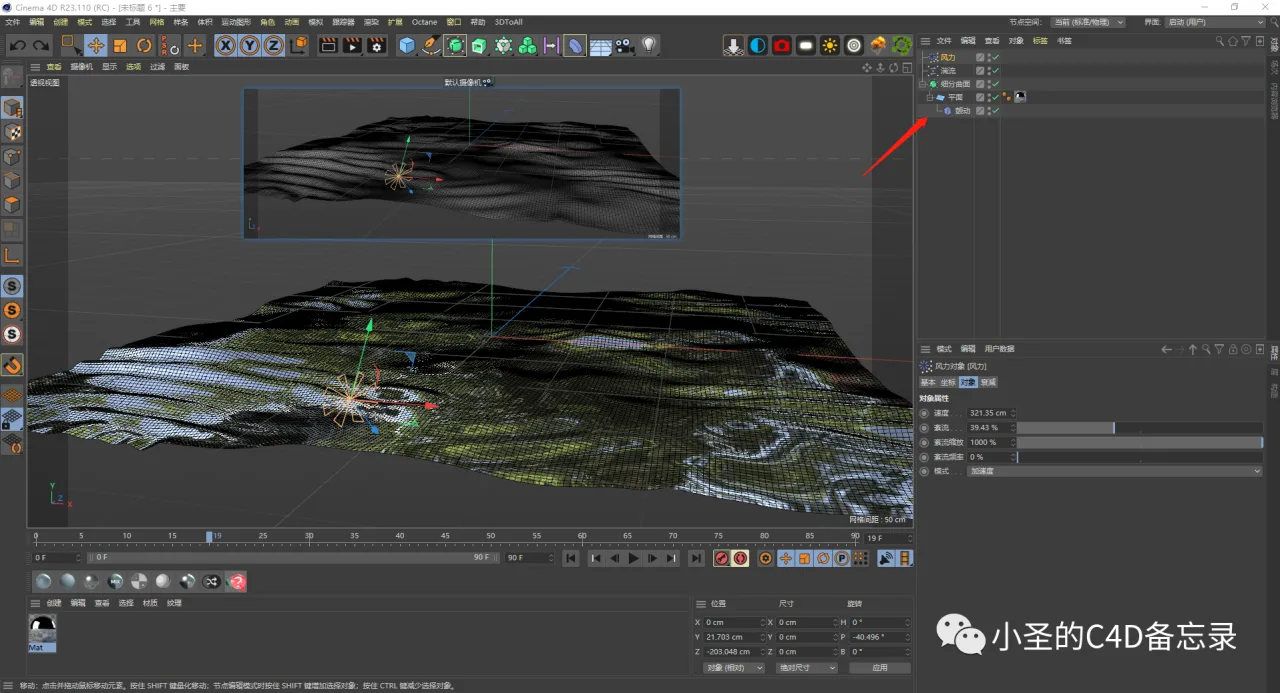
Press play to preview the final natural water surface effect.
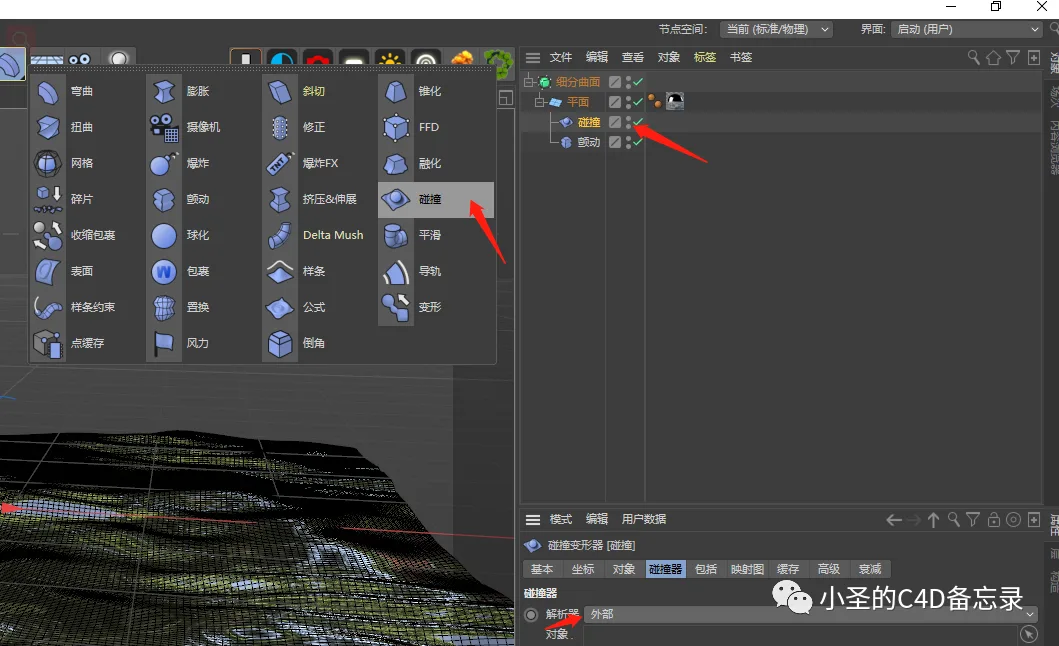
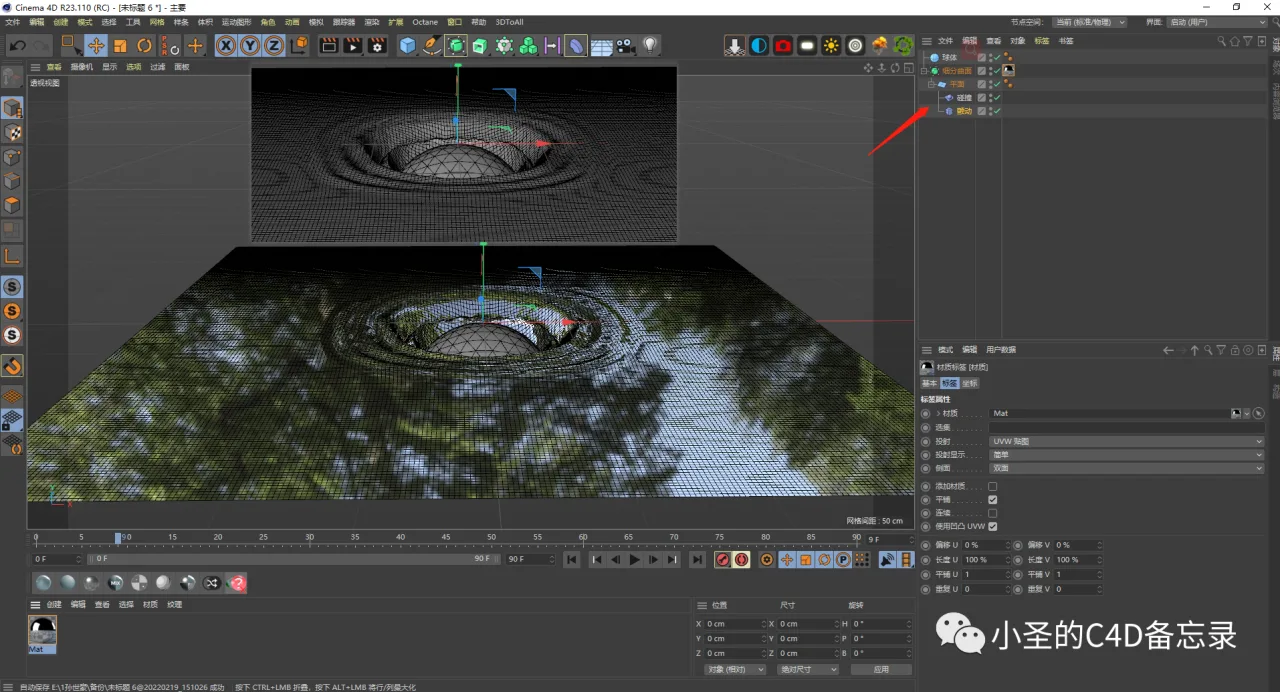
③ Creating Ripples Using Collision and Vibrate Deformers When Objects Fall into Water
Start by adding a collision deformer to the water plane subset and switch the parser setting to external.
Create and select the objects that will collide with the water surface.
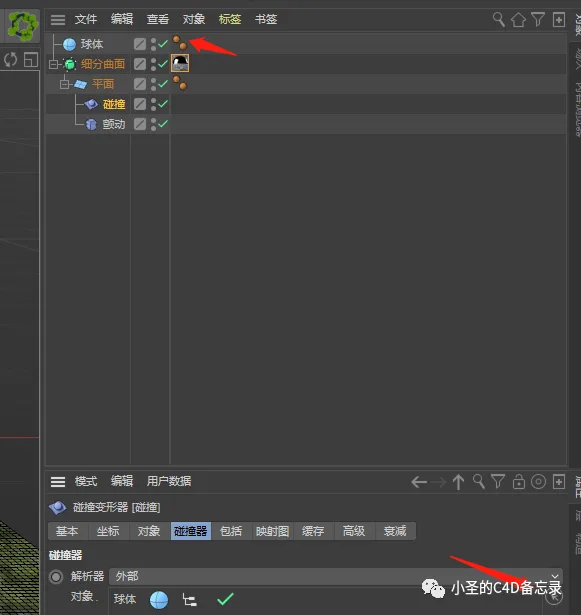
Play the animation and drop the object onto the water surface to see the ripple effect in action.
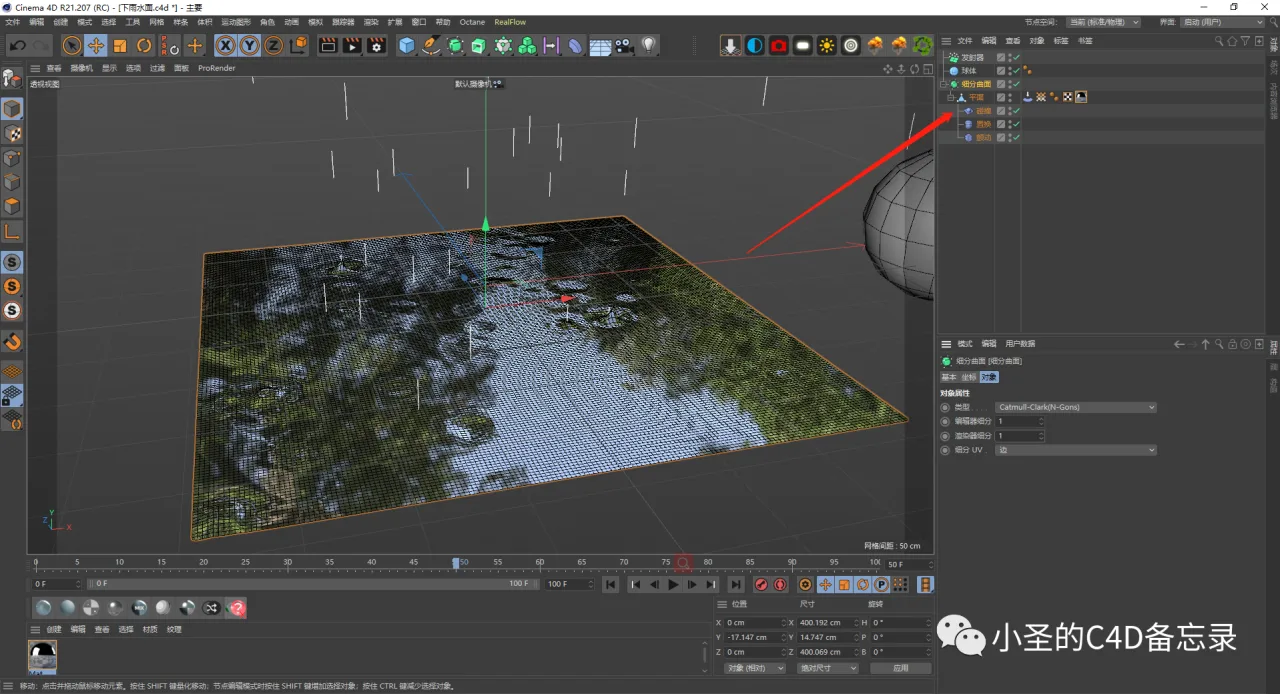
④ Achieving a Rainy Water Surface Effect with Collision, Displacement, and Vibrate Deformers
This combination of deformers effectively simulates the appearance of raindrops hitting the water surface.
Article source: C4D notes by Xiao Sheng

















Must log in before commenting!
Sign Up