
The most impressive feature of Cinema 4D R26 for me is its fabric simulation system. It not only delivers high accuracy but also offers GPU-accelerated simulation speeds over ten times faster than before. Tasks that were once challenging, like stacking large amounts of fabric, can now be completed with ease. Let’s take a closer look at some key parameters of this new simulation system.
This updated system allows you to set simulation parameters globally in the project settings or add multiple simulation containers within a scene. This means you can assign different simulation parameters to different objects for more control and flexibility.
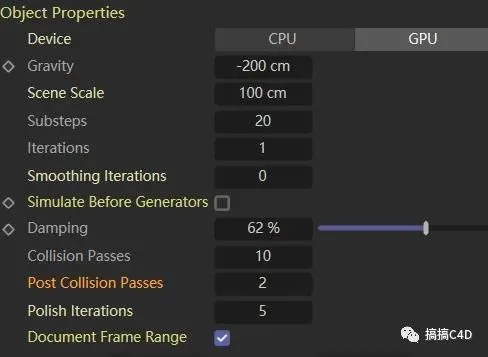
Substeps: The number of simulation operations per frame.
Iterations: The number of times all constraints are calculated within each substep. Increasing this value reduces fabric jitter but also increases computation time and fabric stiffness.
Both parameters significantly impact calculation time, as more constraint calculations increase the fabric’s rigidity.
Smoothing Iterations: This smooths the iterative calculations to reduce jitter. However, it can reduce the simulation’s realism and make the fabric appear stiffer.
Simulate Before Generators: Enable this option if you experience simulation delays when working with generators.
Damping: Controls resistance within the simulation.
Collision Passes: These calculations specifically address threading issues. If threading problems occur, increase this value first, as it is more efficient than raising the substeps. Ensure that the substeps value is higher than the collision passes for this to be effective.
Post Collision Passes: Additional collision calculations performed after each simulation step. This helps prevent fabric from piercing through objects during fast movements. Typically, this is set between 1 and 3.
Polish Iterations: When collisions are detected between certain constraints during collision passes and post collisions, extra calculations are applied to those constraints. If issues persist after adjusting the previous parameters, set this value between 5 and 10.
Summary: These parameters define the key aspects of fabric simulation. The calculation process works as follows:
- Substeps determine the number of operations per frame.
- Within each substep, all constraints are calculated multiple times based on the iterations setting.
- Two types of collision calculations occur in each substep: collision passes at the start and post collision passes at the end.
- Finally, constraints identified during collision calculations can be recalculated with the polish iterations setting.
Recommended parameter setup steps:
- Set an appropriate substep value. The default is around 20, but it should be adjusted based on scene complexity.
- Set iterations to 1 initially.
- If you notice surface issues after simulation, increase collision passes and post collision passes, generally keeping them below 10.
- If fabric still behaves unpredictably, increase polish iterations slightly.
- If shaking occurs, consider raising iterations and smoothing iterations accordingly.
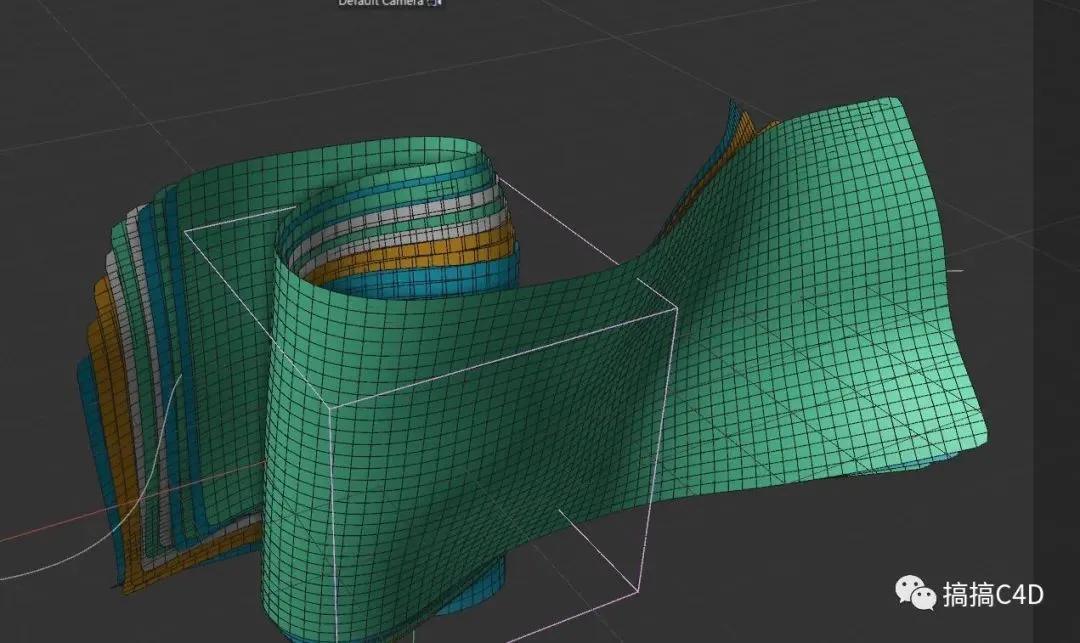
Additionally, for scenes with very fast movement, you can simulate at normal speed first to obtain accurate results, then switch to ABC cache and reset the timeline.
Content source: Playing C4D

















Must log in before commenting!
Sign Up