
Content source: Xiao Jiang said BIM

Today, we continue with the cabinet family modeling introduced in the previous article (see: How to Create a BIM Model for a Computer Room? How to Perform BIM Modeling Inside a Computer Room?). Using a specific signal room as an example, we will explore the approach to computer room modeling in BIM.
1. Create the Building Structure Model
(1) Similar to the subway electromechanical engineering modeling review, start by verifying the machine room dimensions on-site against the existing floor plan.
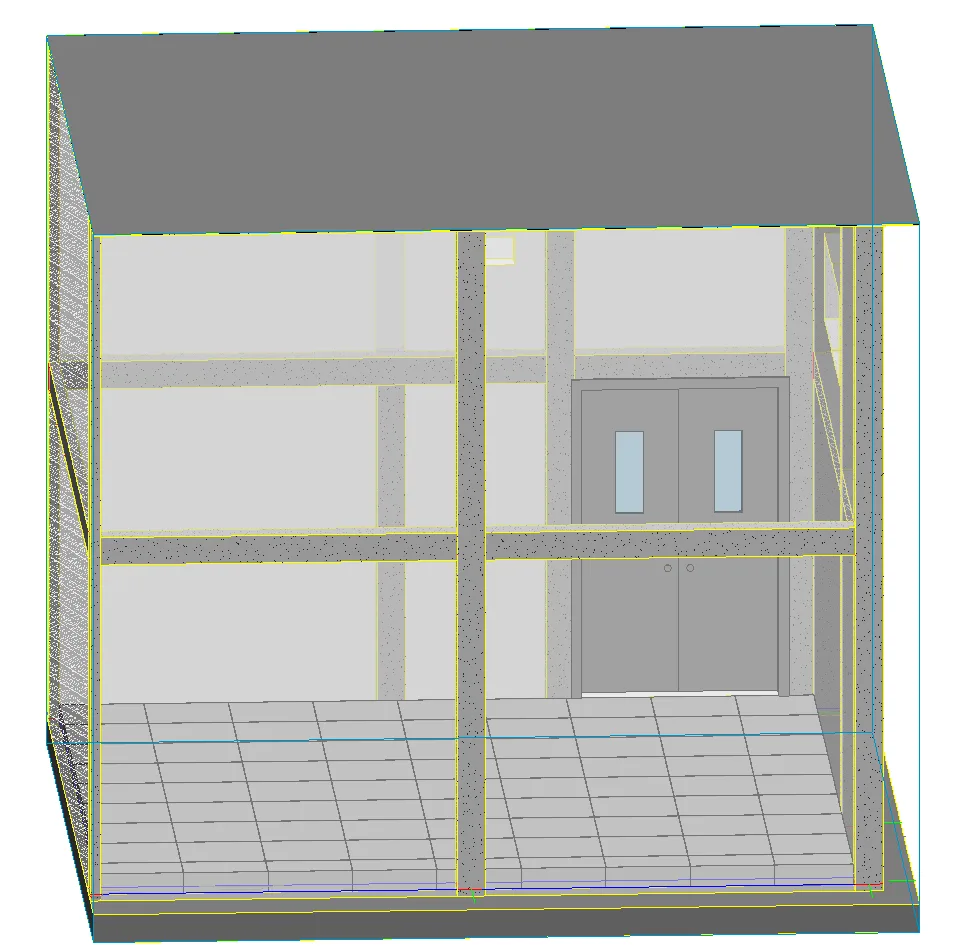
(2) Build the structural model including the floor, walls, tiles/static flooring, doors, and other components of the computer room. As shown in the image below, the length, width, and clear height of the room must align with the drawings and actual conditions. If the room contains an inner ring beam structure on the walls, it should be modeled accordingly.
2. Develop the Cabinet Families
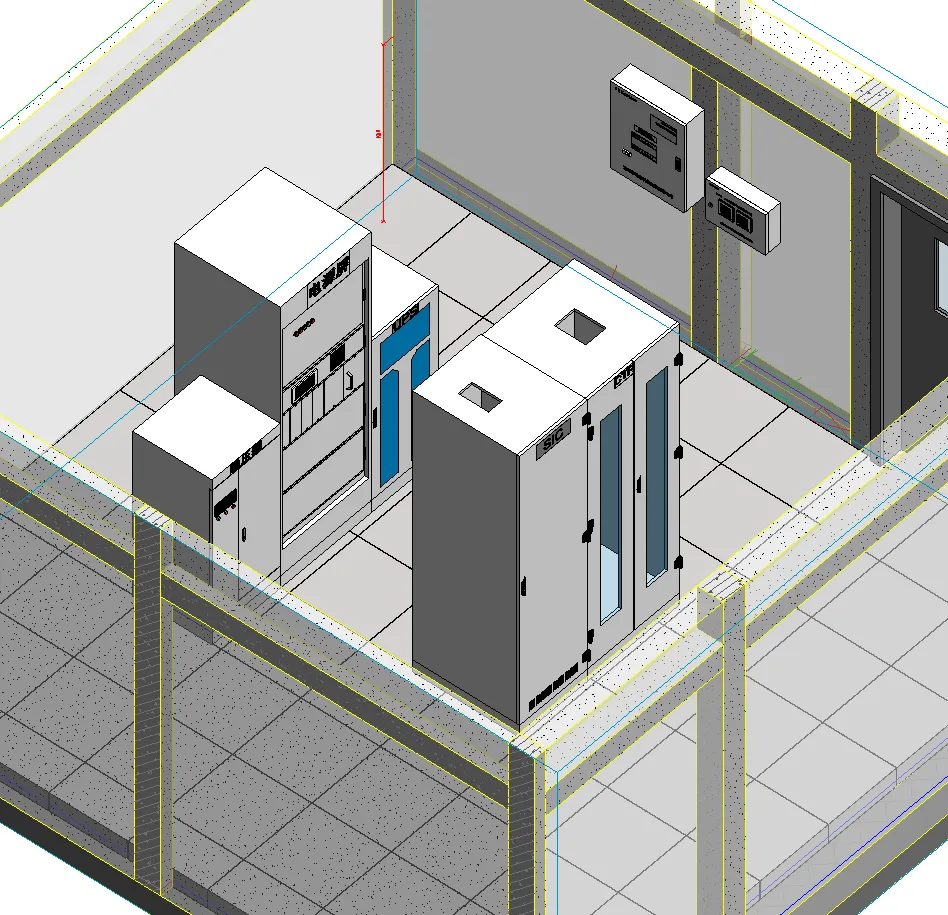
As discussed previously, precisely model the interface cabinets, power supply panels, UPS units, and other cabinets within the computer room in sequence.
3. Import Cabinet Layout & Positioning
Import the layout diagram of the signal room cabinets and accurately position all cabinets inside the room.
4. Arrange Wiring Racks and Climbing Frames
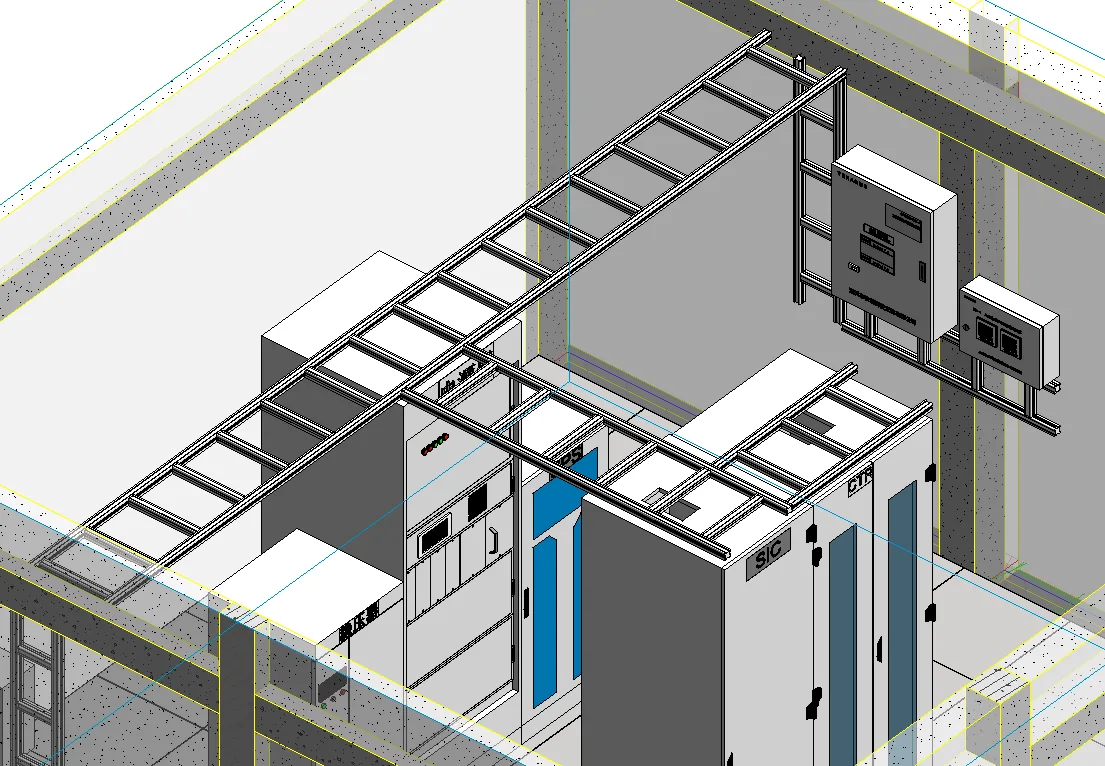
Arrange the wiring racks and climbing frames logically according to the specific conditions of the project.
5. Cable Arrangement and Installation
Following technical requirements, lay cables on cable trays or climbing frames. When dealing with a large volume of cables, add multiple layers of climbing frames to prevent cross interference and collisions. Cables should be equipped with view filters based on diameter and professional classification, allowing clear differentiation by cable color. After arranging the cables, proceed with the installation of online cards.
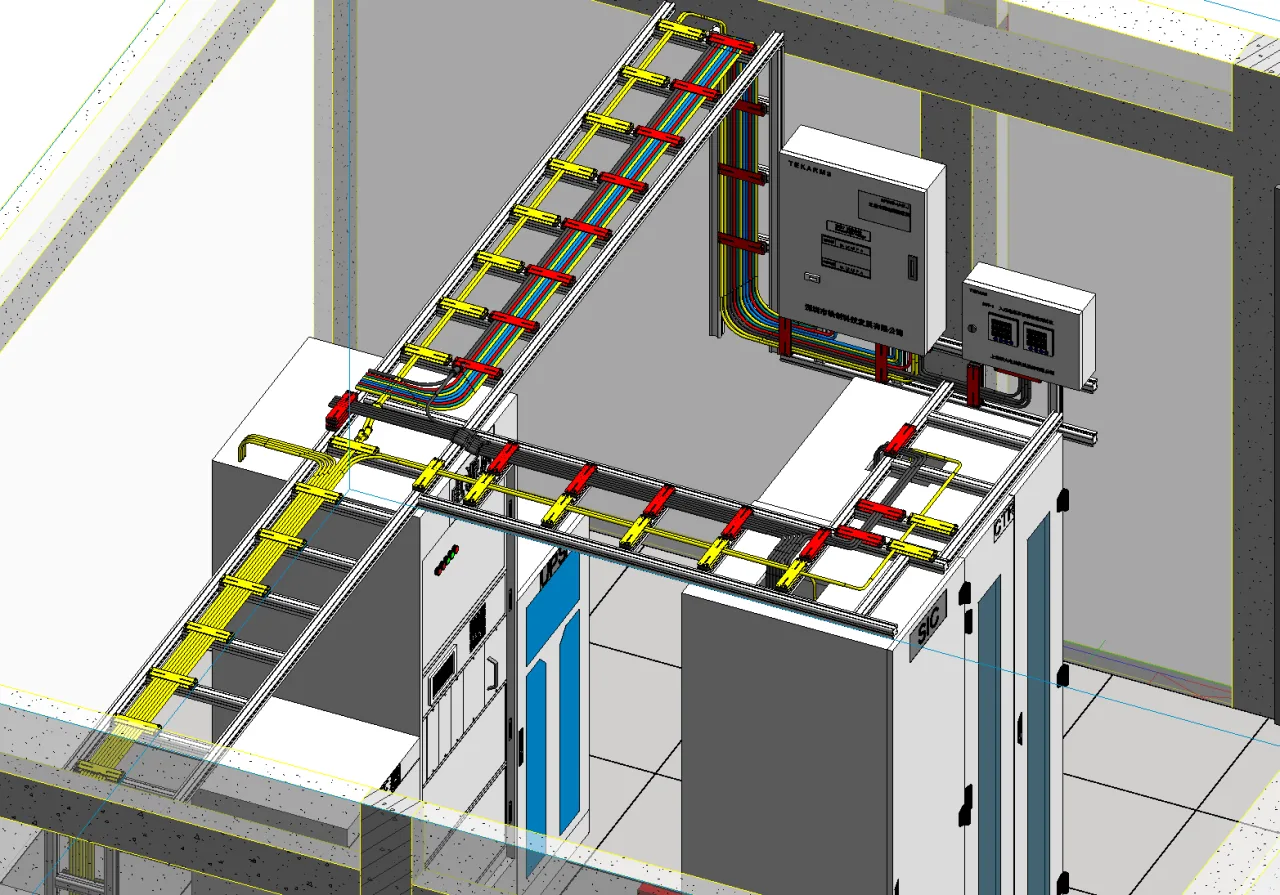
The key focus of data center modeling lies in cable layout and adjustment, which highlights the importance of this process. Consequently, the majority of modeling time and effort should be dedicated to optimizing cable arrangements.
















Must log in before commenting!
Sign Up