
This article is from the WeChat official account: BimLearning.
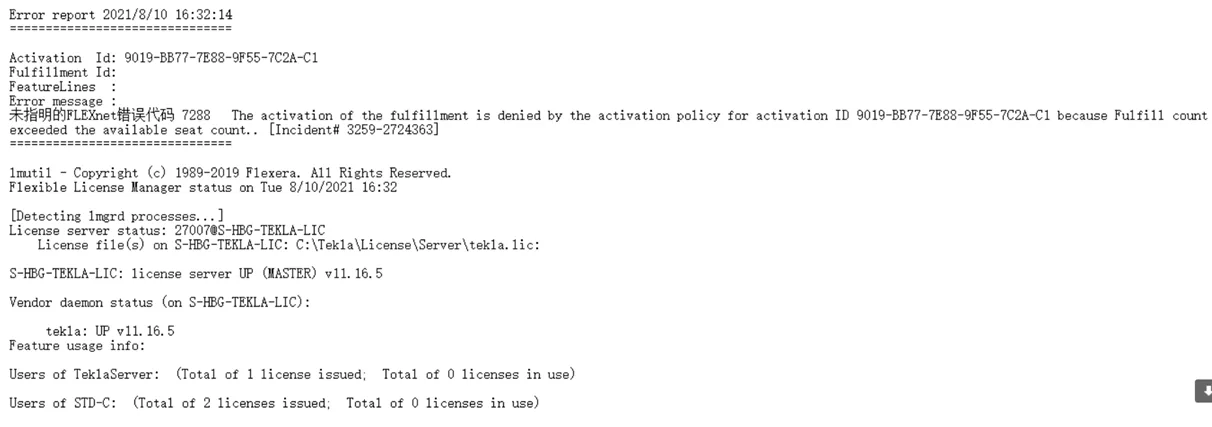
Case 1: Software Activation Failed – Error File 7288
Solution:
This error typically occurs because the license file has already been activated on another computer and cannot be reactivated. The general error code 7288 indicates this situation. In this case, you need to locate the original computer where the license was activated, return the license from that machine, and then activate it again on the current computer. (Alternatively, the issue might be caused by a corrupted license file.)
If you’re unsure which computer activated the license, follow these steps:
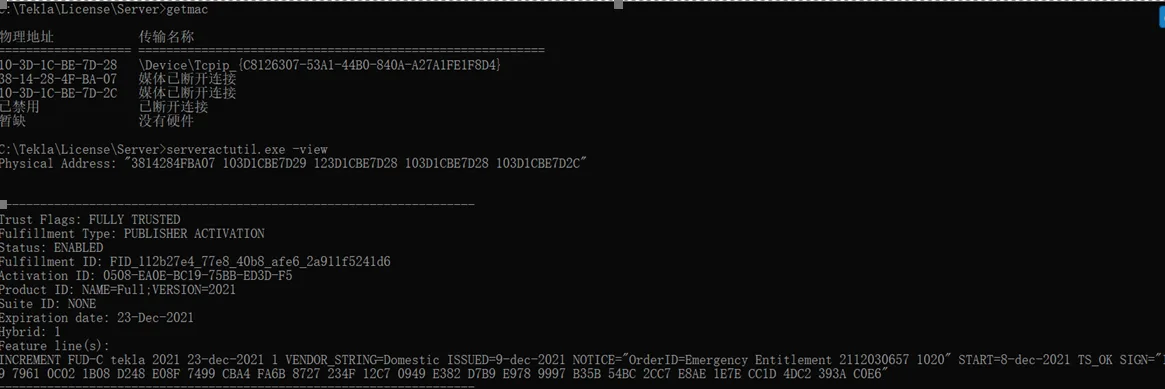
Step 1: Navigate to the license server folder, then run the getmac command and the server action utility.exe with the view command to find the physical address (MAC address) of the computer and see how many licenses have been activated on it.
Step 2: Locate the most recently activated license file.
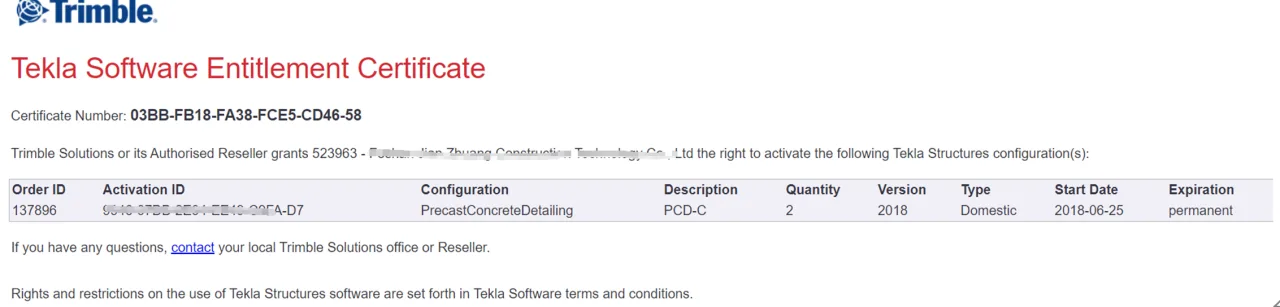
Step 3: Log in to FlexNet and search for the activation details under License Support – List License. Look for the HostID information related to the activation.
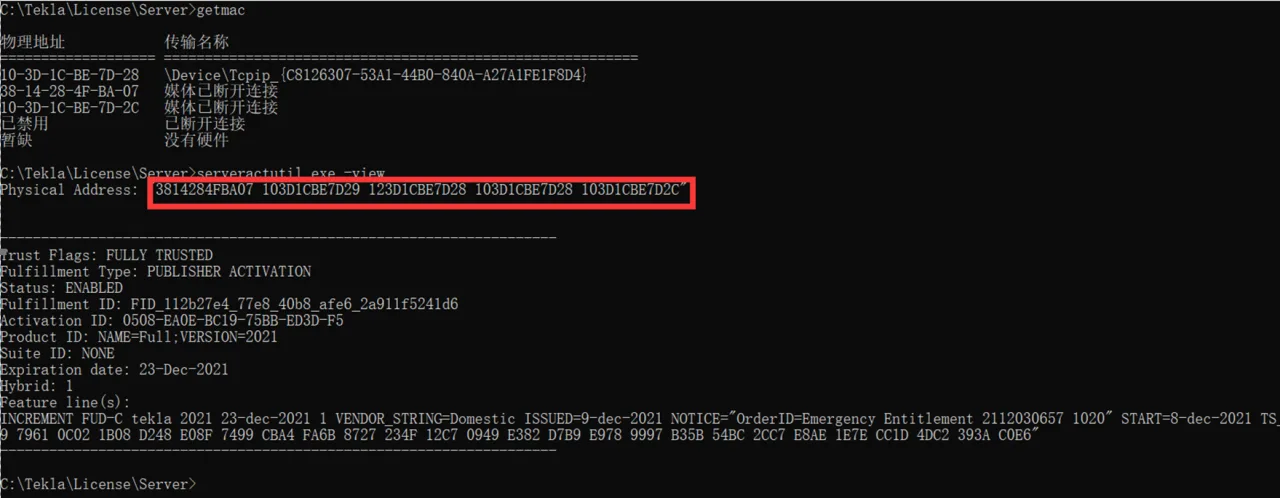
Step 4: Analyze the results:
1) If the HostID matches the physical address found earlier, it means the license is activated on this computer. In this case, the license file might be damaged. Please contact the relevant technical support team to replace it. For detailed replacement procedures, refer to section 1.2.5 “Replacing License.”
2) If the HostID does not match any previously identified physical address, the license was activated on another computer. Repeat Step 1 on other possible machines until you find a computer with a physical address matching the HostID, then return the license from that machine. If you cannot return it, please contact Tekla’s technical support promptly.
Note: The above is shared based on personal experience and is not intended for commercial use. If there is any infringement, please contact us promptly.
















Must log in before commenting!
Sign Up