
This article is from the WeChat official account of Lin Peishu, the author of the imposed reference agency.
How does Revit control the direction in which materials are displayed when drawing walls?
Have you ever struggled with controlling the material display direction while drawing walls in Revit?
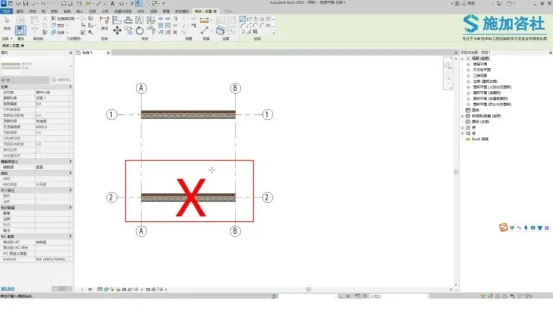
What should you do when you need to frequently change the starting point of your drawing, or accidentally draw the wrong wall? Just remember one key phrase: “clockwise.”
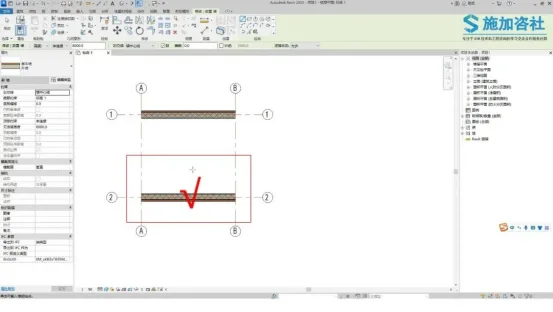
When editing the structural material of a wall, you set the wall’s external and internal edges.
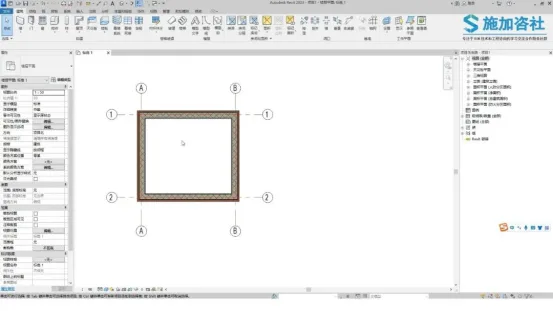
During the actual drawing process, Revit automatically displays the wall based on your settings and follows a specific drawing rule: walls must be drawn in a clockwise direction.
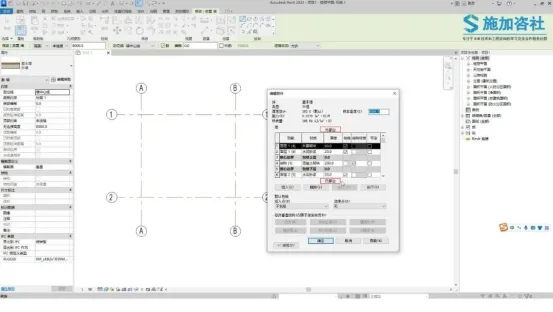
Only by drawing walls clockwise can you ensure the walls are accurate and complete.
Use your mind and practice regularly. Stay connected with the Application Consulting Society to discover more useful BIM skills.
















Must log in before commenting!
Sign Up