
This article is from the WeChat official account: Meichuan Xinyifu, authored by Bear Boy.
Purpose
The goal is to create a cabinet that can dynamically adjust the size and number of door panels based on given parameters.
1. Structural Analysis
1.1 Main Components of the Cabinet: Modules
The cabinet consists of five primary modules: side panels, bottom panel, back panel, top panel, and door panels. The side panels are divided into left and right sides, while the number of door panels varies depending on the design requirements.
Additional modules such as upper crossbeams, shelves, and uprights exist but are not included in this initial build. These can be added gradually after the cabinet is created.
1.2 Positional Relationships of Cabinet Modules
The spatial arrangement of each cabinet module is as follows:
1. Door panels are surface-mounted;
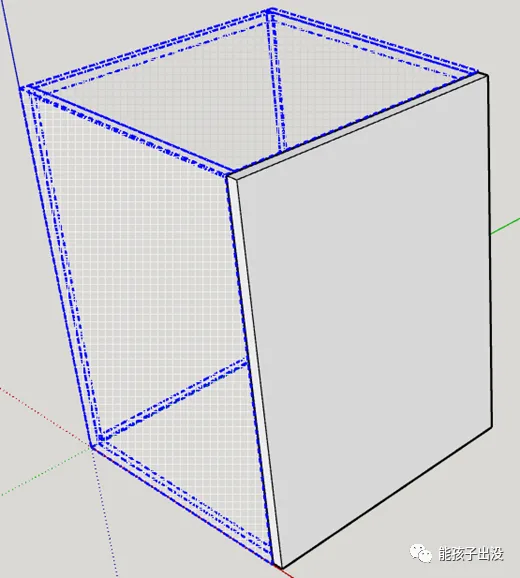
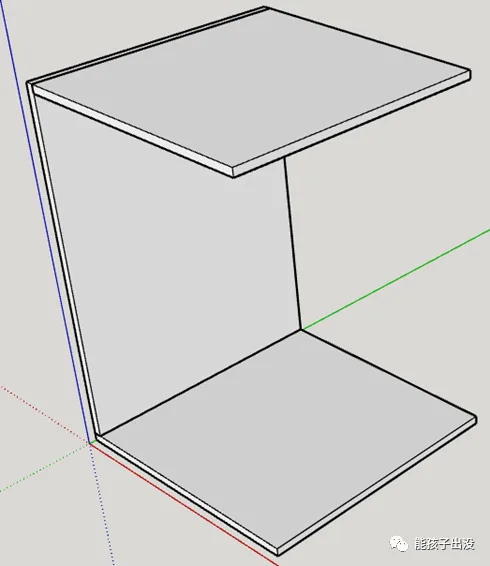
2. The bottom plate, back plate, and top plate are clamped between the left and right side panels;
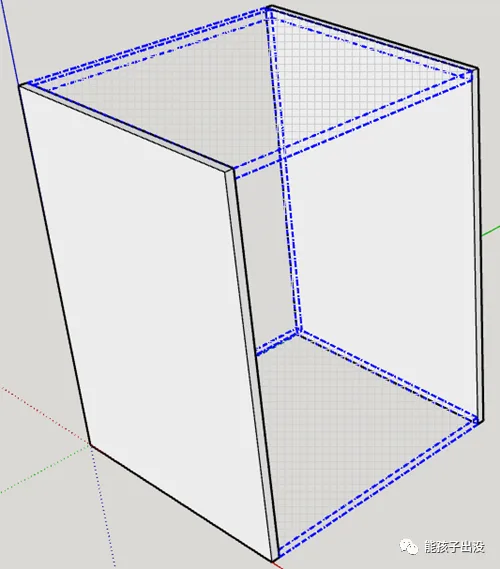
3. The bottom plate supports the back panel, and the top plate attaches to the back panel.
2. Drawing Process
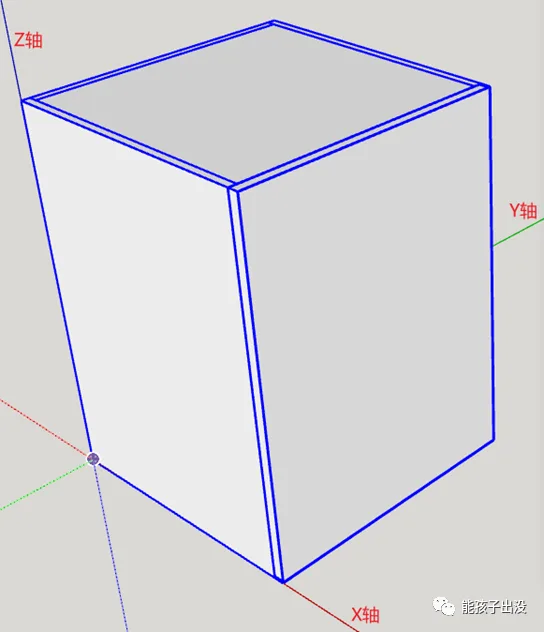
2.1 Defining the Origin for Cabinet Production
For convenience in manufacturing and usage, the coordinate origin (0,0,0) is set at the lower-left corner of the cabinet’s rear side. This placement accounts for the presence or absence of door panels and variations in door thickness to minimize the impact of doors during cabinet adjustments.
2.2 Creating Cabinet Component Modules
Based on the positional relationships of each component, draw groups for each module and assign clear names for future reference.
Note: Each module is uniformly drawn with its vertex closest to the origin serving as the module’s origin. This simplifies writing dynamic component functions later.
Precision in positioning is not critical at this stage; relative placement is sufficient for referencing in dynamic component functions.
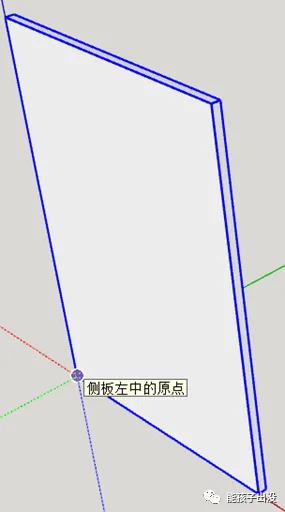
Left side panel
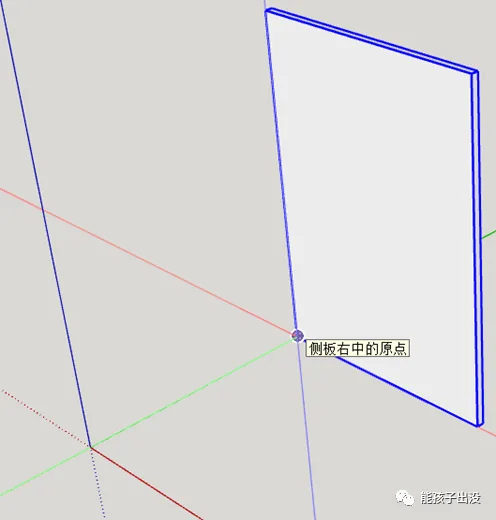
Right side panel
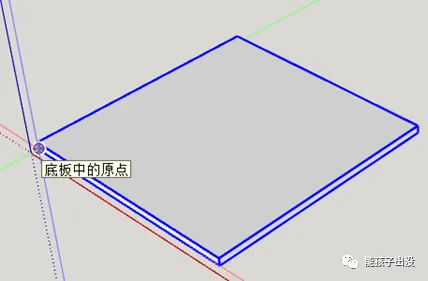
Base plate
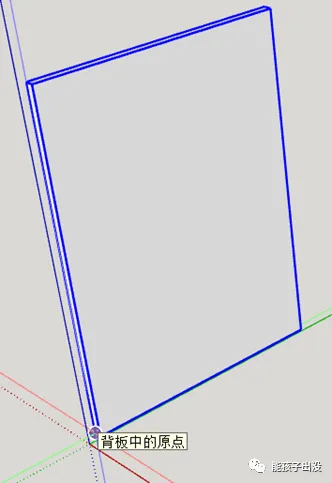
Back panel
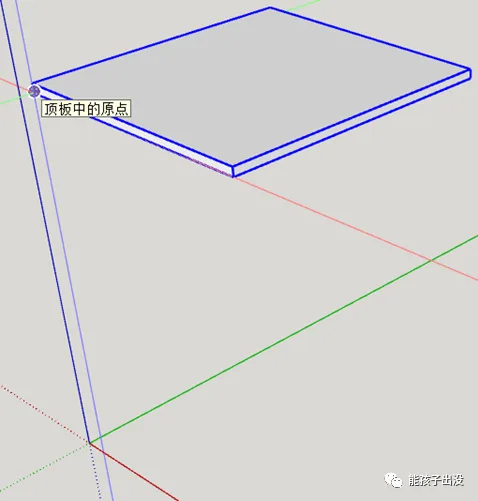
Top panel
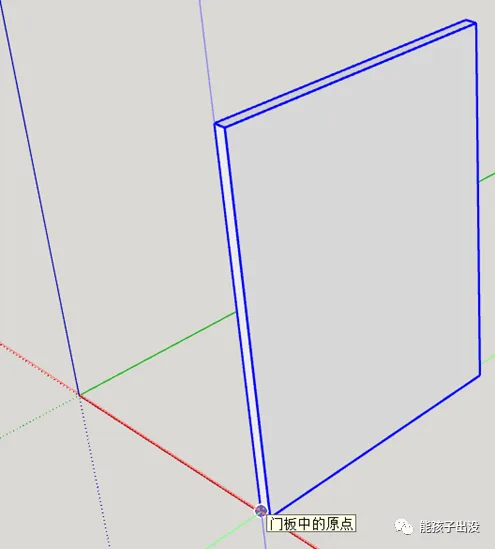
Door panel
2.3 Combining Modules into a Dynamic Component
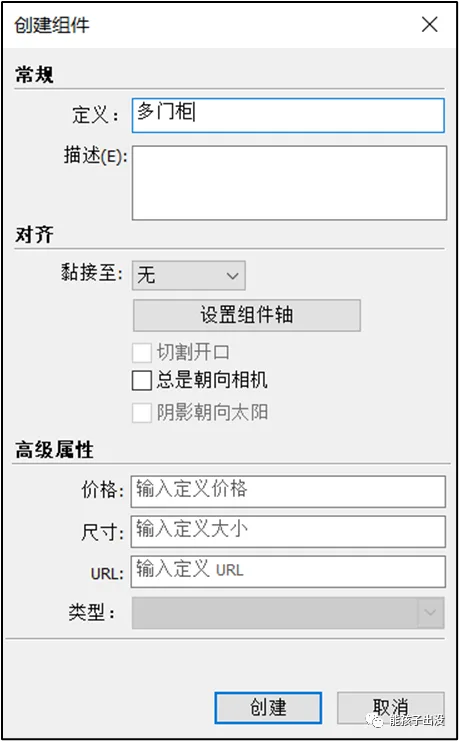
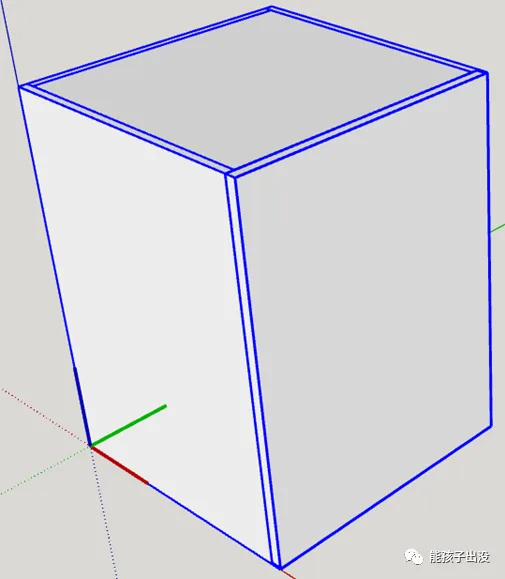
Group all the above modules and name the new group “Multi-door Cabinet.”

Create components using multiple cabinet groups.
2.4 Adding Attributes to Dynamic Components
Add attributes to the dynamic components of the multi-door cabinet as shown below.
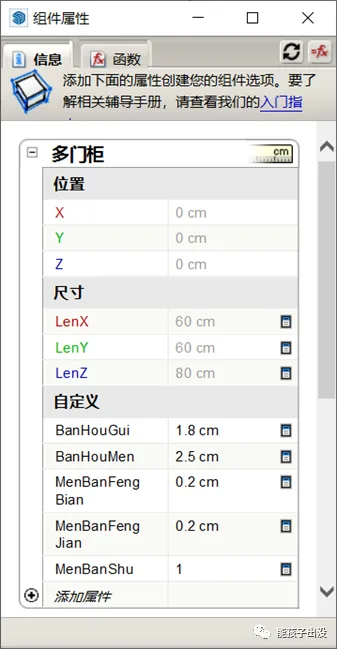
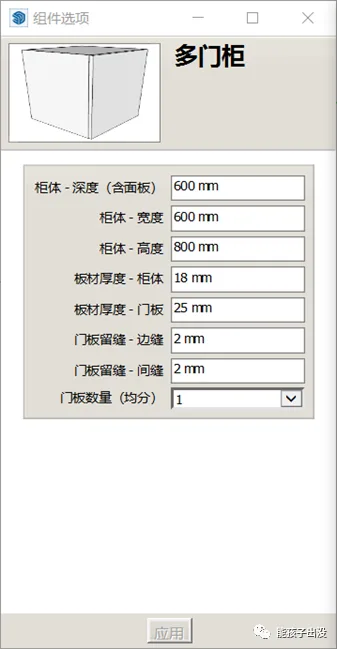
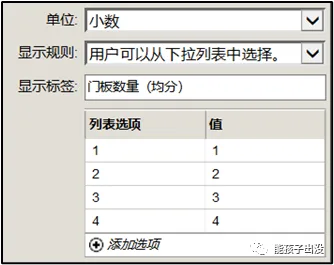
Refer to the diagram below for setting various attributes:
2.5 Writing Dynamic Component Functions
For modules other than the door panels in the multi-door cabinet dynamic component, set the origin position and dimensions along each axis individually to achieve dynamic behavior. The bottom plate serves as an example; others follow a similar pattern.
2.5.1 Attribute Settings for Bottom, Top, Back, and Side Modules
Add position and size attributes to the base plate and apply the functions as shown:
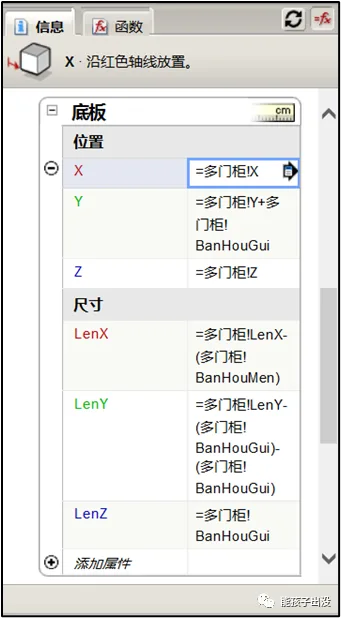
Explanation of functions:
1. The bottom plate’s X origin aligns with the multi-door cabinet’s X origin: =Multi door cabinet!X;
2. The bottom plate’s Y origin offsets by one side panel thickness relative to the cabinet’s origin: =Multi door cabinet!Y + Multi door cabinet!BanHouGui;
3. The bottom plate’s Z origin matches the cabinet’s Z origin: =Multi door cabinet!Z;
4. The bottom plate’s length along the X-axis subtracts the door panel thickness from the cabinet’s X length: =Multi door cabinet!LenX - Multi door cabinet!BanHouMen;
5. The bottom plate’s length along the Y-axis subtracts the thicknesses of both side panels from the cabinet’s Y length: =Multi door cabinet!LenY - (Multi door cabinet!BanHouGui * 2);
6. The bottom plate’s thickness along the Z-axis is equal to the panel thickness: =Multi door cabinet!BanHouGui.
Note: Custom properties may initially report errors but enclosing them in parentheses resolves the issue. The cause is uncertain.
Functions are written sequentially based on the base plate’s origin and axis length definitions.
2.5.2 Adjusting Door Panel Width Based on Quantity
Add a behavioral attribute called “Copies” to the door panel, with the following function:
=Multi door cabinet!MenBanShu - 1
This function copies door panels based on the total number set. Since one door panel already exists initially, the number of copies is reduced by one.
After determining the number of door panel copies, set the position of each copy.
Since door panels replicate along the Y-axis, adjust the Y-axis function as follows:
=Multi door cabinet!Y + Multi door cabinet!MenBanFengJian + copy * (Multi door cabinet!LenY - Multi door cabinet!MenBanFengJian * Multi door cabinet!MenBanShu) / Multi door cabinet!MenBanShu
Explanation:
1. Multi door cabinet!Y + Multi door cabinet!MenBanFengJian offsets the position by one door panel edge seam from the cabinet’s Y origin;
2. The expression inside the copy() function calculates the width of each door panel plus the gap between them, dividing the total adjusted length by the number of door panels to space the copies evenly.
3. Final Results
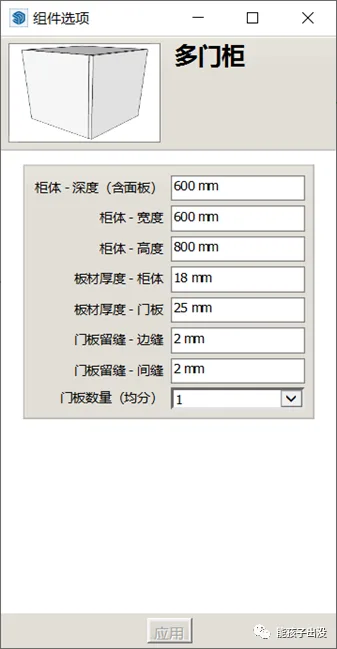
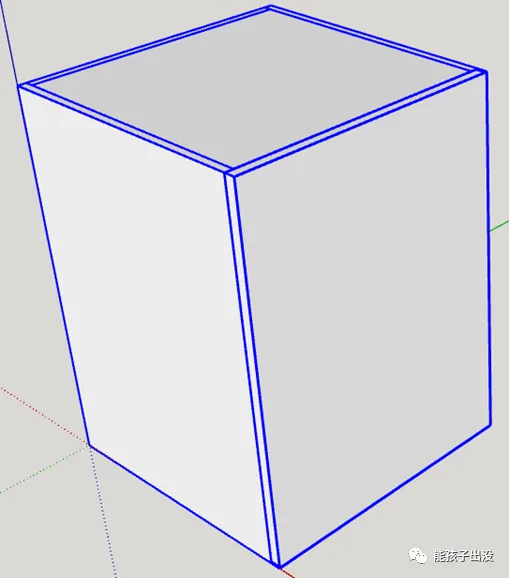
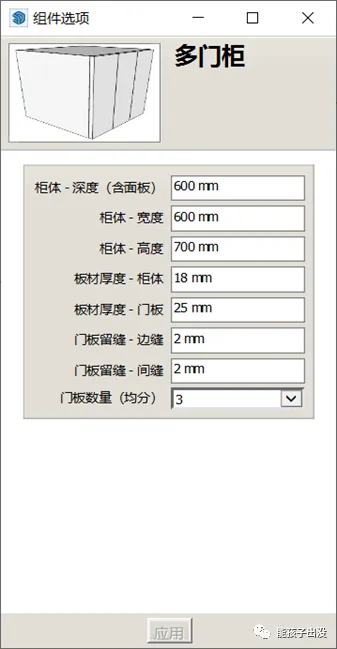
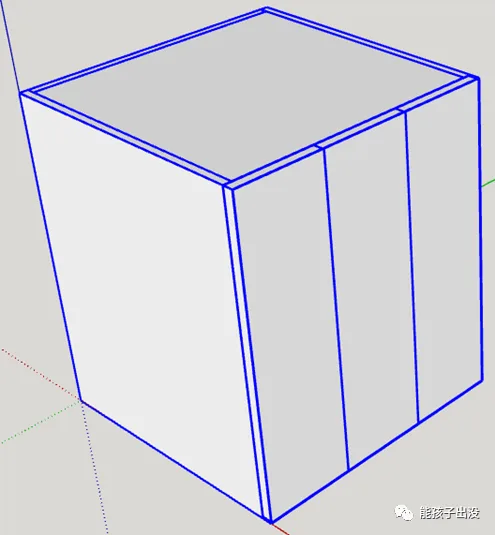
















Must log in before commenting!
Sign Up