
Curtain walls share some features with traditional walls, such as having bottom and top constraints that can be adjusted to fit the wall’s contour. They are commonly used in high-rise buildings and are also found in some office buildings.
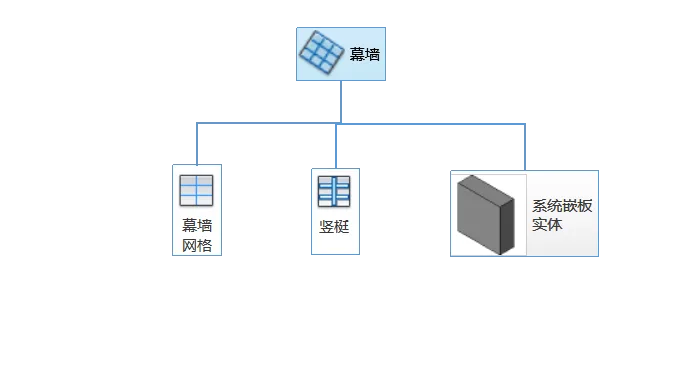
Curtain Wall Grid: This grid divides the curtain wall into smaller sections and can be arranged vertically or horizontally.
Mullion: A separating element that runs along the curtain wall grid.
Curtain Wall Panel: A four-sided panel located between the curtain wall grids.
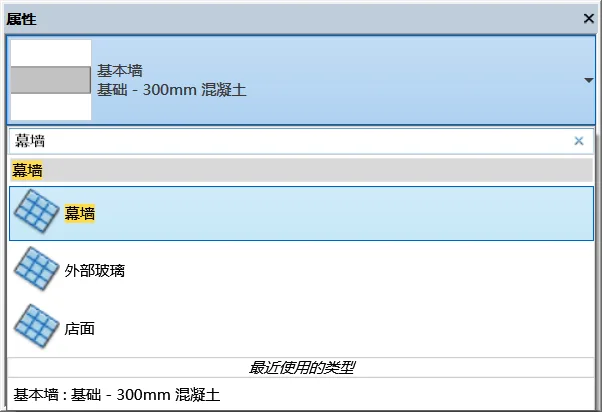
The process of creating a curtain wall is similar to that of a regular wall. Begin by activating the wall drawing tool from the ribbon panel, then select the curtain wall type from the bottom of the type selector.
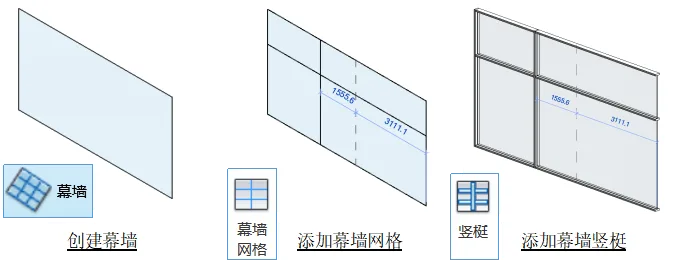
Dividing an Empty Curtain Wall into Grids
Start by creating an empty curtain wall without any pre-set partitions or constraints. This results in a flat glass wall. You can then manually divide the wall using the following commands.

Add Curtain Wall Grid: Activate this command and position your cursor near the edge of the curtain wall or along existing grid lines. You will see the suggested placement and direction for the new grid. Click to add the grid line.
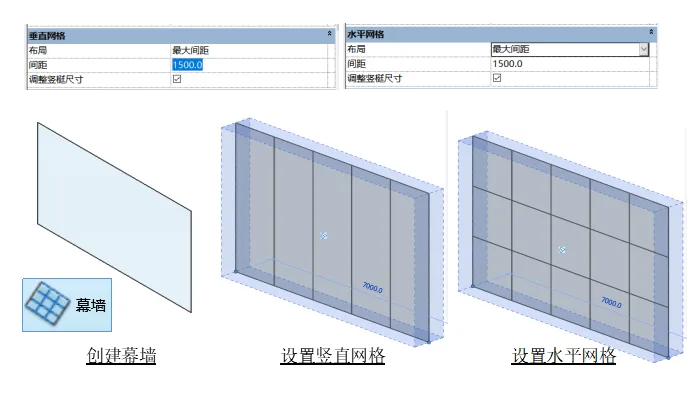
Creating Standard Partition Curtain Walls Automatically
In practical projects, standard curtain wall partitions are common and numerous. Manually adding grid lines one by one is inefficient. Instead, you can define spacing parameters to quickly generate these standard curtain walls.
Within the curtain wall type properties editor, locate the layout control settings for “Vertical Grid” and “Horizontal Grid” and adjust the spacing as needed.
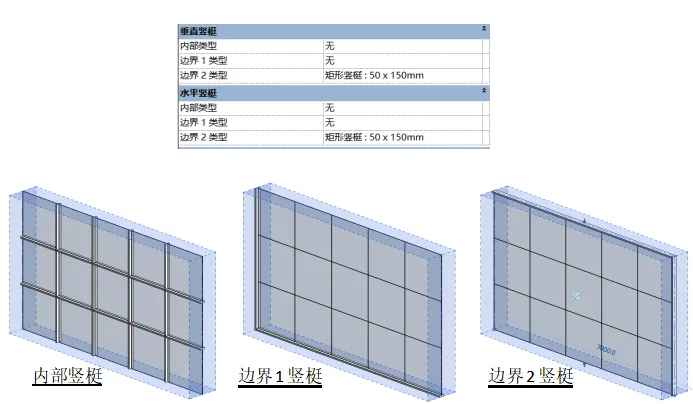
Adding Mullions: In the Type Properties interface, you will find settings for “Vertical Mullion” and “Horizontal Mullion.” It is important to understand the difference between boundary mullions and internal mullions before applying these settings.
Inserting Doors and Windows into the Curtain Wall
To add doors or windows, select a glass panel within the curtain wall and change its type to a door panel via the properties tab. If the door panel is not available, load the appropriate family in the type editor, select the curtain wall door panel, and confirm. Then, convert the selected glass panel into a door panel. The same method applies for placing windows within the curtain wall.
















Must log in before commenting!
Sign Up