BIM World
A Professional BIM Learning Platform


BIM Skills: How to Model Bridges in Revit Using Building Set Formats

Many questions remain for the National BIM Level 1 Examination by the Society for Surveying and Mapping. To excel, the first step is to understand the nature of these questions. For instance, are you familiar with the concept of building sets? Today, I will explain how to draw bridges using building sets, which should be helpful for your studies.

What exactly is a building set?

Typically, when constructing a collection, we create a family. Therefore, using options like “New Family – Select Conventional Model Template” or “Mass” can simplify these tasks. Below, I will provide a brief overview.

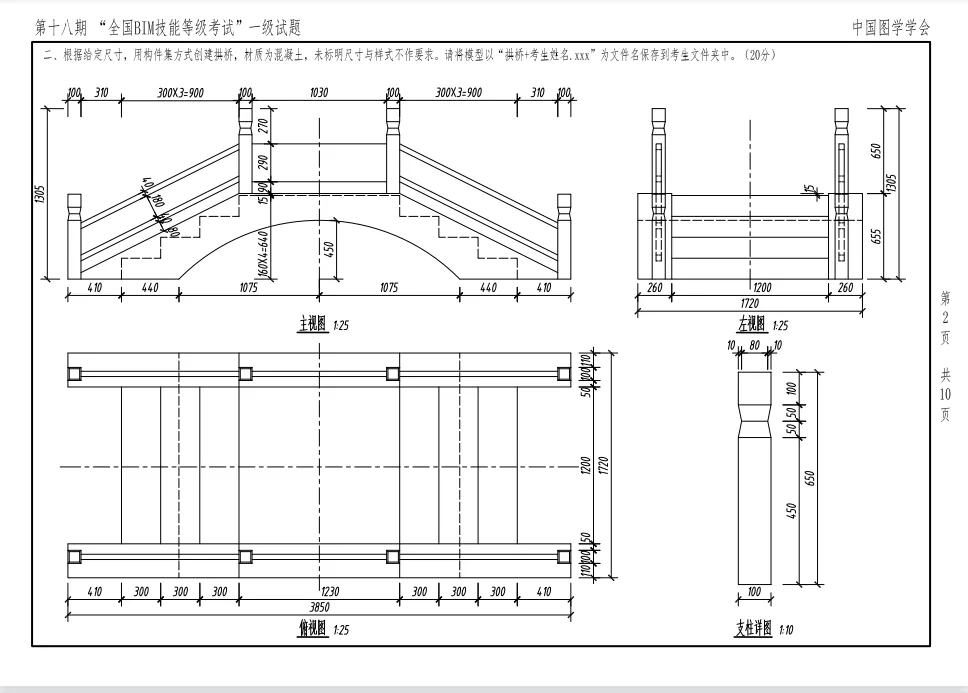
Here are some examples of how the graphic society has drawn bridges over the years using building sets:
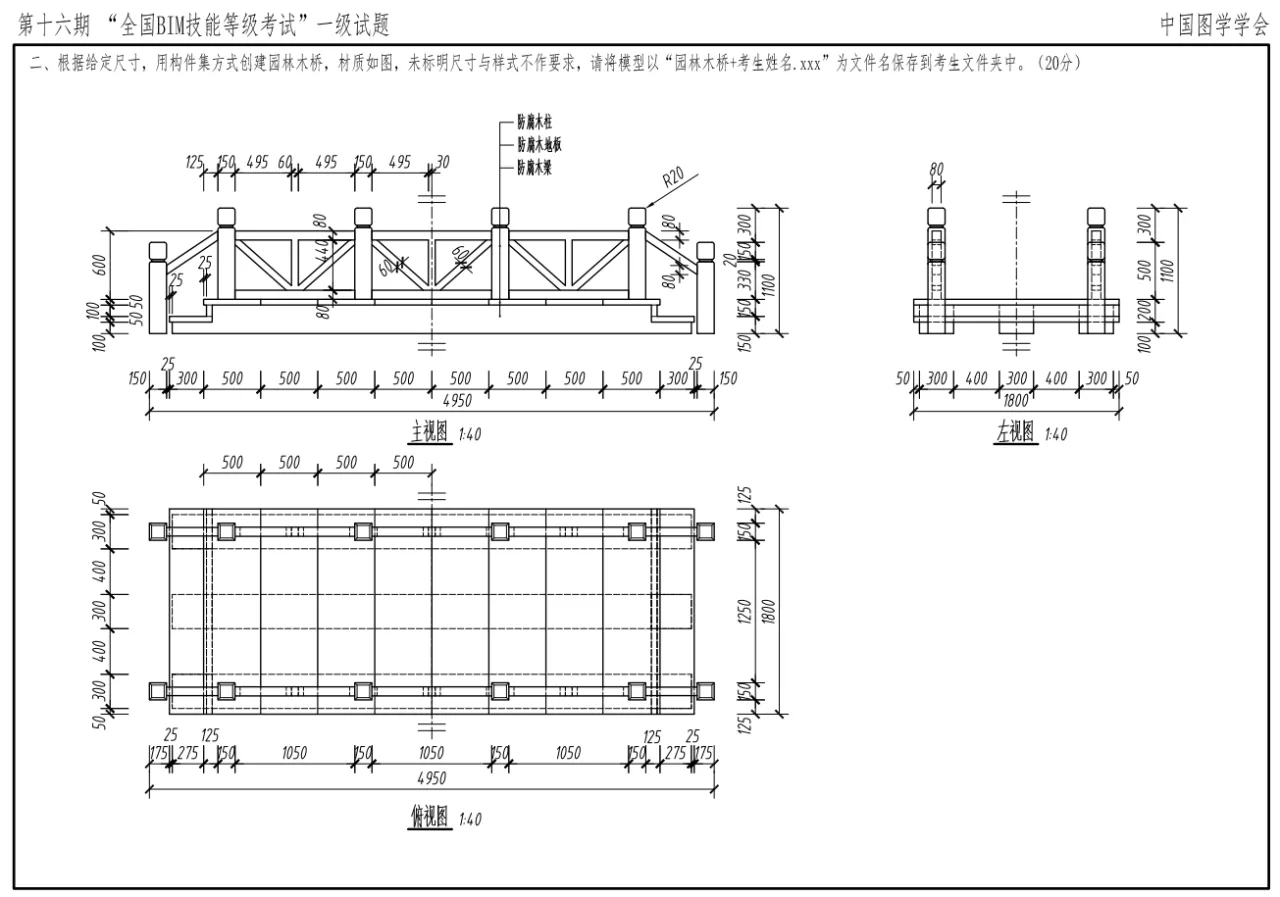
BIM skills | How to draw bridges in Revit? How does Revit draw bridges in a building set format?

BIM skills | How to draw bridges in Revit? How does Revit draw bridges in a building set format?

BIM skills | How to draw bridges in Revit? How does Revit draw bridges in a building set format?

Next, let’s use questions from the 18th issue as an example to demonstrate the process.

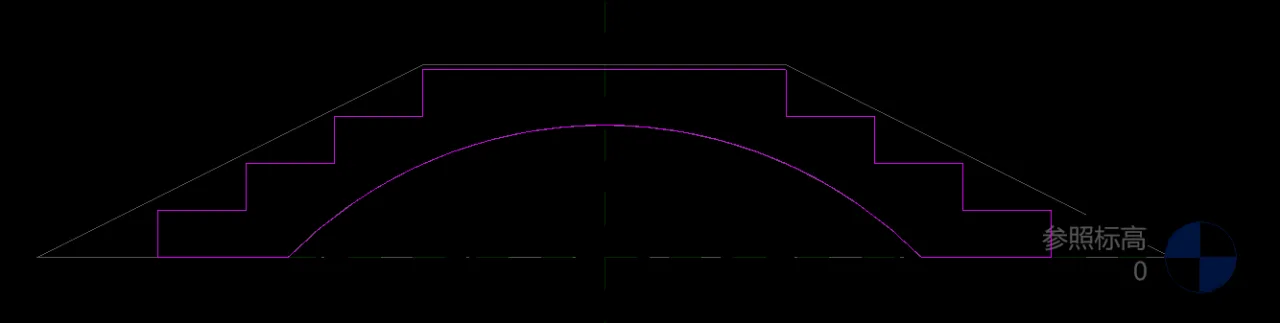
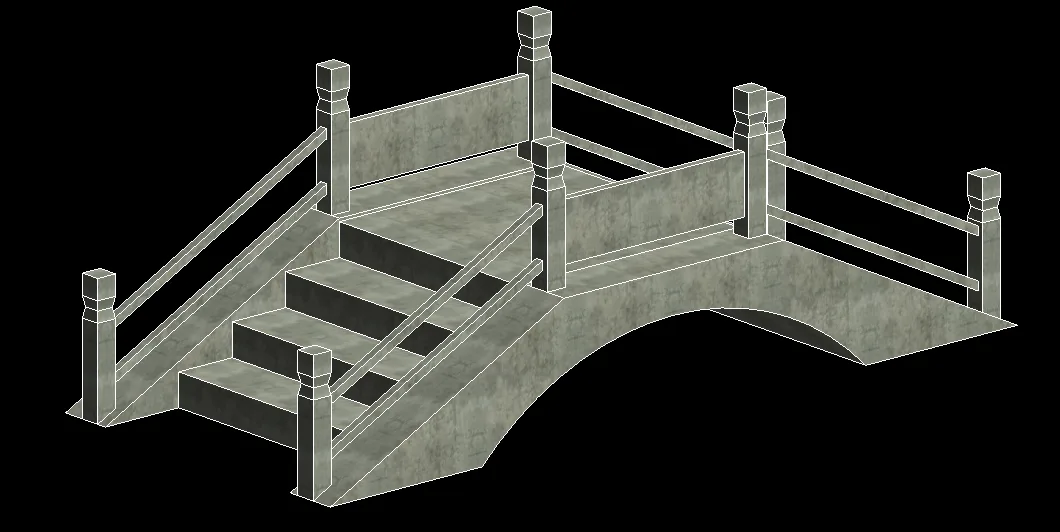
This arch bridge requires skills in stretching, layout, and merging.

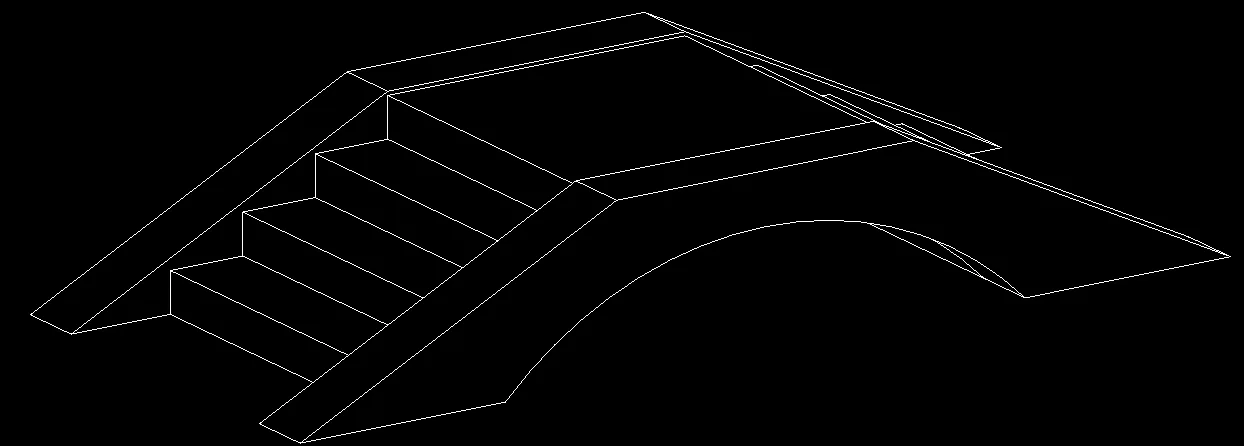
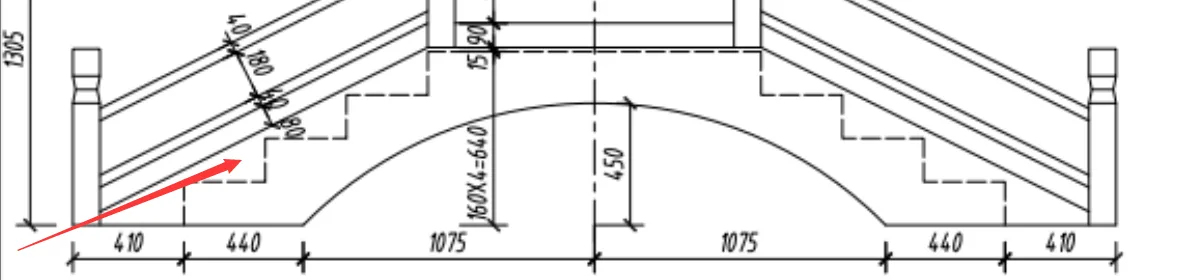
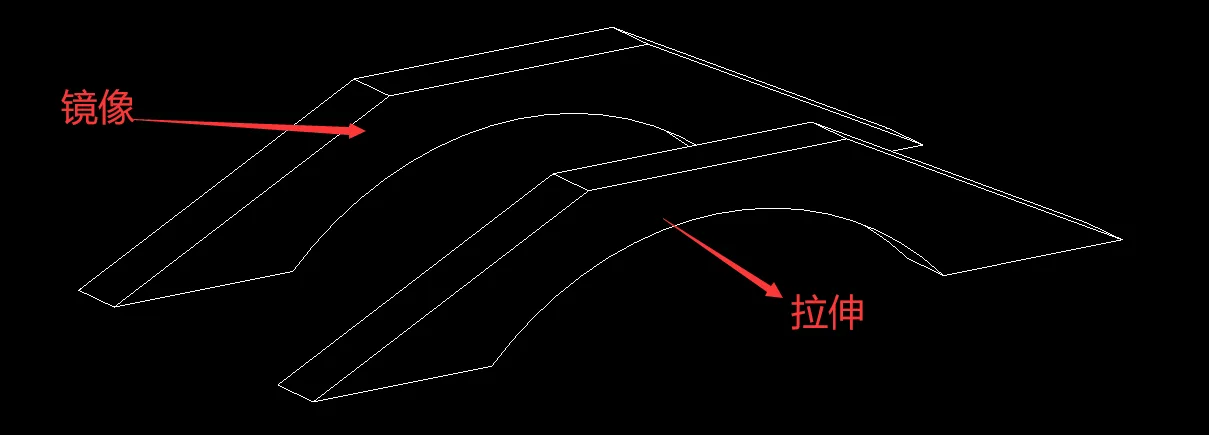
First, use the “Stretch” command to draw the load-bearing part of the arch bridge, then apply the “Mirror” command to replicate the other half.
BIM skills | How to draw bridges in Revit? How does Revit draw bridges in a building set format?

BIM skills | How to draw bridges in Revit? How does Revit draw bridges in a building set format?

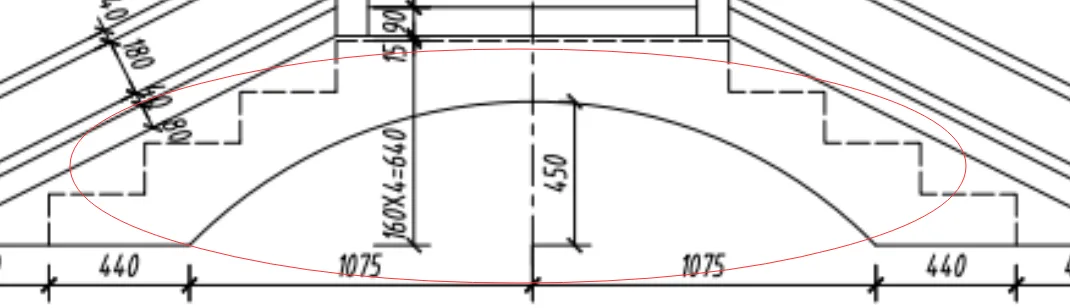
Step 2: use the “Stretch” command to create the step section.
BIM skills | How to draw bridges in Revit? How does Revit draw bridges in a building set format?

BIM skills | How to draw bridges in Revit? How does Revit draw bridges in a building set format?

BIM skills | How to draw bridges in Revit? How does Revit draw bridges in a building set format?

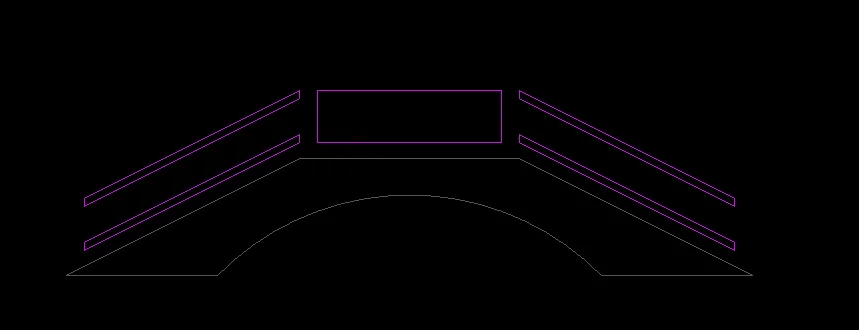
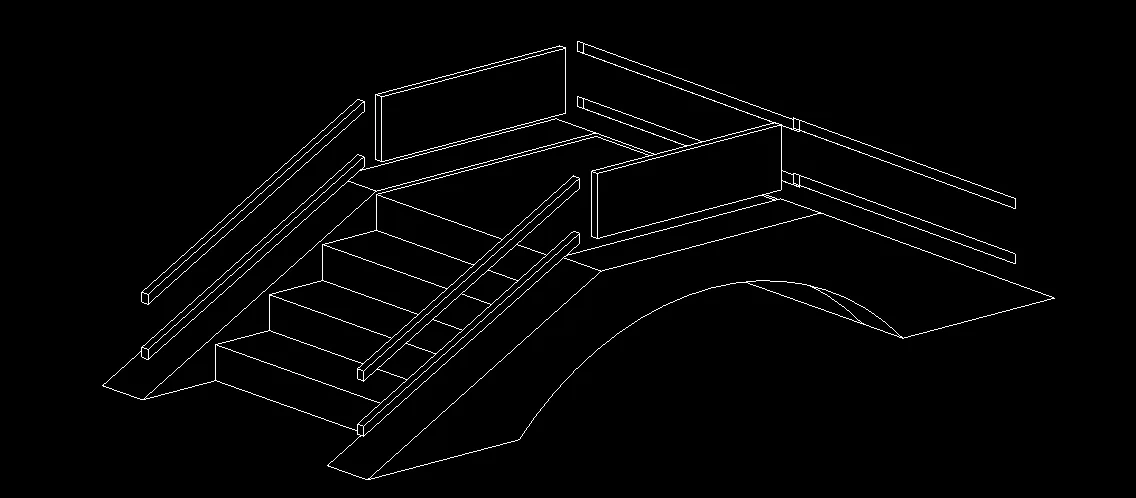
Step 3: use the “Stretch” command to draw the railing section, then mirror it to complete the other side.
BIM skills | How to draw bridges in Revit? How does Revit draw bridges in a building set format?

BIM skills | How to draw bridges in Revit? How does Revit draw bridges in a building set format?

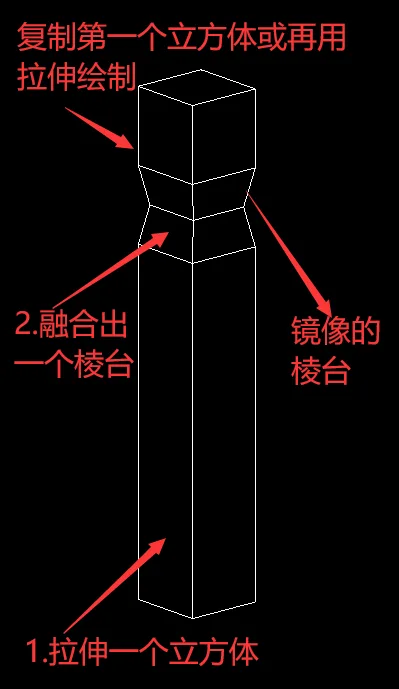
Step 4: use the “Stretch” and “Merge” commands to create the column section. Draw one column first, then mirror it to complete the rest.
BIM skills | How to draw bridges in Revit? How does Revit draw bridges in a building set format?

Final Result:

BIM skills | How to draw bridges in Revit? How does Revit draw bridges in a building set format?

xuebim
Follow the latest BIM developments in the architecture industry, explore innovative building technologies, and discover cutting-edge industry insights.
← Scan with WeChat
Like(0) 打赏
BIM WORLD » BIM Skills: How to Model Bridges in Revit Using Building Set Formats

Comment Get first!

Must log in before commenting!


BIM World, A Professional BIM Learning Platform

Stay updated on the latest architecture trends and share new building technologies.

Contact UsAbout Us

觉得文章有用就打赏一下小编吧

非常感谢你的打赏,我们将继续提供更多优质内容,让我们一起创建更加美好的网络世界!

支付宝扫一扫

微信扫一扫

Account Login

By signing in, you agree toUser Agreement

Sign Up