
This article is originally from the official account: A Yan Fang.
Collaborative Enhancements
1. Introduction of Survey Point Tools for Coordinate Data Exchange
Starting with ArchiCAD 25, users can now exchange coordinate system positioning data across different disciplines without relying on coordinate GDL objects. This update streamlines collaboration workflows and supports widely used interactive file formats, including IFC, BCF, DXF, and DWG.
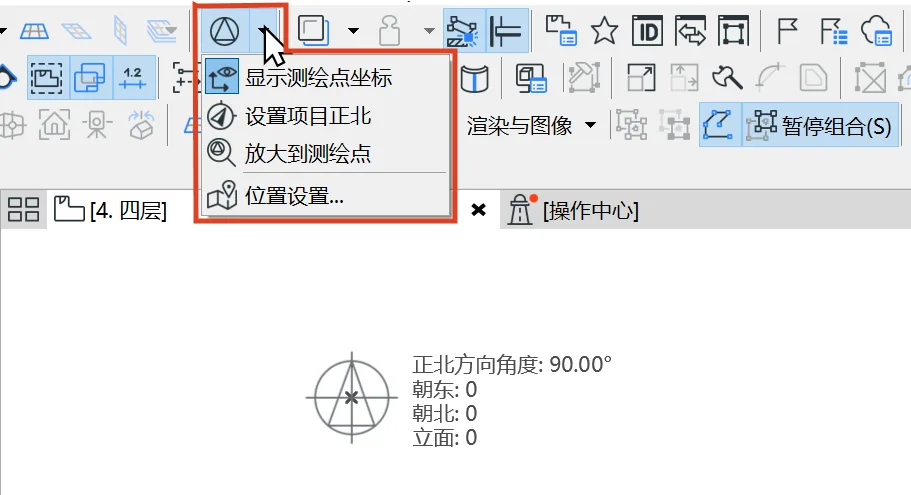
The new version adds a survey point icon to the toolbar. When activated, the survey point is displayed at the origin. Users can access menu commands to view the survey point coordinates and set the project’s true north angle. Note that the term ‘elevation’ shown in the image is a translation issue; in English, ‘elevation’ refers to altitude. For comprehensive instructions, please consult the software’s built-in help manual.
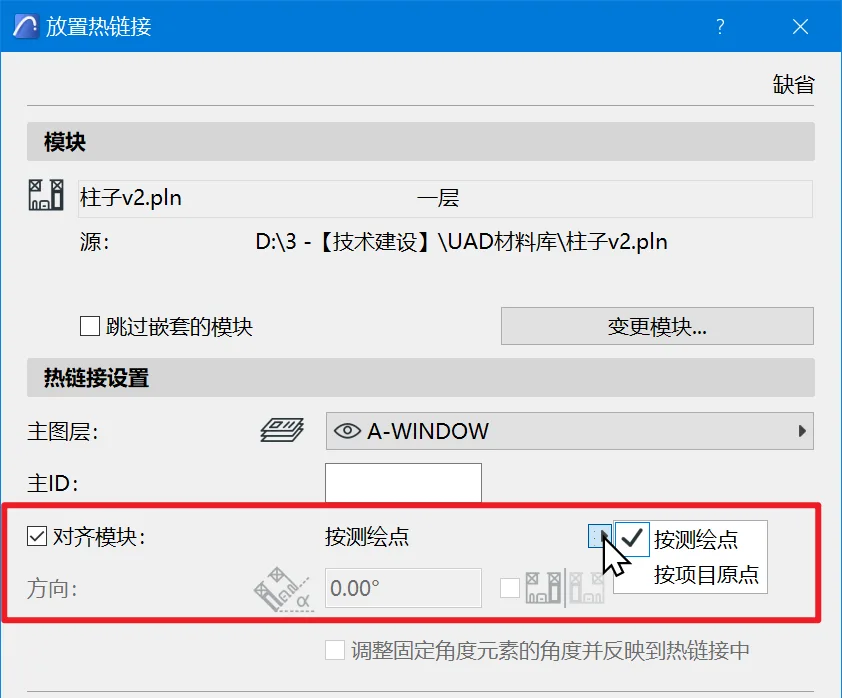
Additionally, when inserting a hotlink module, you can now select ‘survey point’ as the module’s alignment reference, making coordinate alignment easier when the drawing content is positioned away from the origin.
2. Integrated Support for RFA and RVT Files within ARCHICAD
Features that were previously available as plugins are now fully integrated into the default ArchiCAD installation package. This integration supports Revit versions up to 2021.
- Users can hotlink RVT model files directly.
- ArchiCAD 3D models can be saved in the Revit project file format.
- RFA family files can be imported as GDL objects. For device families, MEP device objects are generated, inheriting data and connection methods from Revit groups to enable HVAC and plumbing pipe connections within ArchiCAD.
3. Support for Rhino 6 and Rhino 7 File Formats
Visualization Improvements
1. Enhanced Graphic Overlay Functionality
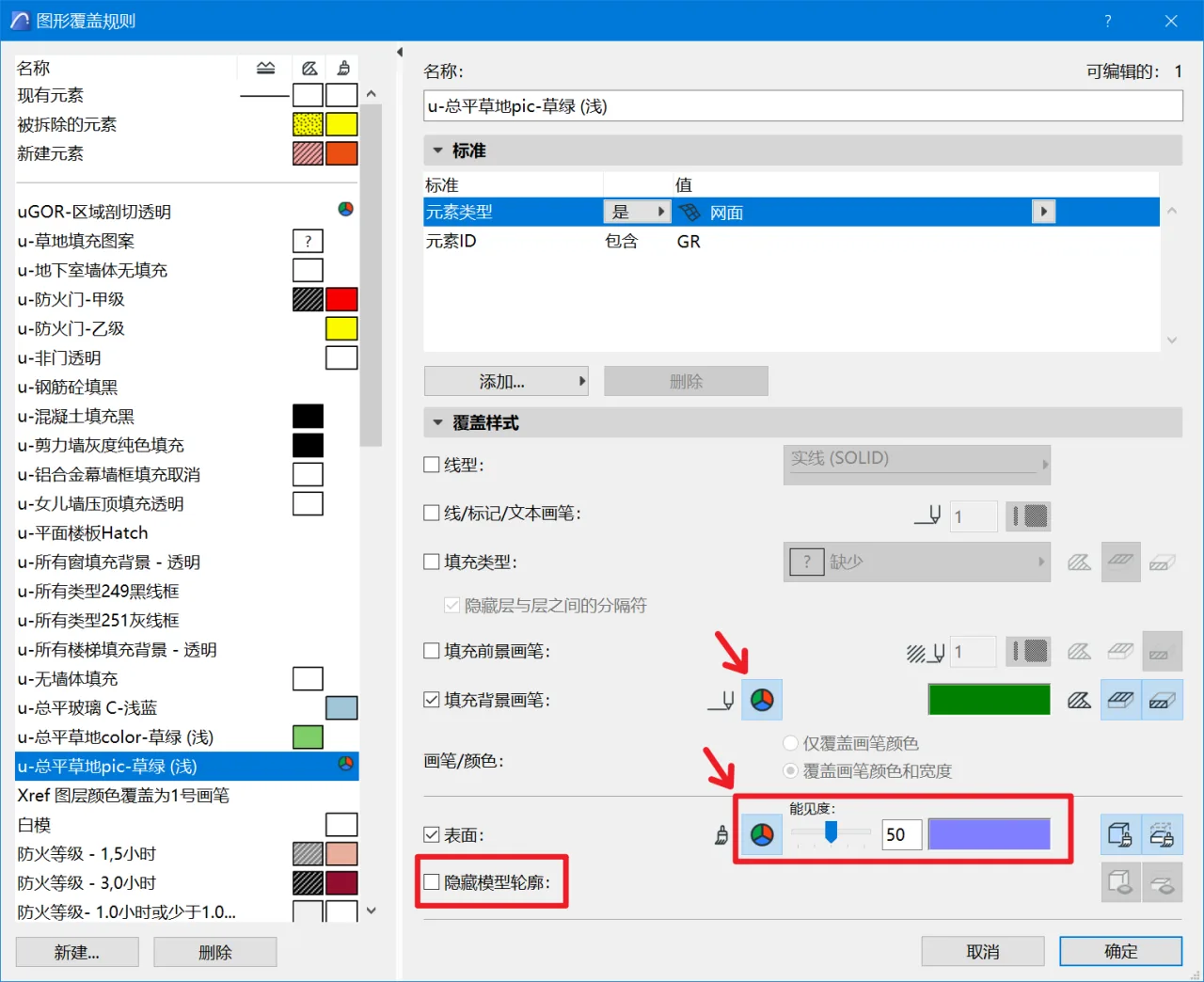
The graphic overlay feature has been further refined in ArchiCAD 25. Users can now select custom RGB colors for the overlay of ‘Fill Background Brush’ and ‘Surface’ without relying on brush colors. This improvement resolves the challenge of coordinating colors between 2D views and the textures in 3D views, streamlining brush color settings and saving substantial effort.
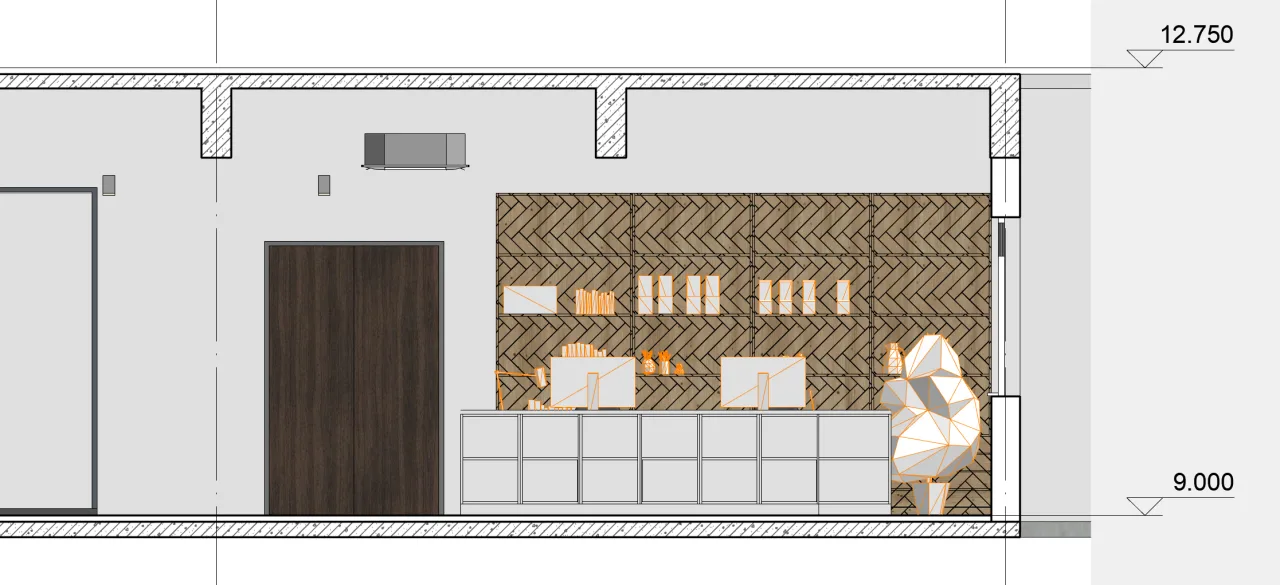
2. Surface Texture Mapping in Section and Elevation Views
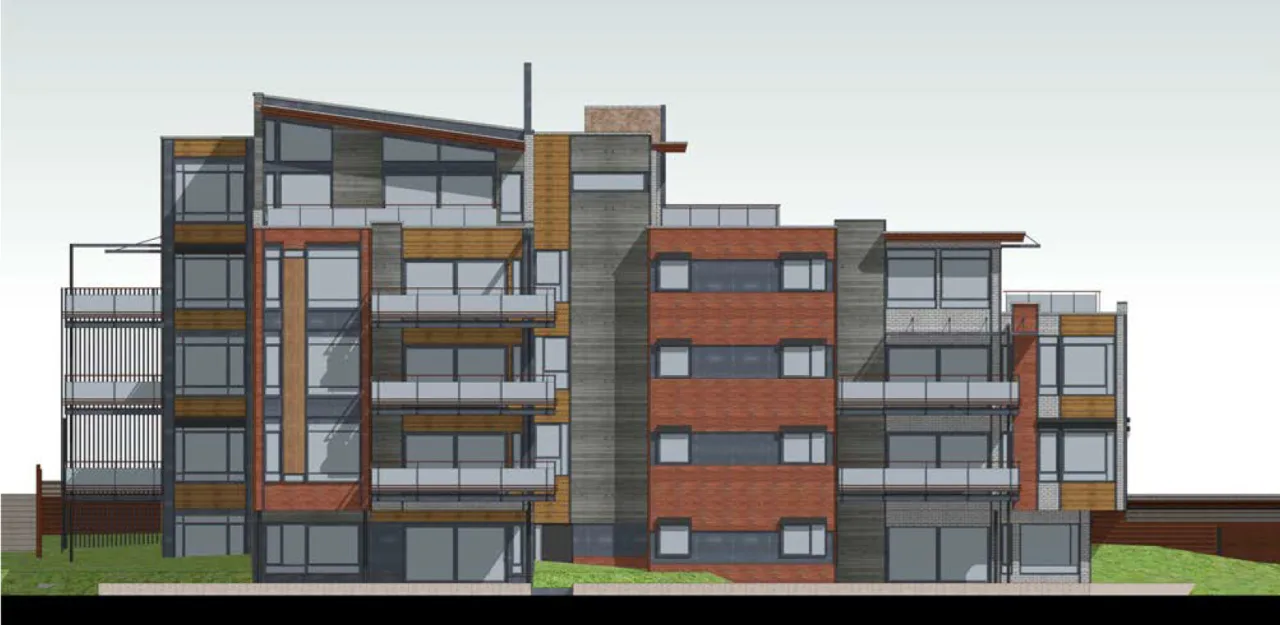
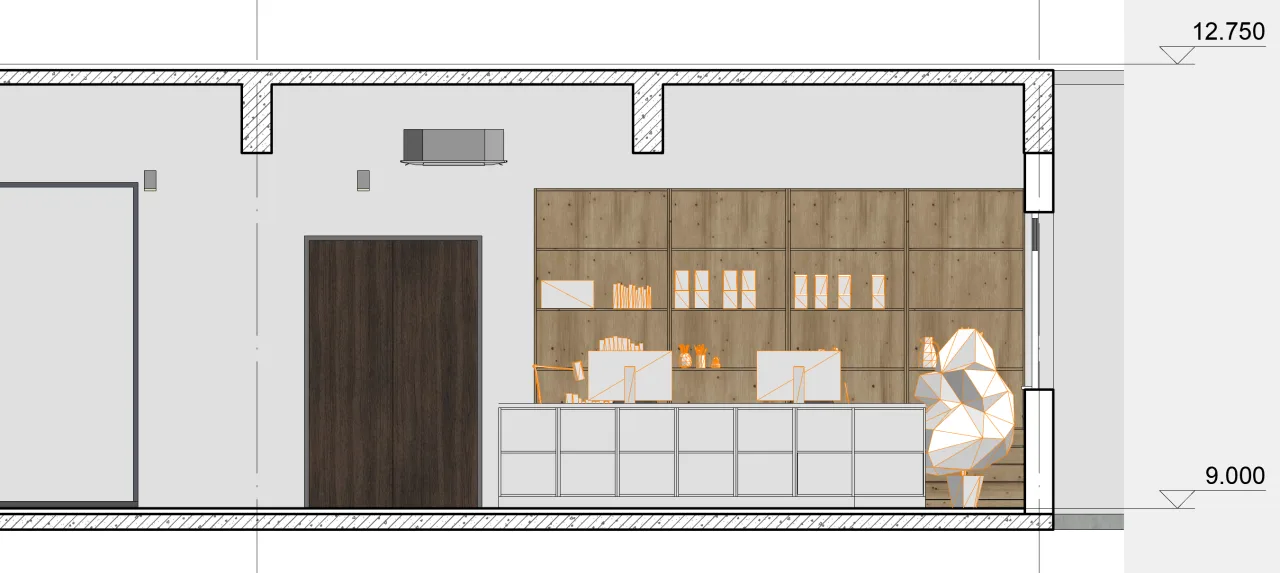
Surface texture maps can now be displayed in both section and elevation views. Previously, these views only showed colors or vector fill patterns without texture display. This enhancement greatly improves visual realism and consistency with 3D views, creating a more unified presentation.
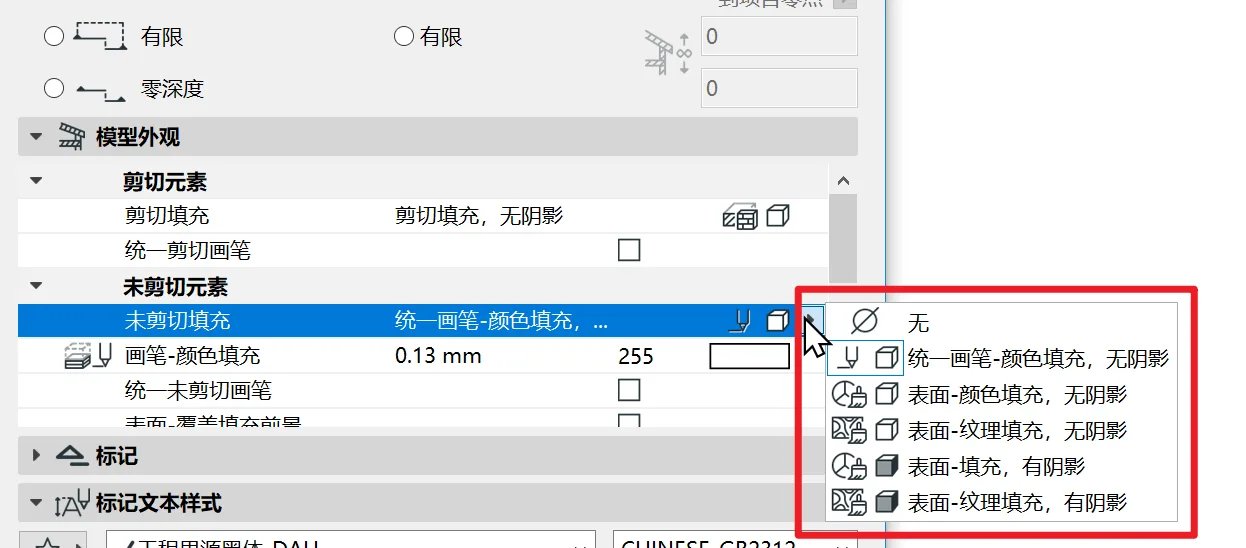
The table below, taken from the software’s PDF manual, clearly explains the function of each option.
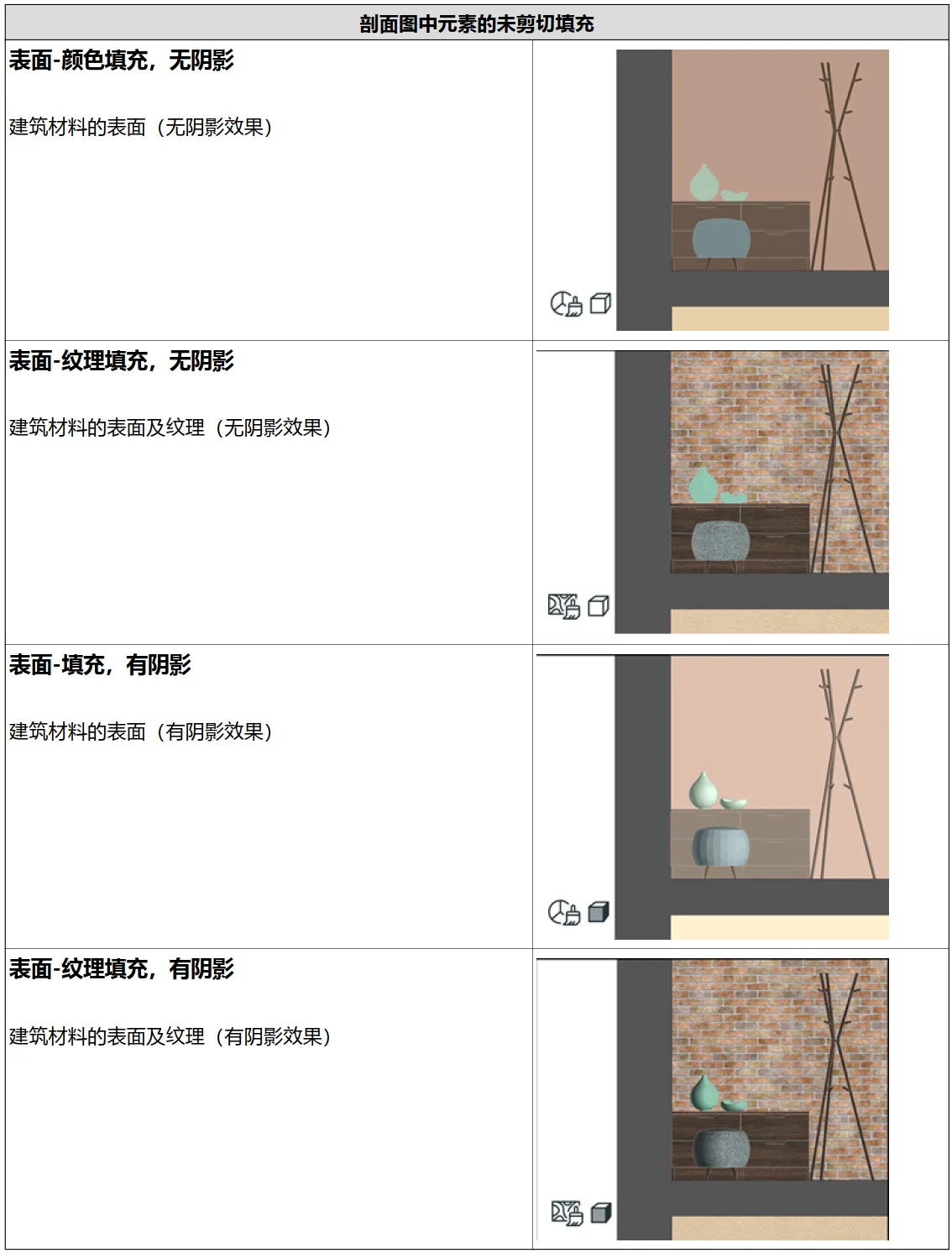
Note that the term ‘shadow’ in this context refers to ‘Shade’ in English, which better describes light and shadow effects rather than simply cast shadows.
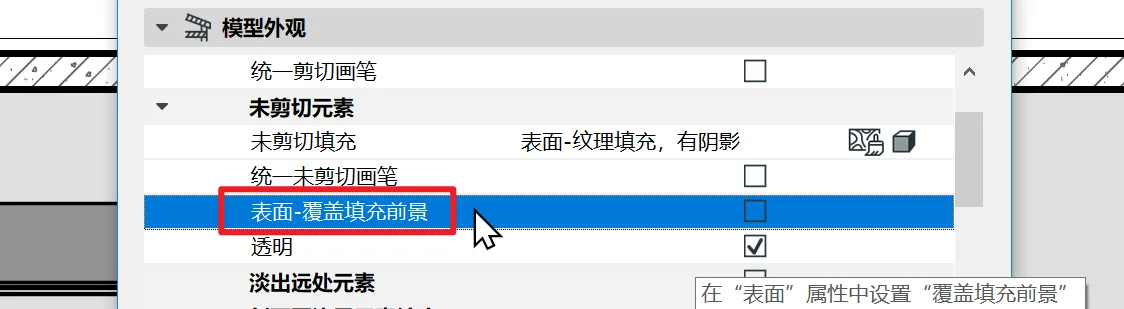
The original ‘vector fill’ option has been renamed to ‘overlay fill’. In the image below, the ‘Surface – Overlay Fill Foreground’ option allows overlaying the vector pattern from the surface material on top of the texture display.
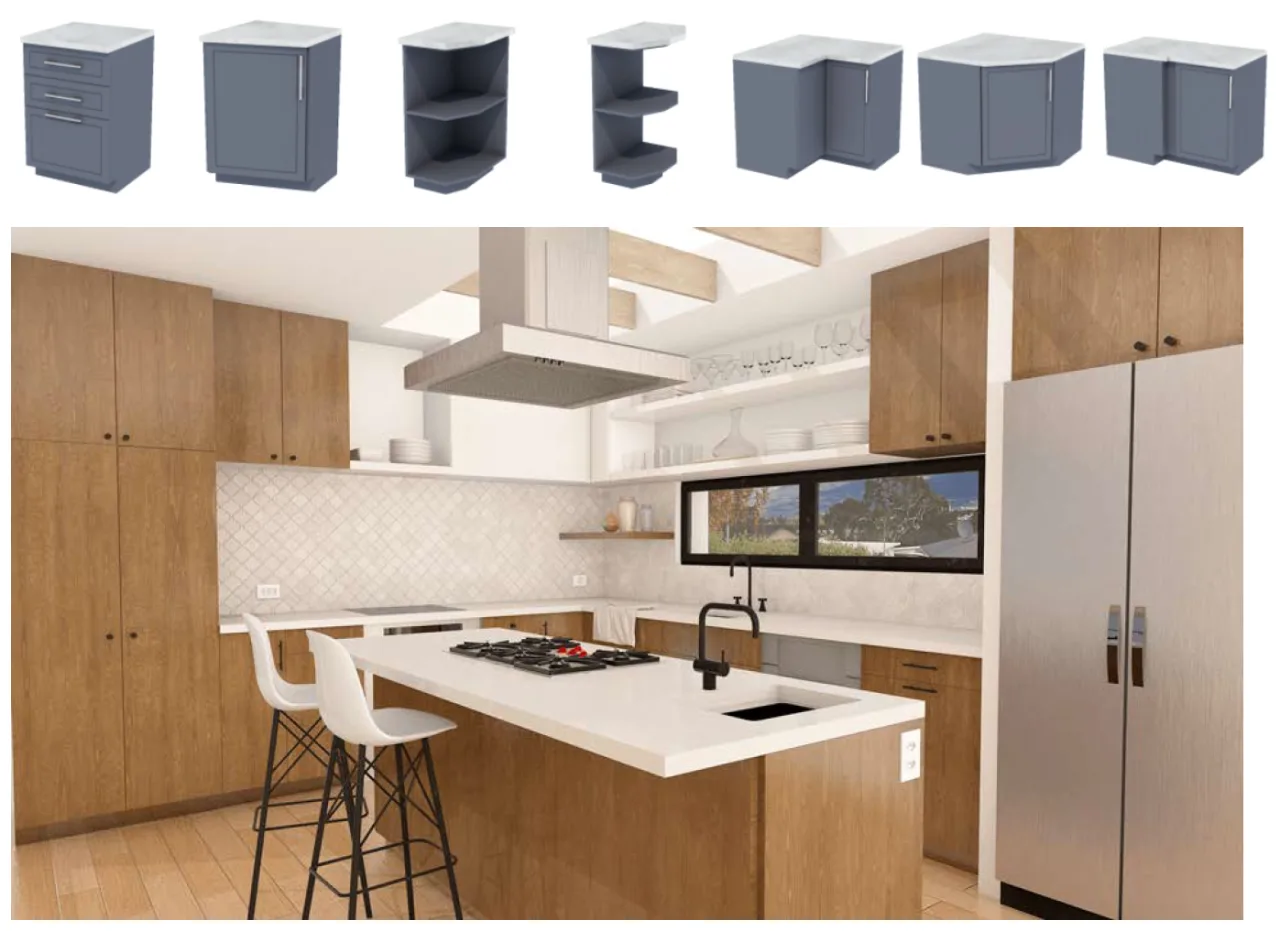
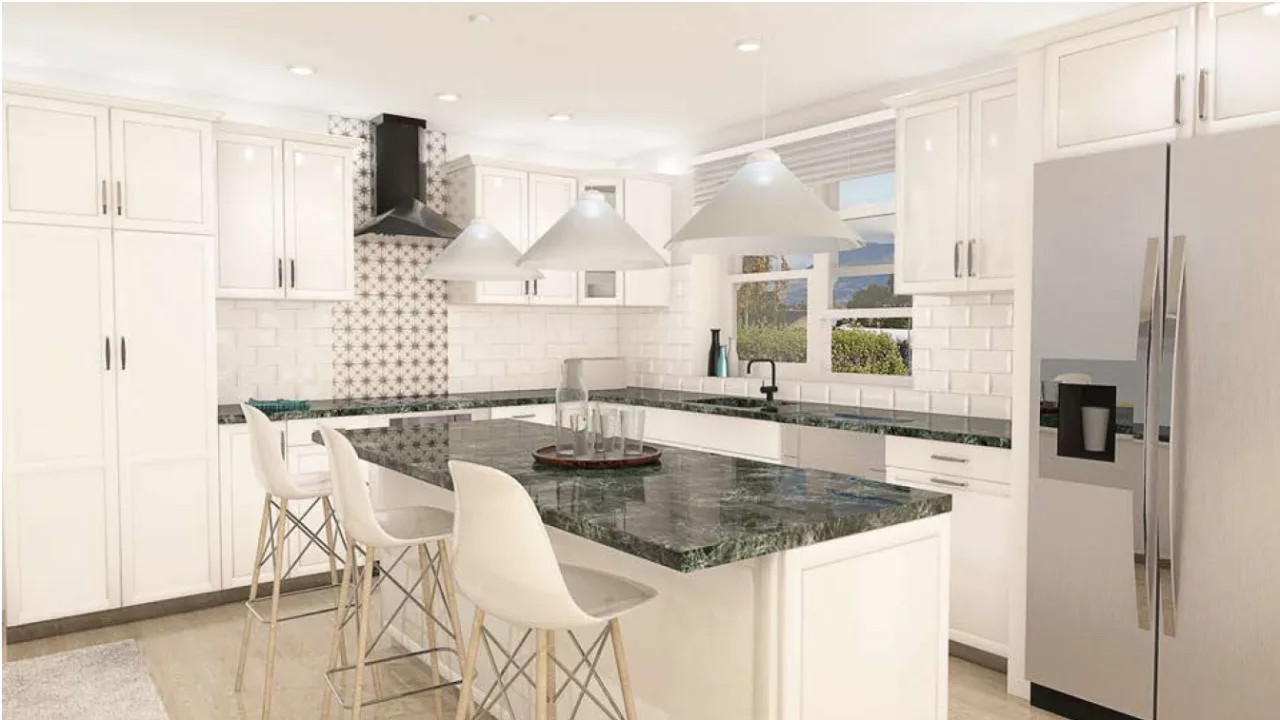
3. Cabinet Gallery Objects Have Been Completely Rewritten
The official cabinet objects have been almost entirely rewritten. Despite some minor details, the new objects are significantly more powerful and capable of delivering modern cabinet designs.
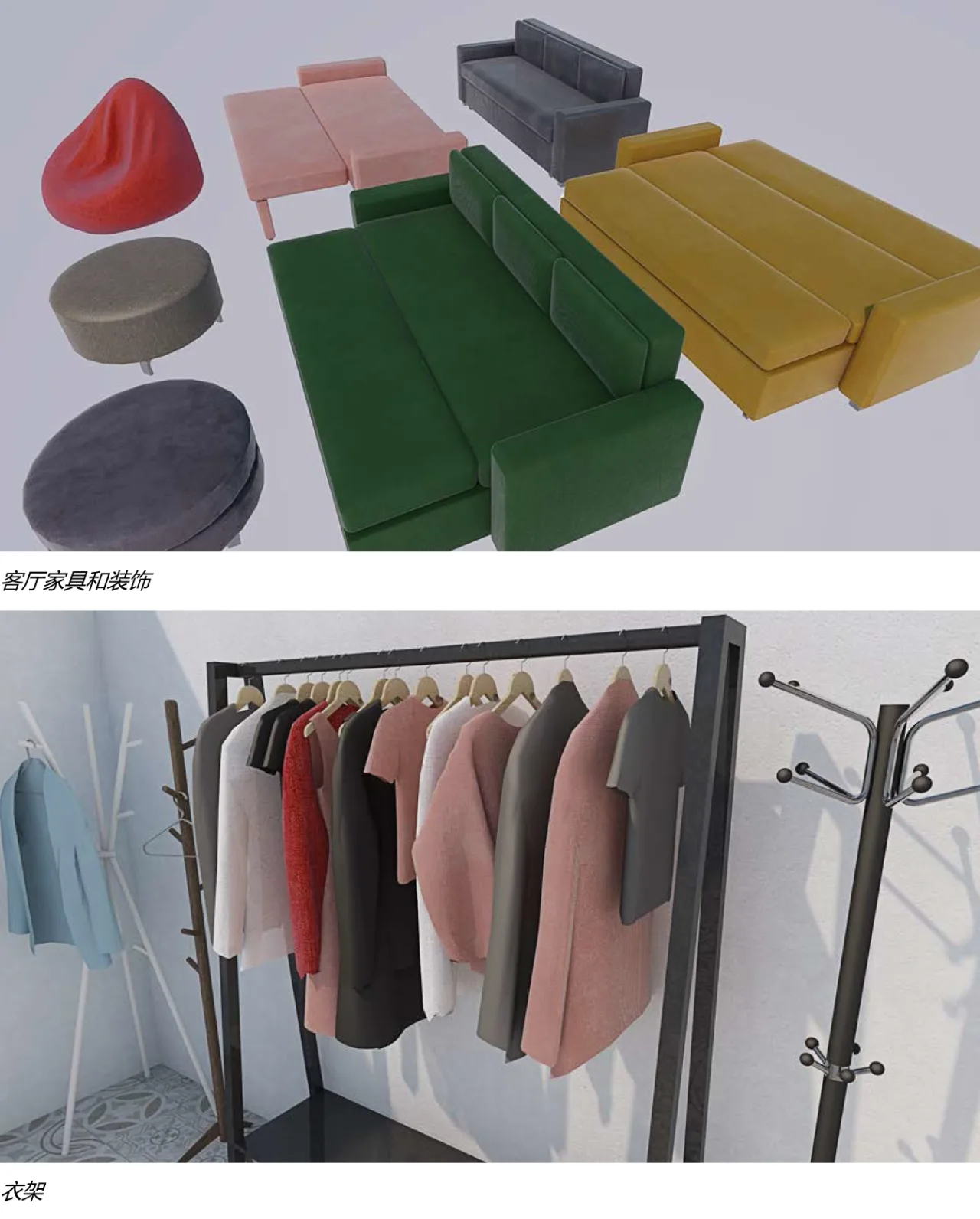
In addition, several furniture libraries have also been updated.
















Must log in before commenting!
Sign Up