
Source: Shaanxi Xiaoge Technology Co., Ltd
Today, we will discuss several methods to resolve issues when components fail to display:
It’s common to encounter situations where components are not visible in 2D views but appear correctly in 3D. To address this, we recommend following these three steps in order:
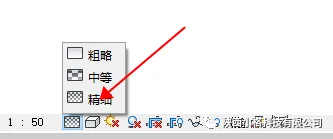
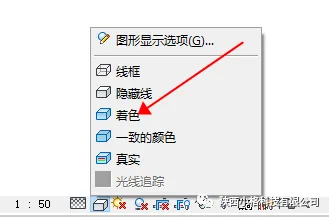
- Set the view’s display mode to Fine and Shaded.
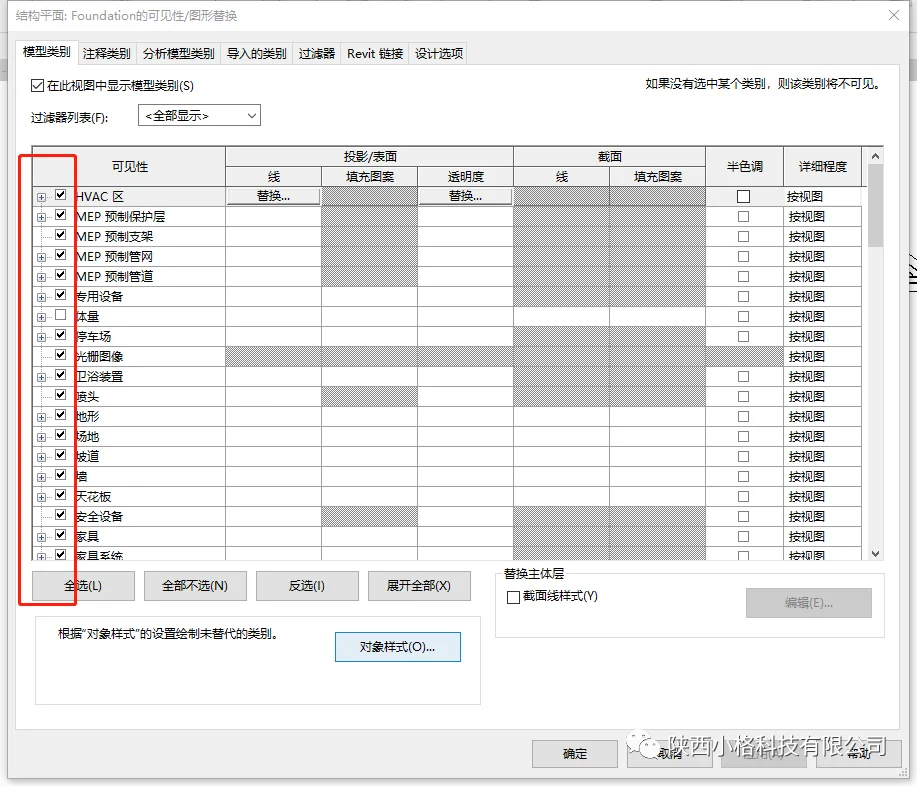
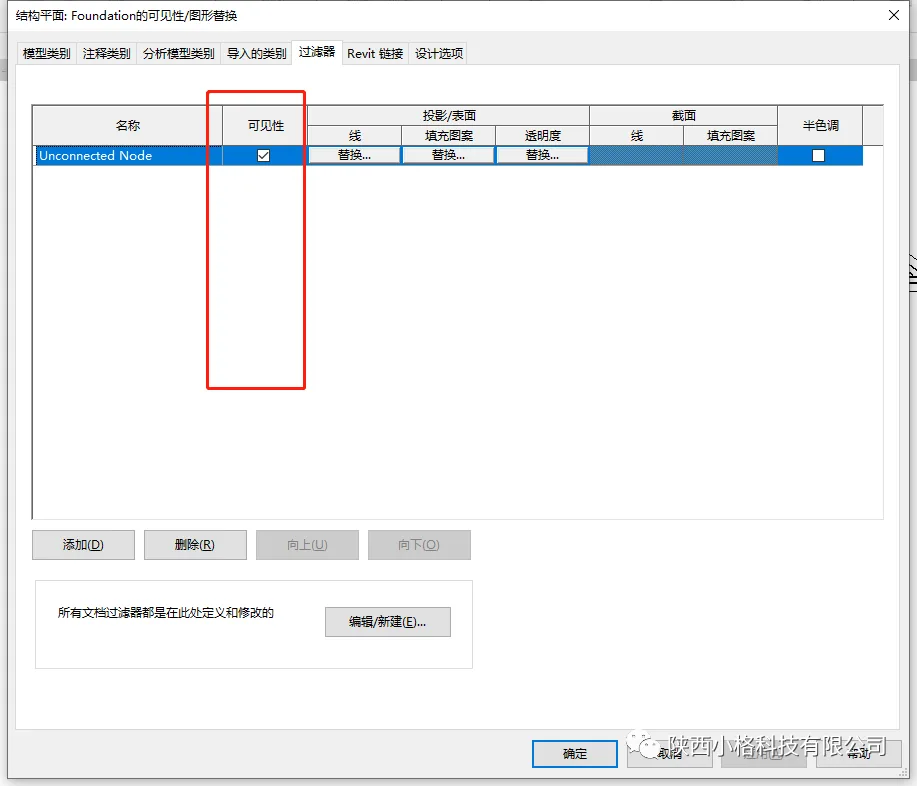
- Under the View tab, open Visibility/Graphics and ensure all checkboxes in the Model Category and Filters are selected.
If there are no filter options available, no further action is necessary. Typically, this step will restore the visibility of hidden components. If the components are still not visible, it likely means their elevation does not correspond to the current level, making them invisible at this view.
Of course, even if the components are not located on the current floor, there is still a way to view them.
This involves adjusting the View Range. You can find the View Range option in the properties panel. Click Edit to modify the settings.
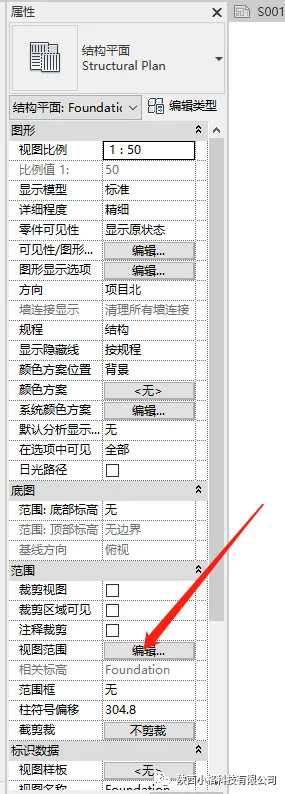
When you click to edit the view range, a dialog box appears divided into two sections: Main Range and View Depth.
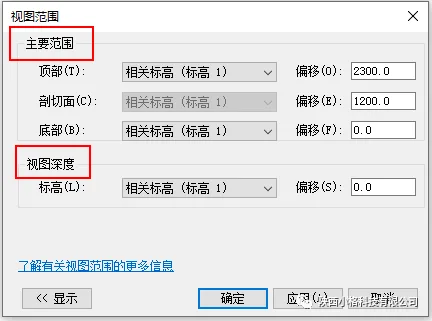
To clarify these terms, we’ve created a diagram to help explain:
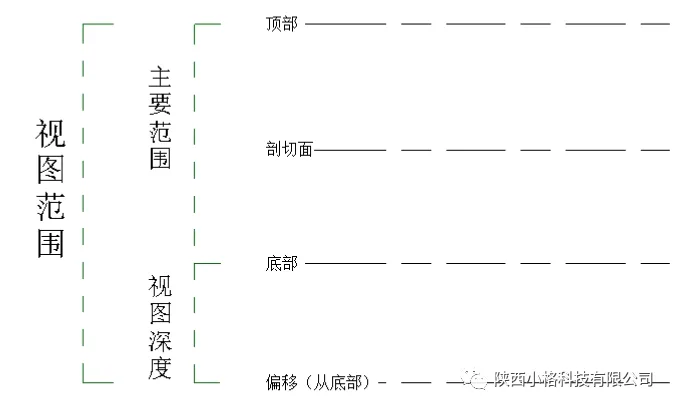
The Main Range extends from the Top to the Bottom, and the offset value below the bottom defines the View Depth. The total of these heights constitutes the View Range.
Important rules to note:
- The Top value must be greater than or equal to the Cut Plane value.
- The View Depth must be less than or equal to the Bottom value.
In summary:
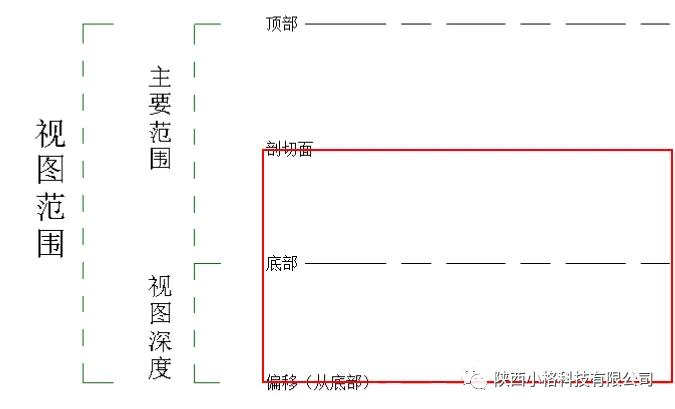
- The section from the Bottom is within the normal viewing range.
- The View Depth extends beyond the bottom and remains visible.
- The area from the Top to the Cut Plane is outside the visible range.
The visible area is highlighted in the red box in the diagram below:
If adjusting the view range seems complicated, a simpler approach is to set the Cut Plane and Top values to the same height. By determining the elevation of the components, you can then adjust the view range accordingly to include and display the missing components.
















Must log in before commenting!
Sign Up