
Many students struggle to fully understand the concepts of families, family templates, project files, and project templates in Revit software. Here, I will provide a clear summary and answer common questions for all users.
Project File: A project file contains all the information related to a project, including all graphical elements. It has the file extension .rvt.
Project Template File: This file includes the basic settings for a project, such as project units, imported model components, and other predefined configurations. It serves as a common starting point for new projects.
For example, the images below use the 2016 version of Revit. If you are using another version, please adjust the file paths and details accordingly.
Many students have installed Revit but find that templates, family libraries, or family templates are missing. What can be done in such cases? We provide offline versions of templates, family libraries, and family template files that can be downloaded and copied to the appropriate directories.
Copying Offline Files to the Correct Location
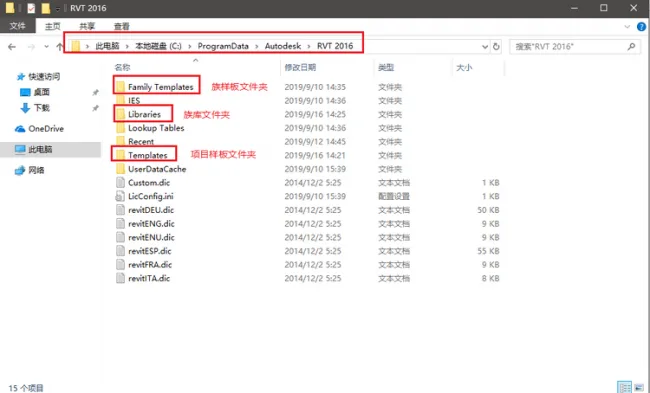
How to Use Downloaded Project Template Files
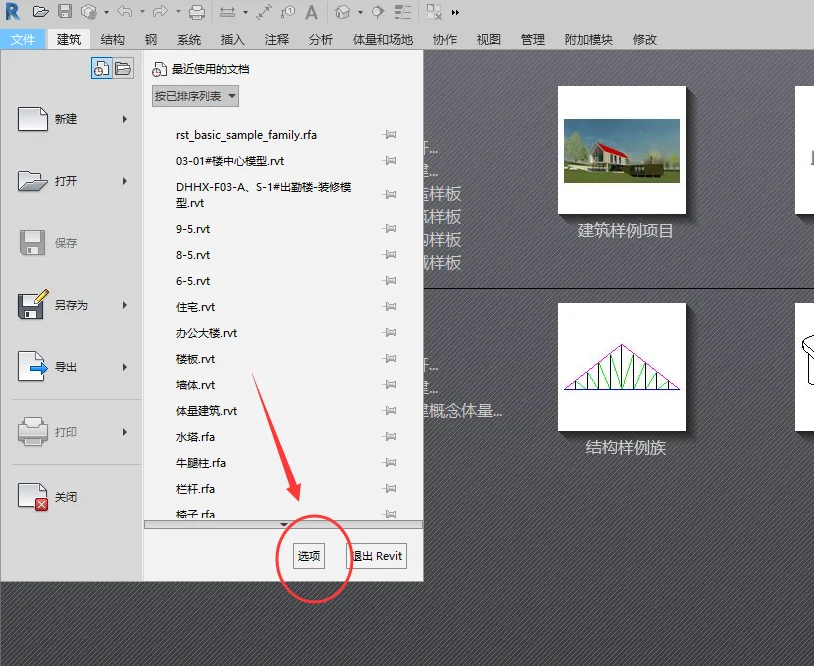
Open Revit and click on File, then select Options to access the settings interface shown below. Configure the paths according to the image instructions.
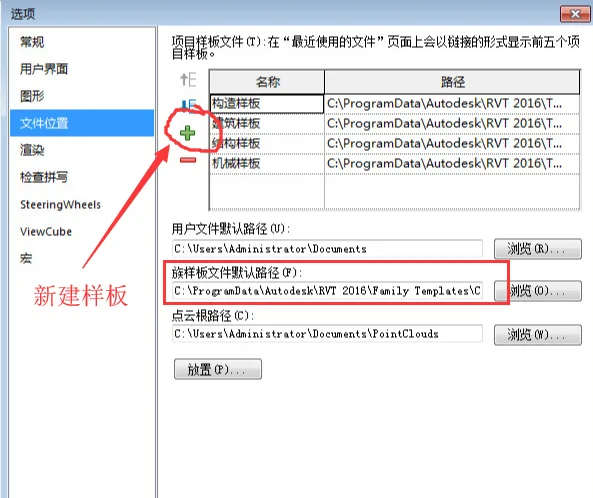
Template Name Descriptions:
1: Construction Default CHSCHS – Construction Template
2: Default CHSCHS – Architectural Samples
3: Electrical Default CHSCHS – Electrical Sample
4: Mechanical Default CHSCHS – Mechanical Sample
5: Plumbing Default CHSCHS – Pipeline Template
6: Structural Analysis Default CHNCHS – Structural Template
7: Systems Default CHSCHS – System Template
















Thanks a lot
I searched for a long time.
Where can I find and download offline templates, family libraries, and family template files???
https://www.arcsh.com/39133.html
Hello, can you ask about the installation process? Sigh, I don’t know how to install it
Originally it couldn’t be used, I followed the steps step by step, but now Revit2018 can be used. The explanation is very detailed, thank you very much.