
Download Software
Installation Guide
-
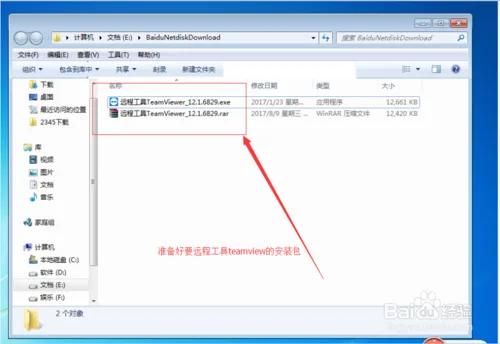
First, prepare the installation package for the remote tool TeamViewer. If you don’t have it yet, you can search for “TeamViewer” on Baidu and download it. See the image below for reference.
-
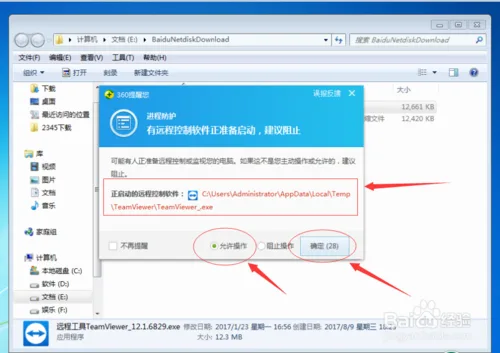
Next, run the installation file as an administrator. When the pop-up dialog appears, select “Allow Operations” and then click “OK,” as shown in the image.
-
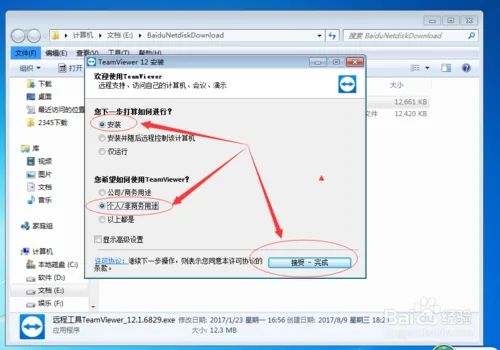
Then, in the pop-up window, choose “Installation” and select “Personal/Non-Commercial Use.” Click “Accept – Complete” to proceed, as illustrated below.
-
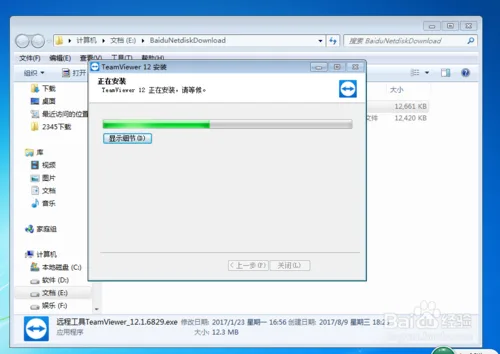
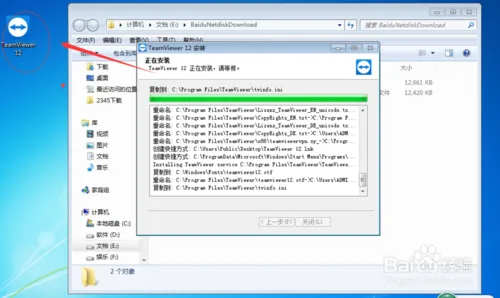
Once the installation starts, a progress bar will appear showing “TeamViewer… Installation in progress, please wait,” as seen in the following image.
-
After a short wait, the installation will complete, and you will see the TeamViewer icon on your desktop, as illustrated below.
-
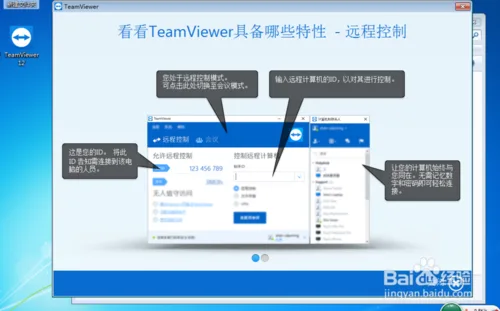
A brief tutorial window will pop up, introducing the main features of TeamViewer, as shown in the image below.
-
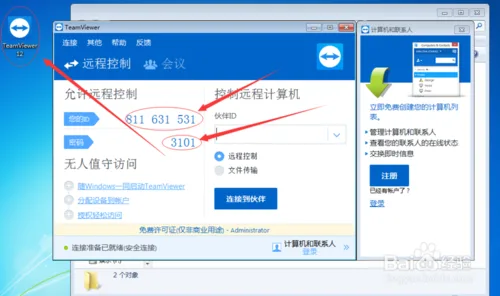
When you open TeamViewer, you will see your unique ID and password. These credentials are used to establish remote connections, as shown below.
Remote Assistance
Please send your ID and password to the editor!

xuebim
Follow the latest BIM developments in the architecture industry, explore innovative building technologies, and discover cutting-edge industry insights.
← Scan with WeChat















Must log in before commenting!
Sign Up