
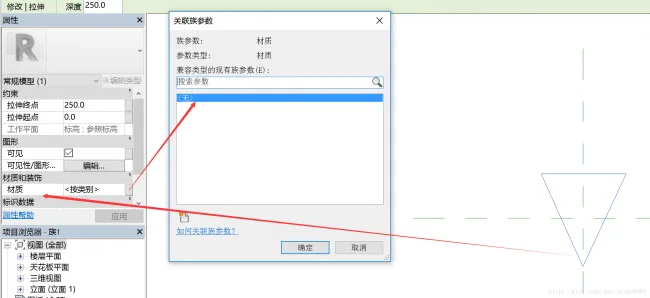
When creating a family, it is essential to associate family parameters effectively. This process is commonly used to link materials and dimensions to elements within a family.
string paramName = "材质";
FamilyParameter familyParameter = familyDoc.FamilyManager.AddParameter(paramName, BuiltInParameterGroup.PG_MATERIALS, ParameterType.Material, true);

familyDoc.FamilyManager.AssociateElementParameterToFamilyParameter(form.get_Parameter(BuiltInParameter.MATERIAL_ID_PARAM), familyParameter);
First, define the material parameter, then proceed to associate it with the family parameter.

xuebim
Follow the latest BIM developments in the architecture industry, explore innovative building technologies, and discover cutting-edge industry insights.
← Scan with WeChat














Must log in before commenting!
Sign Up