
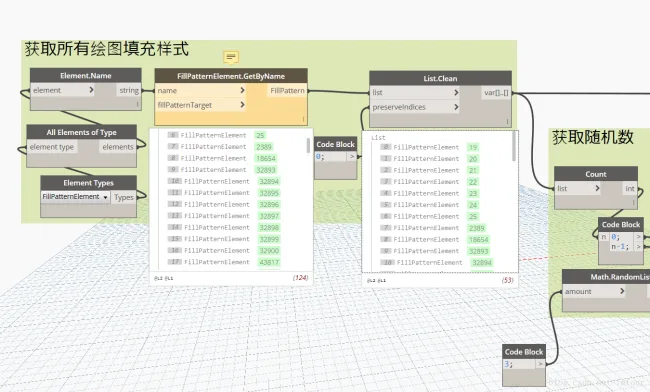
Recently, I encountered a challenge while working with Dynamo. I needed to randomly select some fill styles for style replacement. To do this, I used the built-in All Elements of Type node to get all the fill styles in the project. However, the problem was that the results included both drafting fill styles and model fill styles, while I only needed the drafting fill patterns.
After searching through the built-in nodes, I found no direct way to filter these elements by extracting parameters. I also preferred not to write Python scripts. After carefully reviewing the available nodes, I discovered the FillPatternElementGetByName node. This node allows you to obtain fill styles by name, and importantly, it lets you specify the fill pattern type.
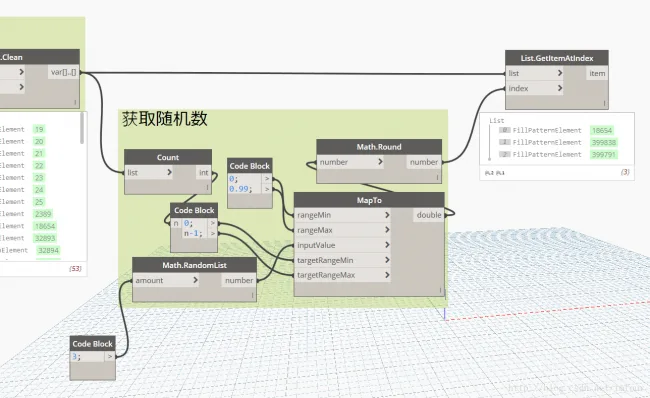
By combining this node with List.Clean, I was able to successfully retrieve only the drafting fill styles. The process of selecting random values from the filtered list was then straightforward.















Must log in before commenting!
Sign Up