
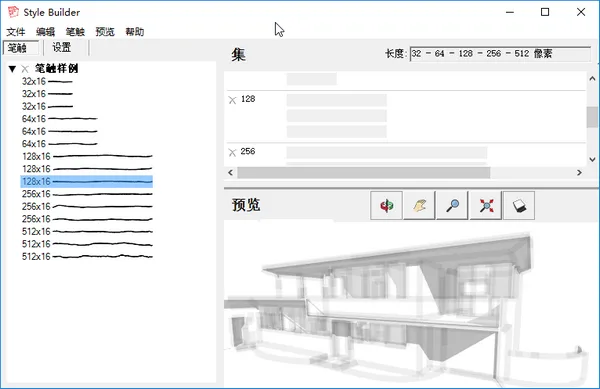
SketchUp 2019 is a powerful yet straightforward tool designed to help you explore and express your ideas in a 3D environment. Unlike traditional CAD software, SketchUp Pro offers advanced features that are easy to learn and highly intuitive. This design tool focuses on delivering practical solutions through a streamlined and user-friendly process.
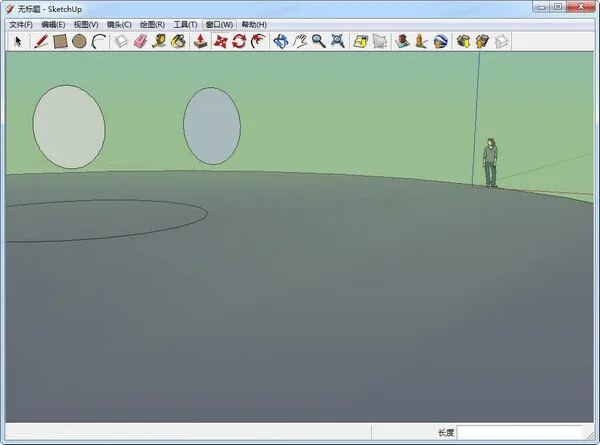
Feature Overview
Search for 3D models of any object
Looking for an oven to complete your kitchen design? Or maybe a car to add to your street scene? Even a rhinoceros for your zoo project? You can find all this and more in 3D Warehouse, the world’s largest free 3D model library.
Convert models into professional documents
Many 3D models eventually become detailed 2D presentations. With SketchUp Pro’s LayOut, you can showcase your models professionally and create precise drawings you’ll be proud to share.
Customize SketchUp with extensions
SketchUp supports hundreds of plugins that help solve complex 3D modeling challenges, enhancing your workflow and boosting creativity.
Manage models and documents seamlessly
LayOut allows you to insert live SketchUp model views anywhere within your documents. These “viewports” update automatically whenever you make changes to your model.
Create stunning blueprints
LayOut brings SketchUp’s intuitive style into the 2D space with elegant aesthetics. You can customize lines, shadows, textures, text, dimensions, and title bars to match your design preferences.
Intuitive vector graphics
LayOut’s drawing tools are smart, simple, and enjoyable to use. All drawings retain vector properties, enabling precise scaling and rotation without loss of quality.
Annotate with dimensions and detailed notes
Use the dimension tool to easily align with SketchUp model edges, customizing format, scale, and accuracy to suit your needs.
Access a vast collection of 3D models
3D Warehouse integrates directly with SketchUp, giving you quick access to environments, furniture, machinery, cabinets, kitchen sinks, and much more—all just a few clicks away.
Find models from trusted manufacturers
We collaborate with leading brands like Herman Miller, Formica, and Thermador to provide accurate, high-quality models. For example, selecting a kitchen oven delivers an authentic model with detailed geometric accuracy.
New Features
- Advanced properties enable users to embed detailed information into models during component creation and management.
- Enhanced report generation allows you to aggregate and organize component data efficiently.
- Improved IFX export tools preserve properties imported from other BIM applications during export.
- Sectional views can now be named, with enhanced performance and usability.
- Native support for cut surfaces with fill styles eliminates the need for third-party plugins.
- Drawing tool improvements include the ability to draw rectangles from their center using modifier keys, faster rotation controls, and refined tape measurement functionality.
- Process and axial color coding have been added to freehand tools for better visualization.
- Native STL import and export support has been introduced for seamless 3D printing workflows.
Cracking Instructions
After installing SketchUp, follow these steps to apply the crack:
- Replace
SketchUp.exeinC:Program FilesSketchUpSketchUp 20XXwith the cracked version from theFixfolder. - Copy the
LayOutfolder intoC:Program FilesSketchUpSketchUp 20XXLayOut. - Copy the
Style Builderfolder intoC:Program FilesSketchUpSketchUp 20XXStyle Builder.













Must log in before commenting!
Sign Up