
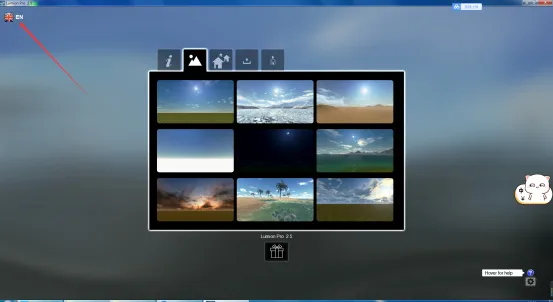
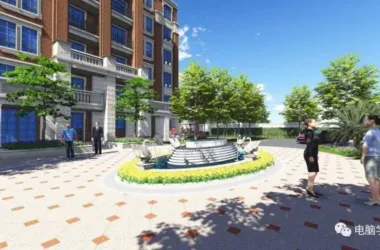
Lumion Pro 2.5 is a powerful rendering software developed by Lumion 3D, designed to efficiently visualize architectural models. It enables you to create stunning visualizations of building designs and scenes, allowing for detailed rendering of construction plans. You can also enhance your scenes by adding indoor elements such as tables, cabinets, and corridors.
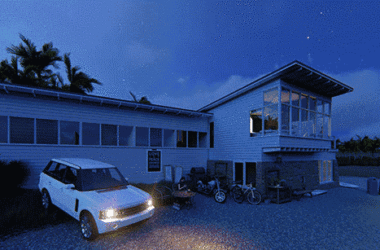
In addition, Lumion Pro 2.5 supports rendering outdoor environments surrounding your models, including roads, vehicles, crowds, trees, and greenery. With its extensive material library, you can select from a wide range of textures and finishes, significantly elevating the quality of your architectural presentations.
Key Features of Lumion Pro 2.5:
- Improved fountain effects
- Support for on-site demonstrations
- Enhanced reflection quality
- Completely redesigned user interface
- Upgraded scene effects
- Batch placement and movement of objects
- Expanded material library
- Advanced speed measurement tools
New Additions in Lumion Pro 2.5:
- Tree and plant plugins
- Movie effect plugins
- Human and animal plugins
- Special effects plugins
- Environment and weather plugins
- Panoramic mode panel
- 360-degree VR panoramic rendering
- New GPU rendering technology for real-time 3D scene editing
Software Capabilities
OpenStreetMap Integration: Easily position your model anywhere on the globe using OpenStreetMap data. Lumion automatically generates detailed 3D maps by importing 2D geographic information, making location placement both seamless and accurate.
Weathering Effects: Previously, adding weathered or aged appearances to materials required manual texture painting. Lumion 7 simplifies this process by letting you add realistic defects such as rust, wear, cracks, stains, and moss with a single click, adding authenticity and depth to your materials.
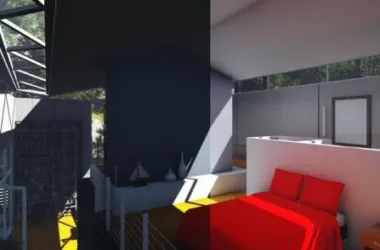
Area Light and Light Strip: These new lighting options allow you to enhance both interior and exterior scenes beyond simple spotlights. Quickly add cable tray lighting, create warm ambient atmospheres, or simulate natural daylight streaming through windows to immerse viewers in your designs.
Plugin Features
- Tree and Plant Plugin: Includes numerous factory buildings and a broad selection of Lumion tree models, nearly doubling the existing material library.
- Human and Animal Plugin: Offers an extensive range of 3D human and animal models, complete with detailed materials, silhouettes, and billboards.
- Movie Effects Plugin: Adds essential cinematic effects such as depth of field, lens flare, sharpening, and an “oil painting” style.
- Special Effects Plugin: Enables the inclusion of dynamic effects like water, fire, smoke, and fog in your scenes.
- Environment and Weather Plugin: Features realistic weather modes and ocean simulations, ideal for coastal and marine environments.
Installation Guide
- Download Lumion 2.5 and run the EXE installer. The setup interface is in English; click “Next” to continue.
- Select the installation directory. It’s recommended to keep the default path and proceed.
- Optionally, choose to create a desktop shortcut for easy access.
- Review the installation summary, including the path and selected components, then click “Install” to begin.
- Once the installation is complete, click “Finish” to exit the installer. You can now launch Lumion from the installed location.
Usage Instructions
Explore a wide variety of media, including images, videos, and 360-degree panoramic views. Watch architect interviews to learn practical Lumion workflows.
- Plants and trees with realistic wind effects
- Traffic models such as cars, buses, and boats
- Outdoor objects including street furniture and buildings
- Indoor furniture and decorative elements
- Animated adults with walking loops or pause animations
- Animated animals (birds, livestock, pets, fish) and static children models
- 3D and 2D silhouettes of characters and animals
- Special effects like fallen leaves, fountains, water walls, fire, smoke, dust, fog, and steam
- Visual effects including selective saturation, simulated color labs, oil painting, pastel sketch, blueprint, material highlights, autumn generator, animated light colors, and foam plastic
Environment and Weather Features
- 28 landscape types and 6 water types
- Customizable weather settings, including cloud cover and sun position
- Realistic ocean simulation with wave control, turbidity, and color adjustments
- Waterfall materials
- 50 terrain materials, including 8 customizable terrain types (water, glass, billboards, light mapping, etc.)
- 700 inventory materials with favorites for quick access
Sound and Effects
- 3D sound effects
- Environmental sounds (nature, locations)
- Sounds of people, vehicles, and machinery
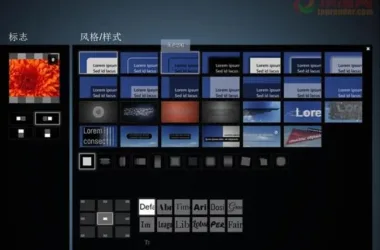
- 123 title effect styles, including 14 basic and 27 3D text scene styles
- Area lights and light strips for enhanced lighting
Lumion Editions
Lumion Standard Edition includes most features and content, making it ideal for freelancers and small businesses.
Lumion Professional Edition offers the full range of features and content, perfect for professional visualization studios.
Supported File Formats
- 3D Model Imports: DWG, DXF, DAE, FBX, MAX, 3DS, OBJ, SKP (Note: MAX files require 3D Studio Max installed)
- Image Imports: TGA, DDS, PSD, JPG, BMP, HDR, PNG
- Ray Mapping Imports: For example, from AutoDesk® 3D Studio Max
- 2D Background Sound/Music: WAV format
- Video Textures: Supports MP4 videos as textures
Output Capabilities
- 360-degree panoramic views compatible with Samsung VR and Oculus Rift
- Depth images, normal maps, lighting maps, and sky alpha maps
- Real-time bird’s-eye views through Lumion Viewer
- MP4 files with embedded background music and sound effects











Must log in before commenting!
Sign Up