
Upon receiving this notice, students are requested to create an account by following the steps below, complete their personal information, and submit it to our company for unified registration.
Students who have already registered successfully have been notified and do not need to repeat these steps.
Instructions
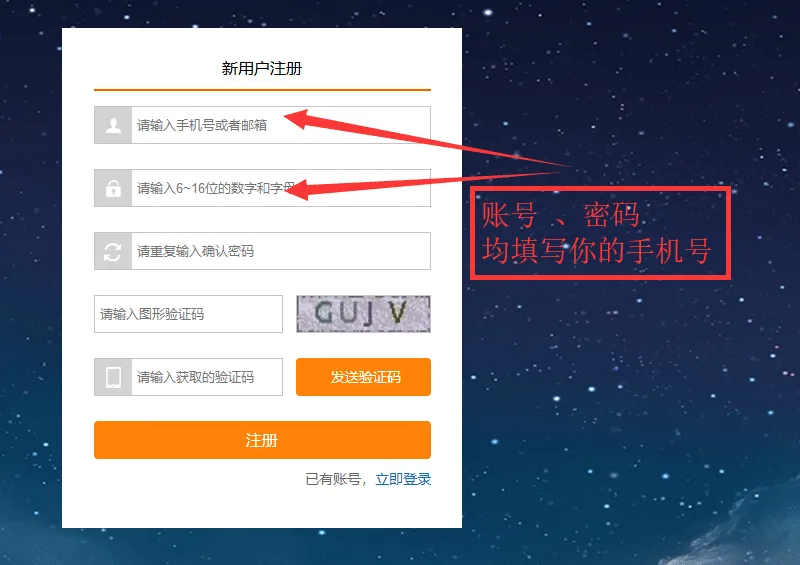
- Please use your mobile phone number as both the account name and password to ensure successful login.
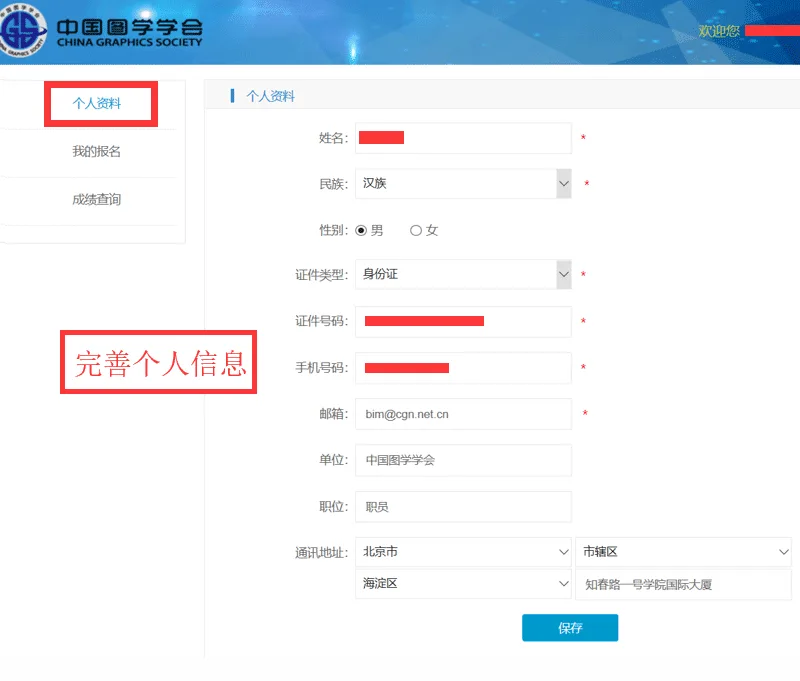
- Complete your personal information form so that we can finalize your registration.
-
Send a photo of your ID to the following email:
Email: service@bimii.com
Subject Line: Your Name + Phone Number
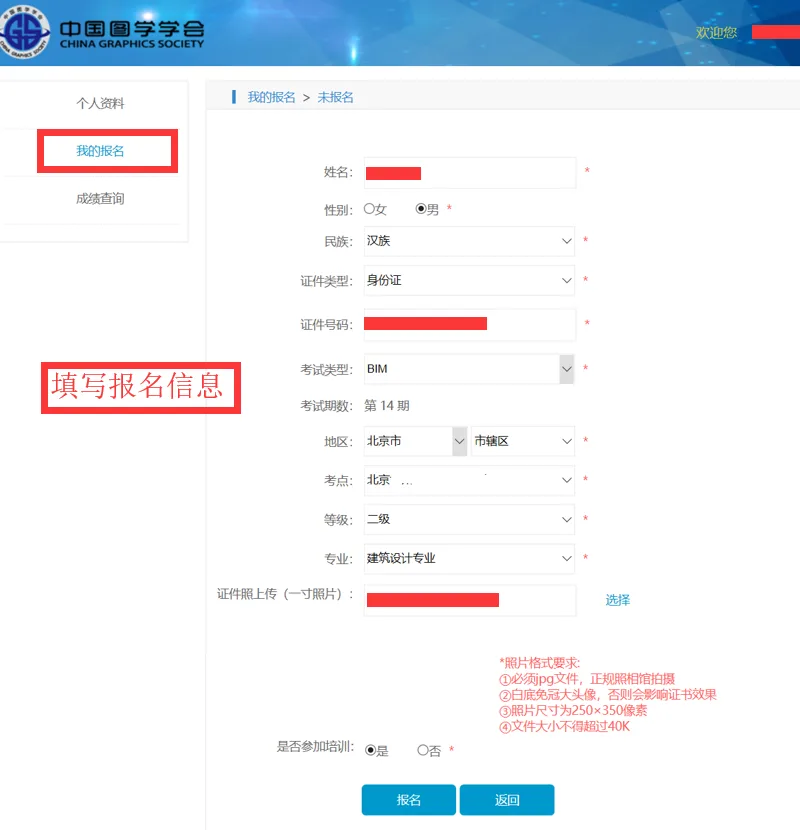
Photo Format Requirements (Please contact your academic teacher if Photoshop editing is needed):
① JPG format only
② White background, no hats or headwear, close-up portrait
③ Dimensions must be 250 × 350 pixels
④ File size should not exceed 40 KB
Step 1: Register an Account on the Website
http://branch.cgn.net.cn/member/index/reg.action
Note: Both the account username and password must be your mobile phone number.
Step 2: Select ‘BIM Level Exam’ to Proceed

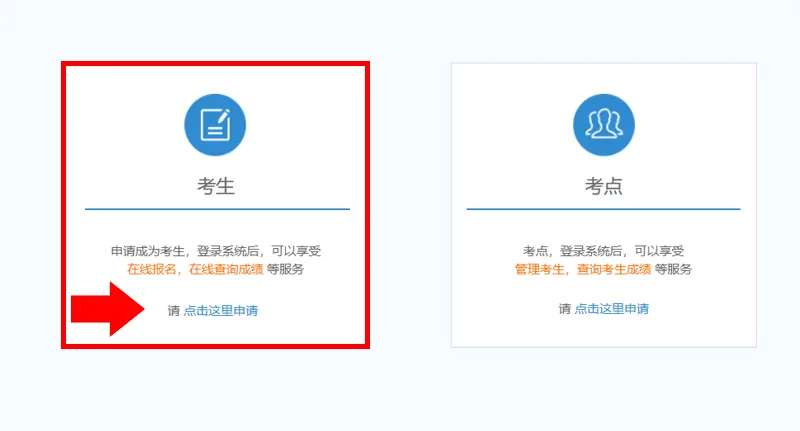
Step 3: Choose the ‘Candidates’ Section
Step 4: Complete Your Personal Information
Step 5: Registration Information Submission (Handled by Our Company)
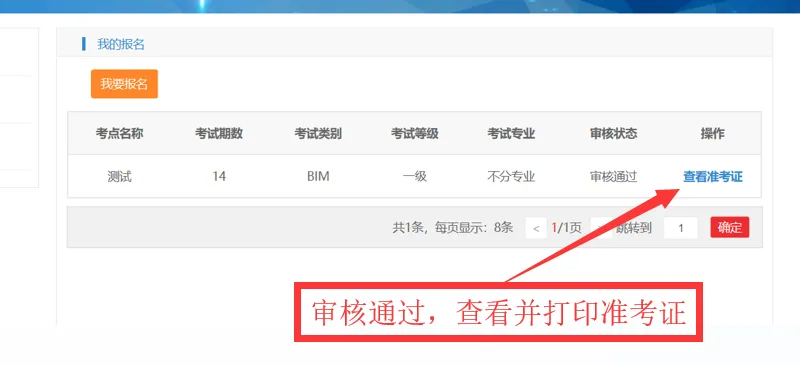
Step 6: Await Approval and Print Your Admission Ticket

xuebim
Follow the latest BIM developments in the architecture industry, explore innovative building technologies, and discover cutting-edge industry insights.
← Scan with WeChat







Must log in before commenting!
Sign Up