

Candidate Registration Process
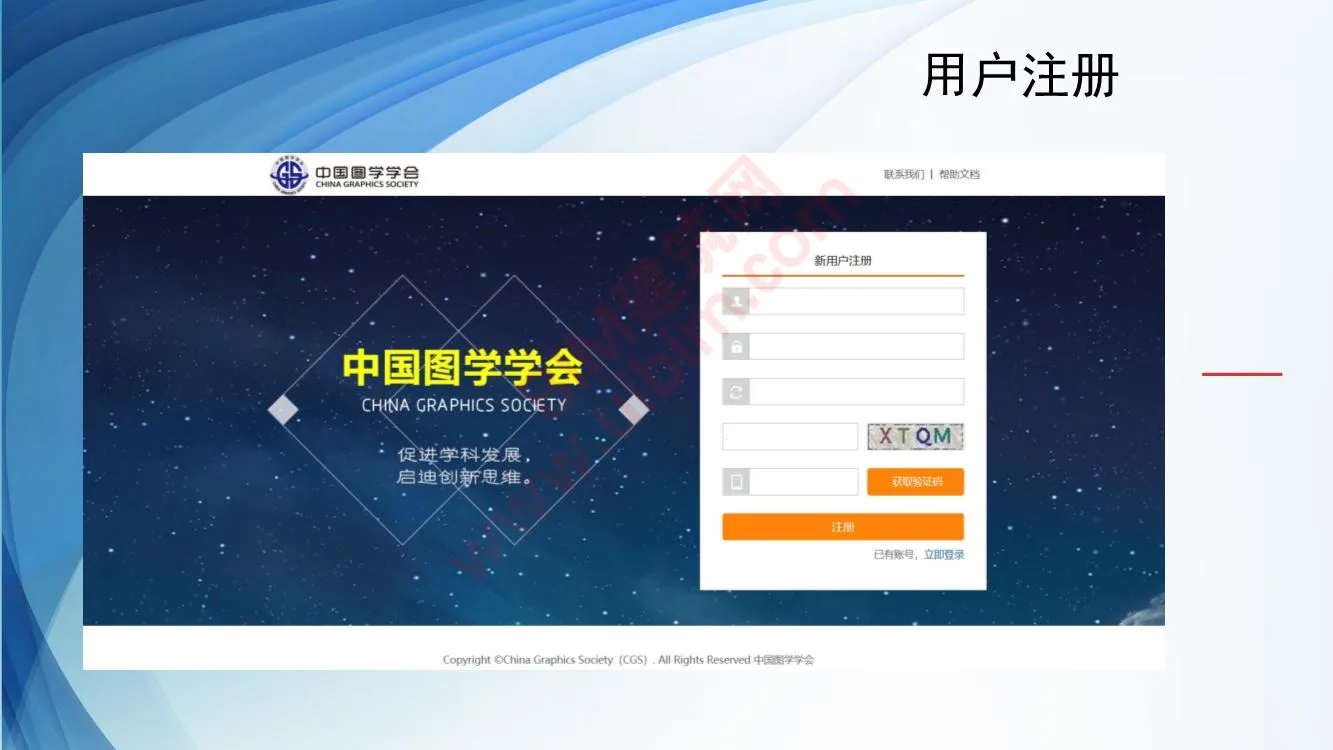
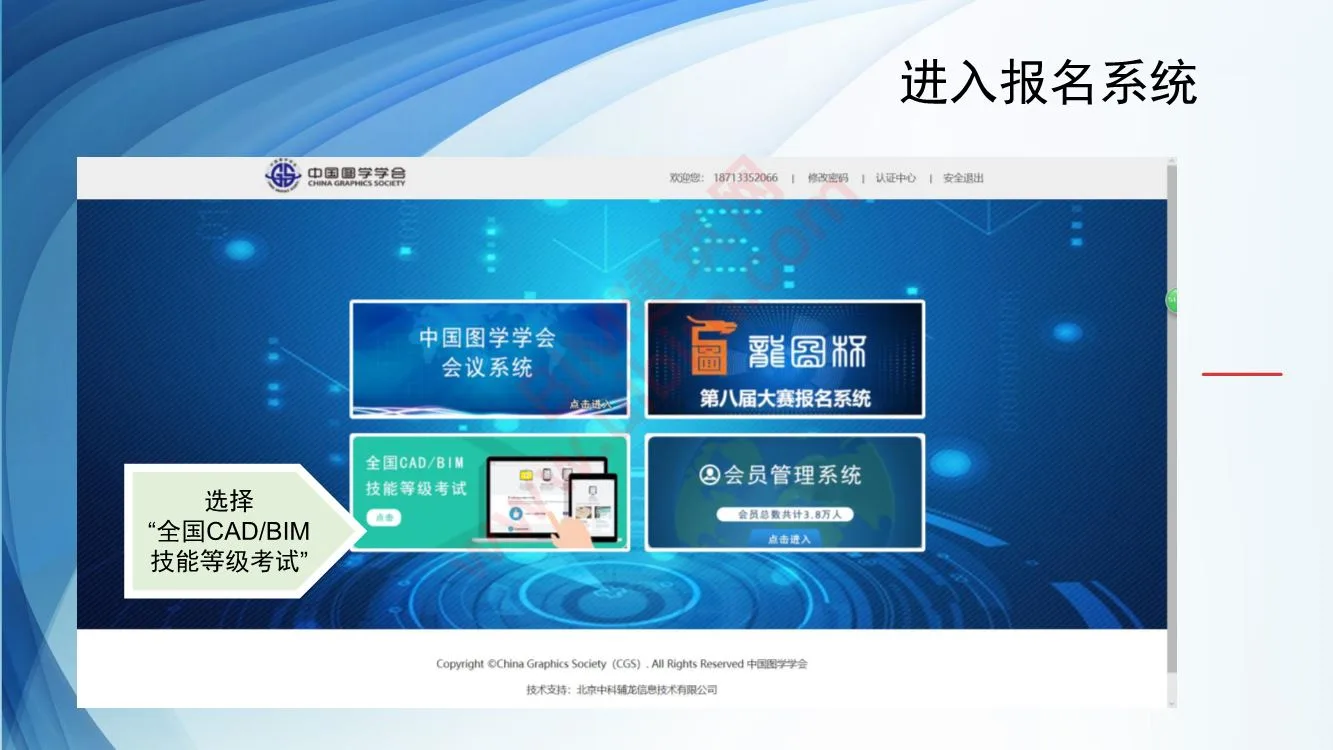
- Access the registration system.
- Select the “National CAD/BIM Skill Level Examination” option.
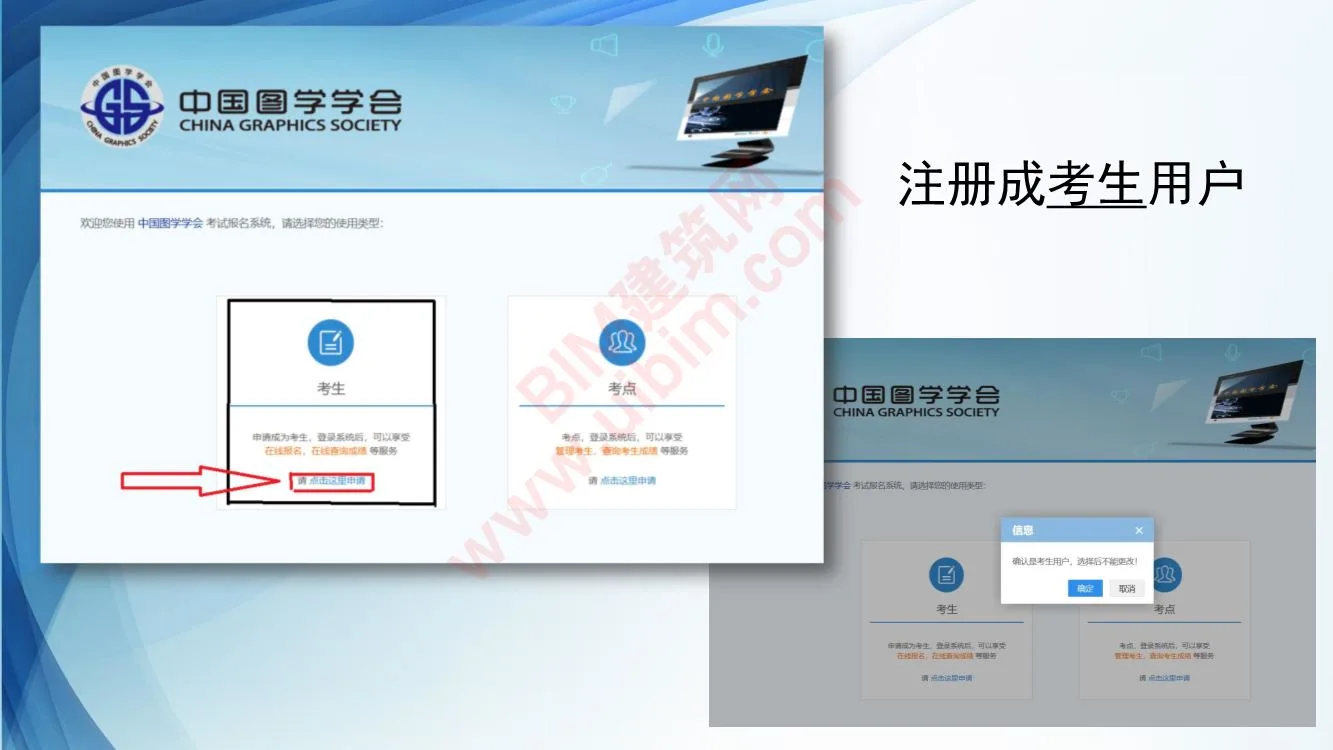
- Register as a test candidate user.
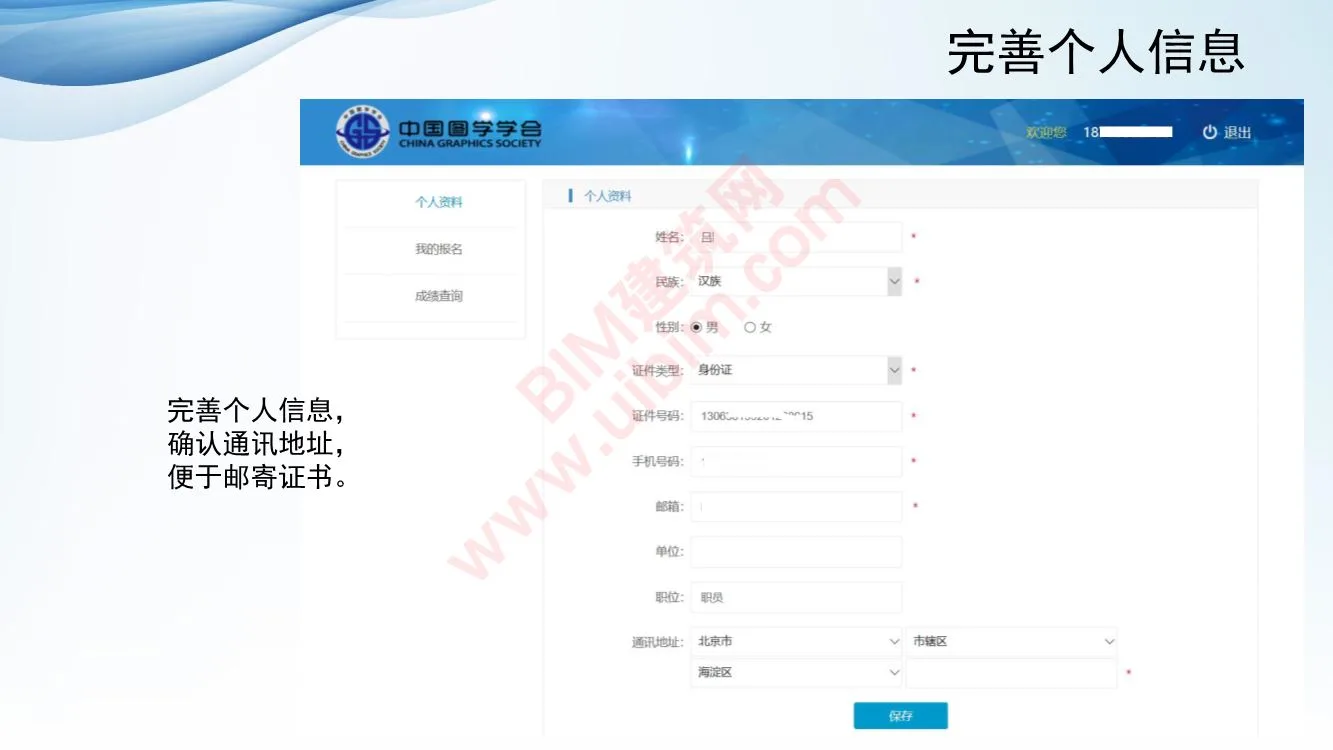
- Complete and update your personal information.
- Confirm your mailing address to ensure certificate delivery.
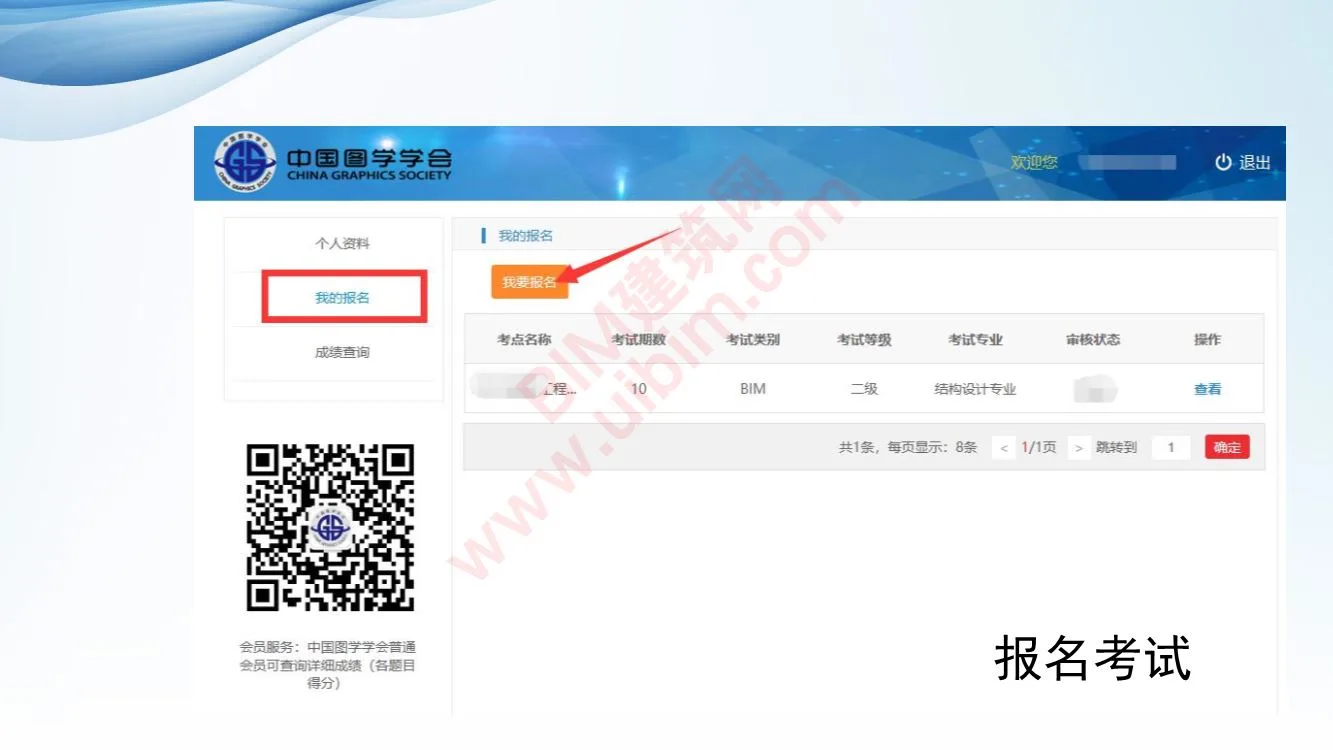
- Proceed to exam registration.
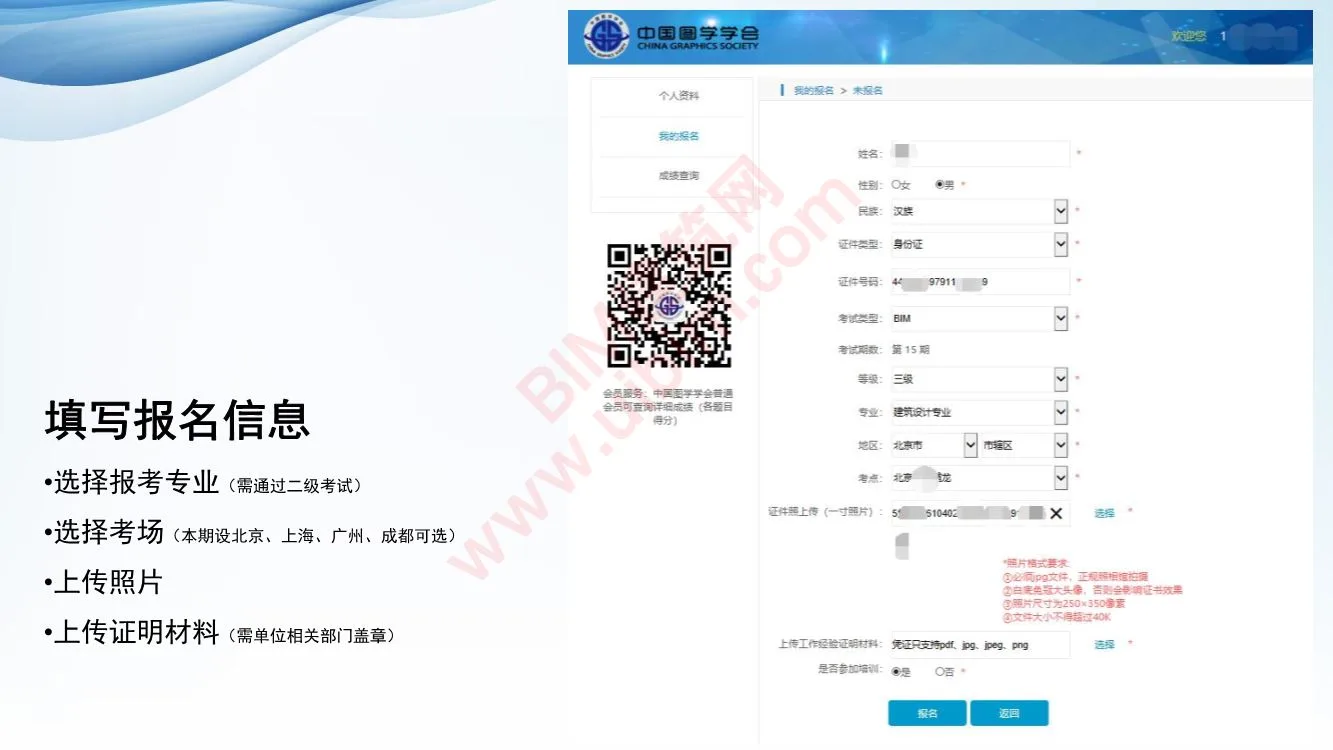
- Fill out the registration details.
- Select your major (passing the Level 2 exam is required).
- Choose your exam location (available cities: Beijing, Shanghai, Guangzhou, Chengdu for this session).
- Upload a recent photo.
- Submit supporting documents, stamped by your organization’s authorized departments.
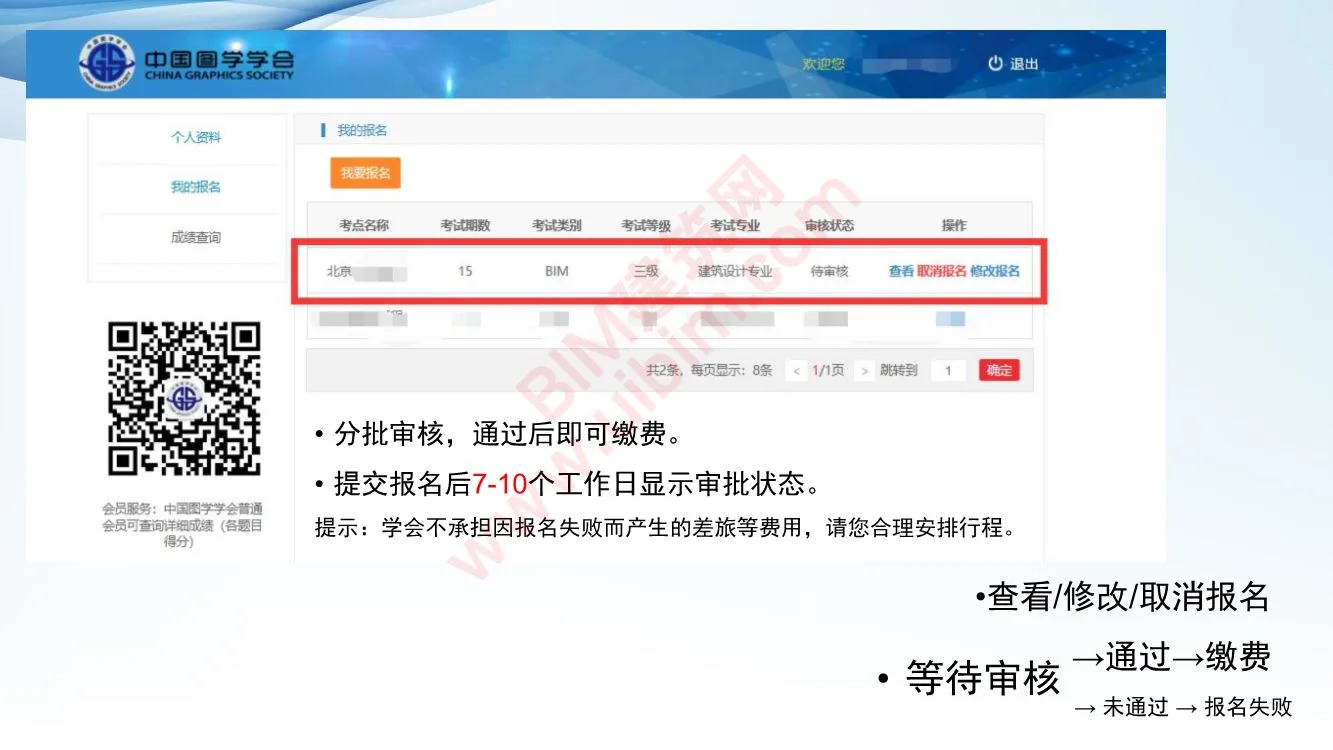
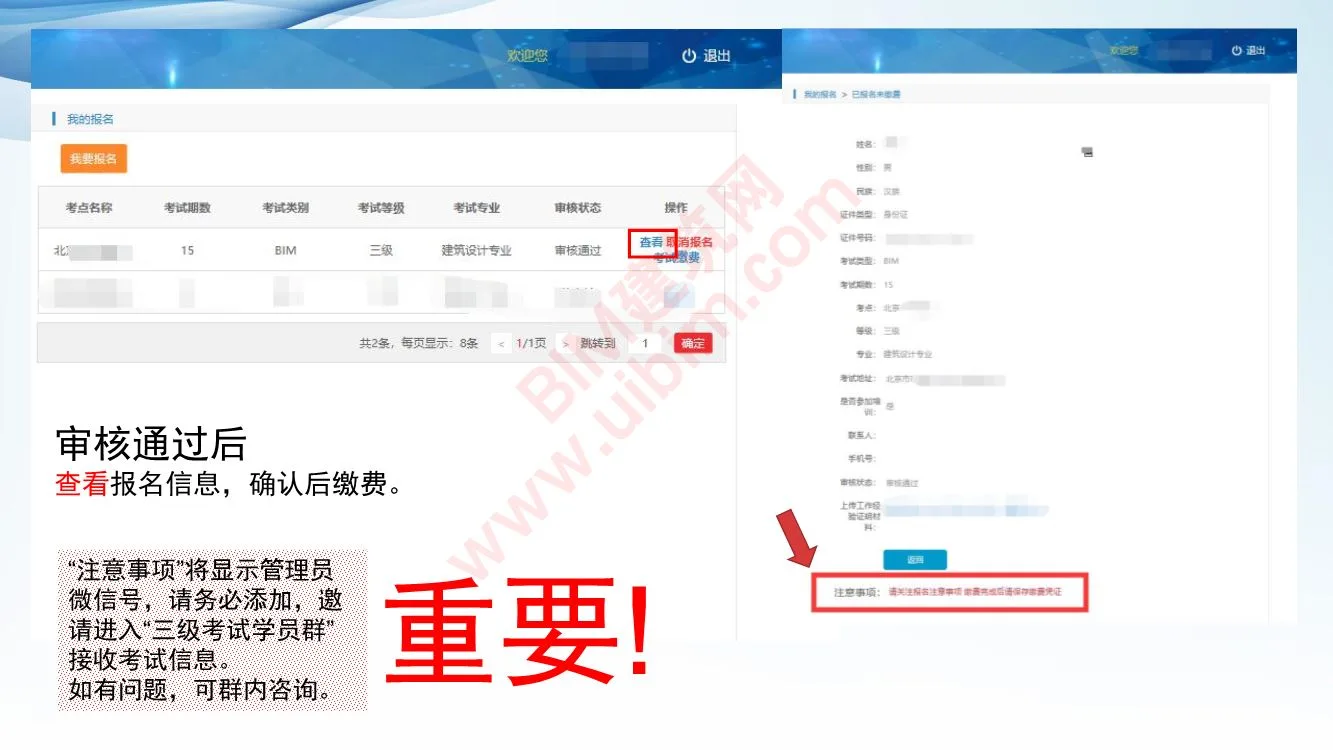
- After batch review, payment is required only upon approval.
- Application status will be updated within 7-10 working days after submission.
- Note: The association is not responsible for travel or other expenses if registration fails. Please plan your travel accordingly.
- Manage your registration: view, modify, or cancel.
- Status flow:
- Pending review → Approved → Payment required
- Pending review → Not approved → Registration failed
- Once approved, verify your registration details and proceed to payment.
- Important: The administrator’s WeChat ID will be displayed—add it and join the “Level 3 Exam Student Group” to receive exam updates and support.
- Payment instructions:
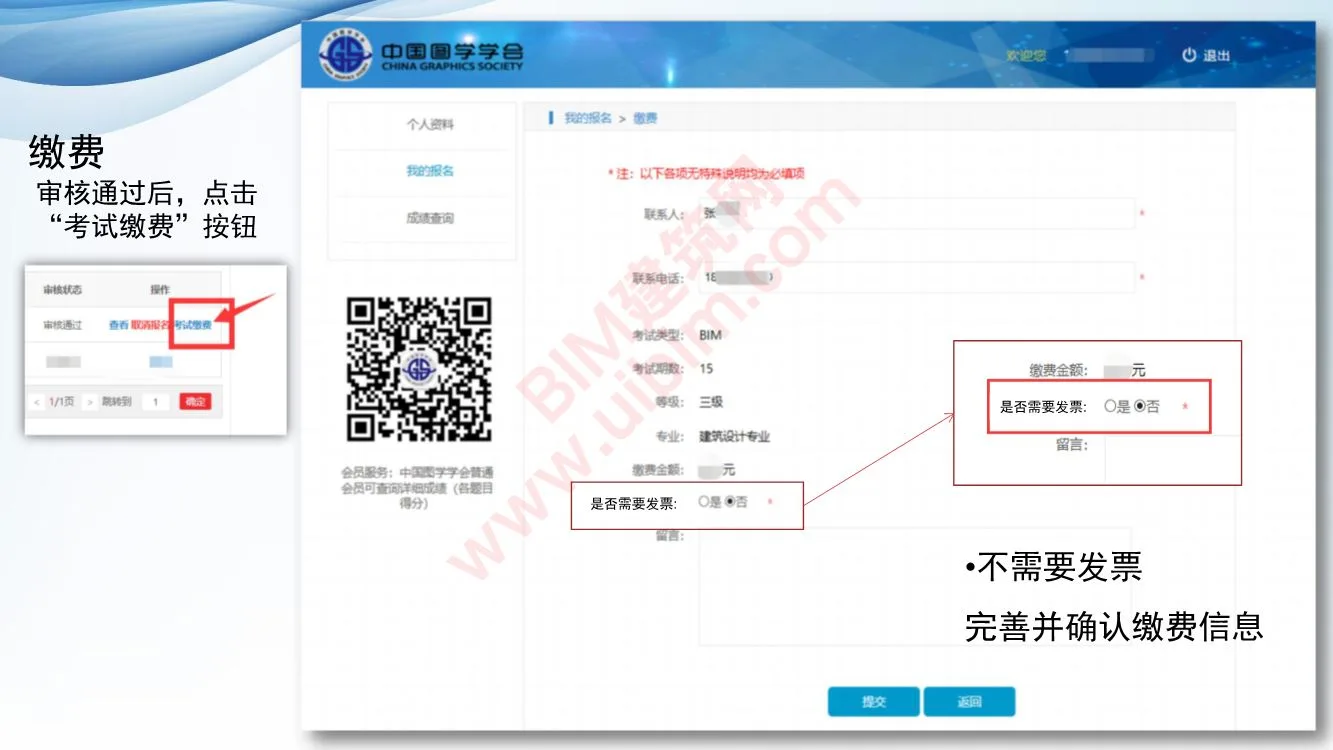
- After approval, click the exam payment button.
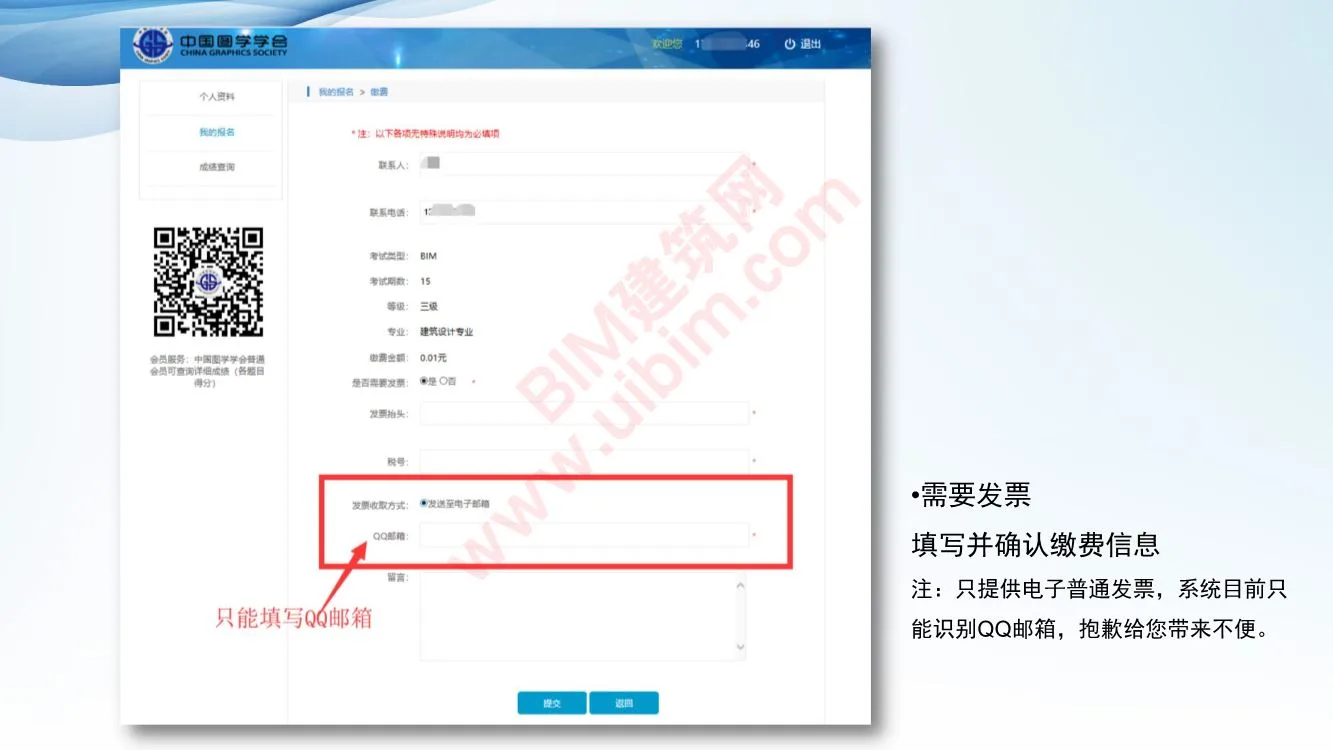
- Do you require an invoice?
- If no invoice is needed, confirm and proceed.
- If you need an invoice, fill in and confirm your payment details carefully.
- Note: Only electronic invoices are provided, and currently, the system recognizes only QQ email addresses for invoice delivery. We apologize for any inconvenience.
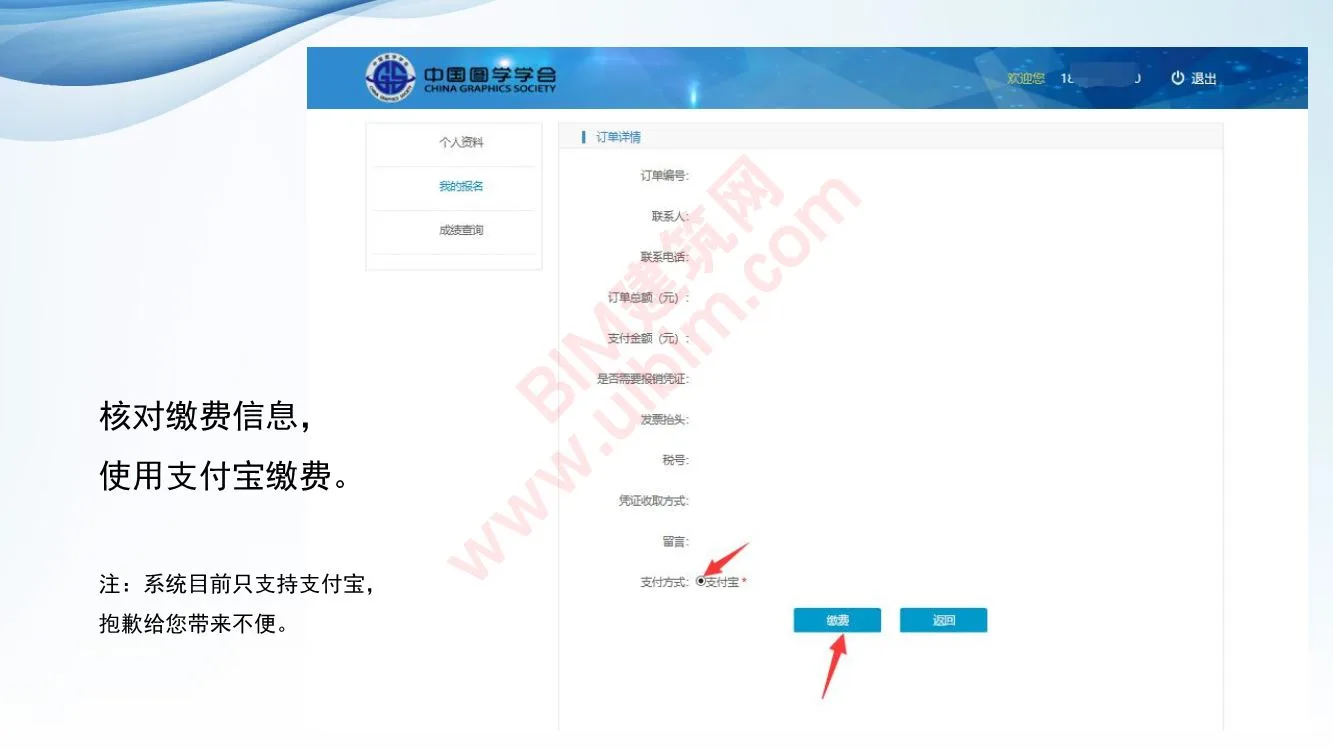
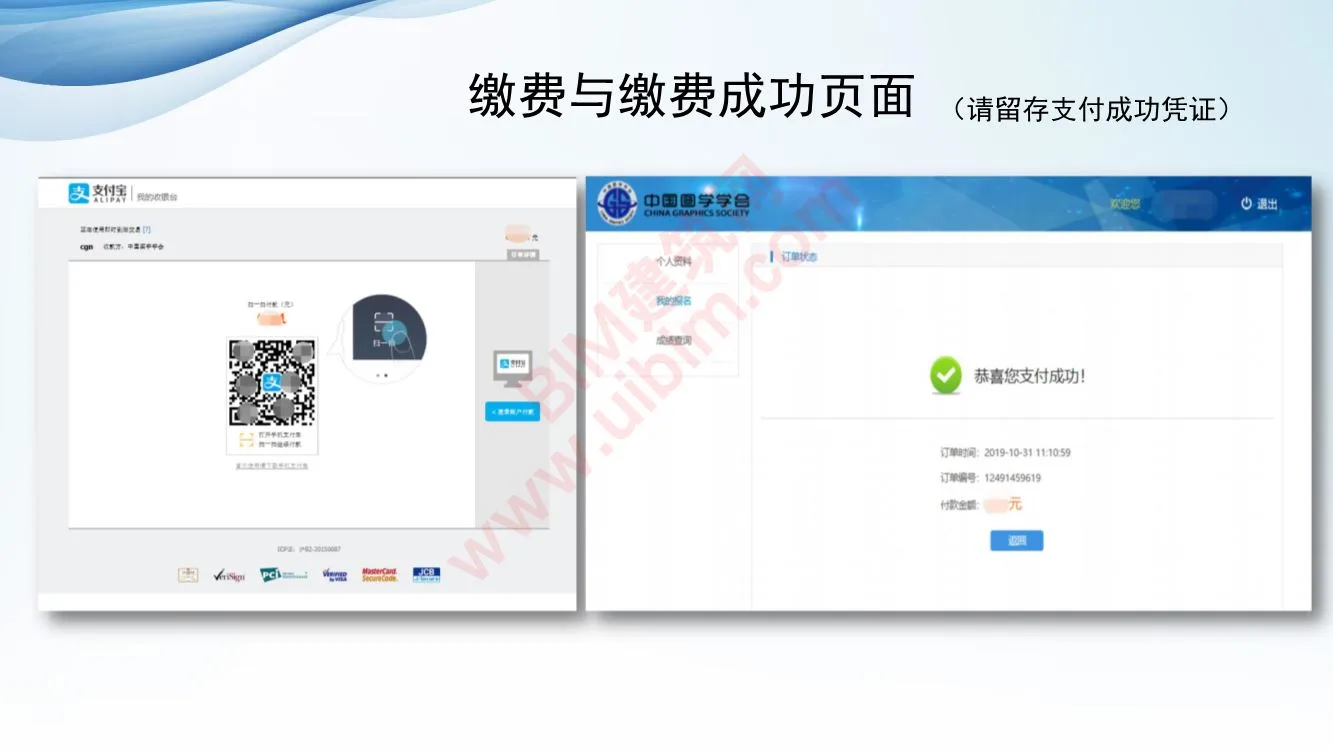
- Verify your payment information before submitting.
- Payment is accepted via Alipay only at this time.
- Please keep your payment confirmation for your records.
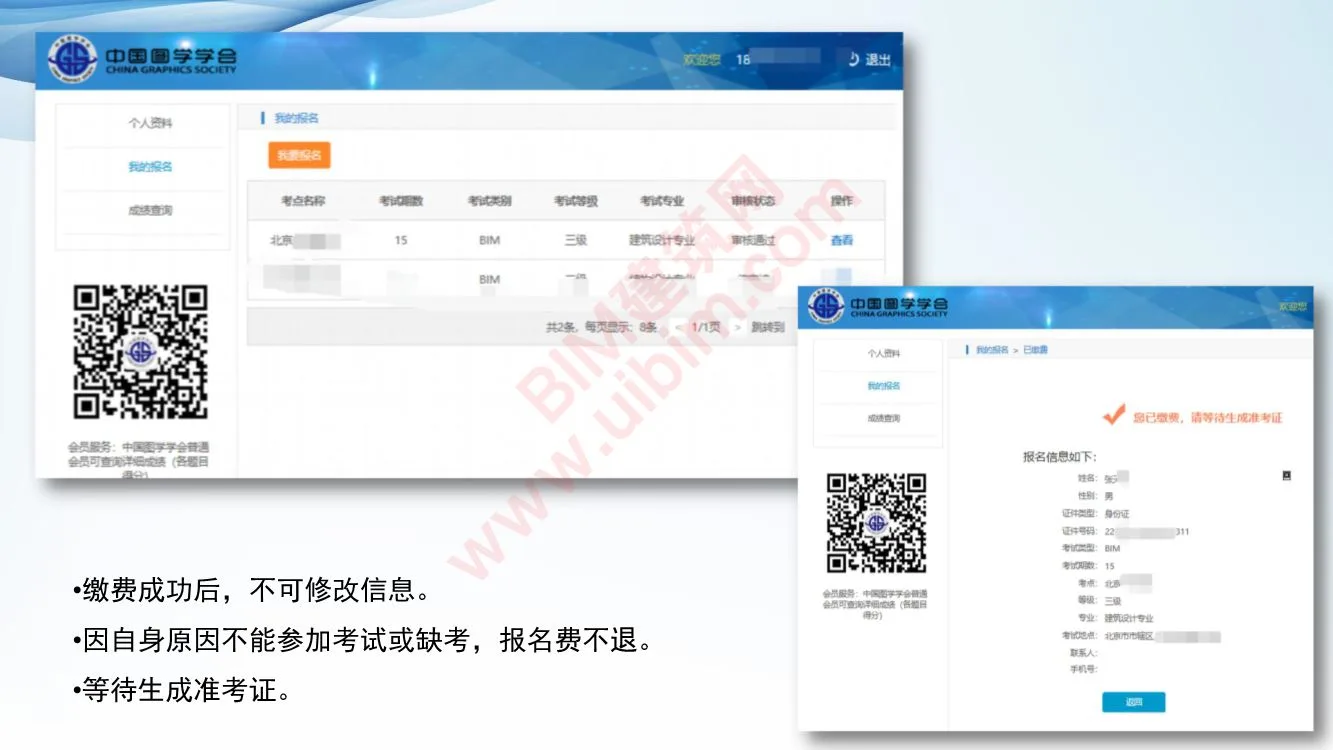
- Important: Once payment is successful, no changes can be made to your registration.
- Note: Registration fees are non-refundable for no-shows or cancellations due to personal reasons.
- Wait for your admission ticket to be generated.
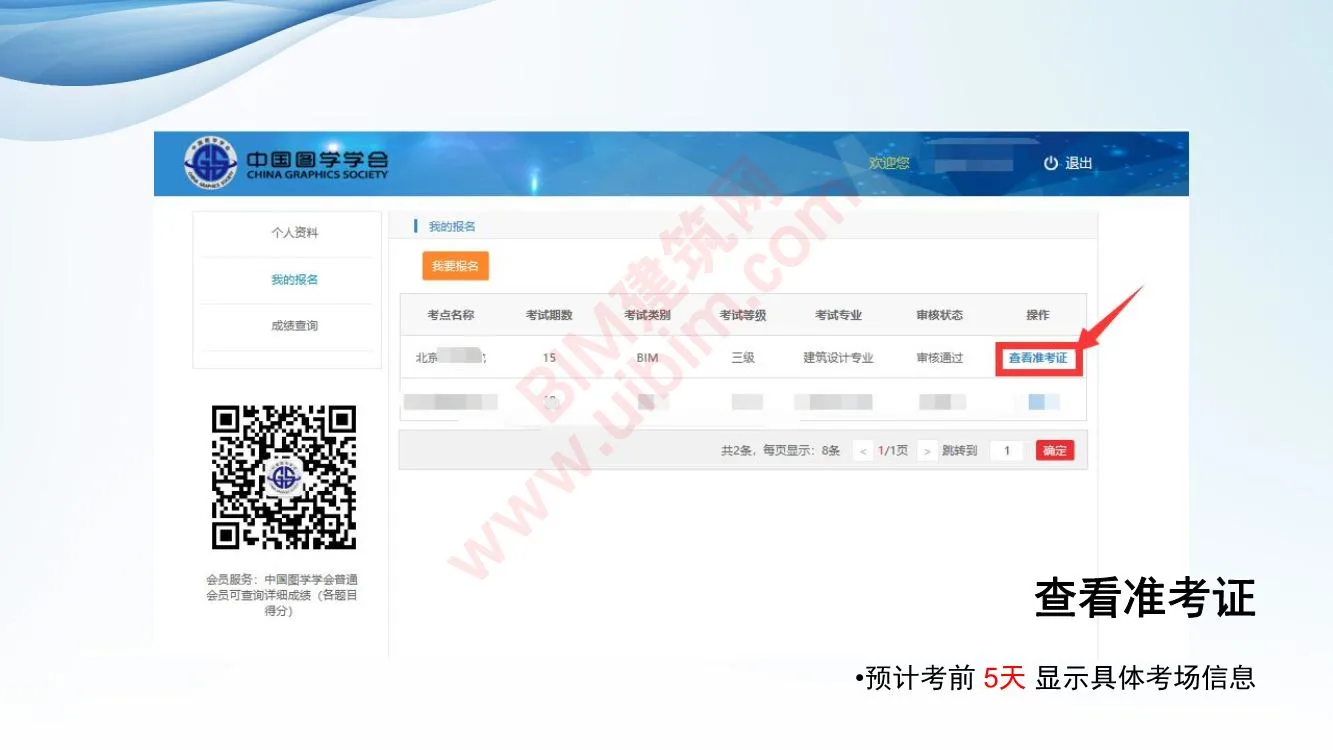
- Access and review your admission ticket.
- Exam room details will be available approximately 5 days before the exam.
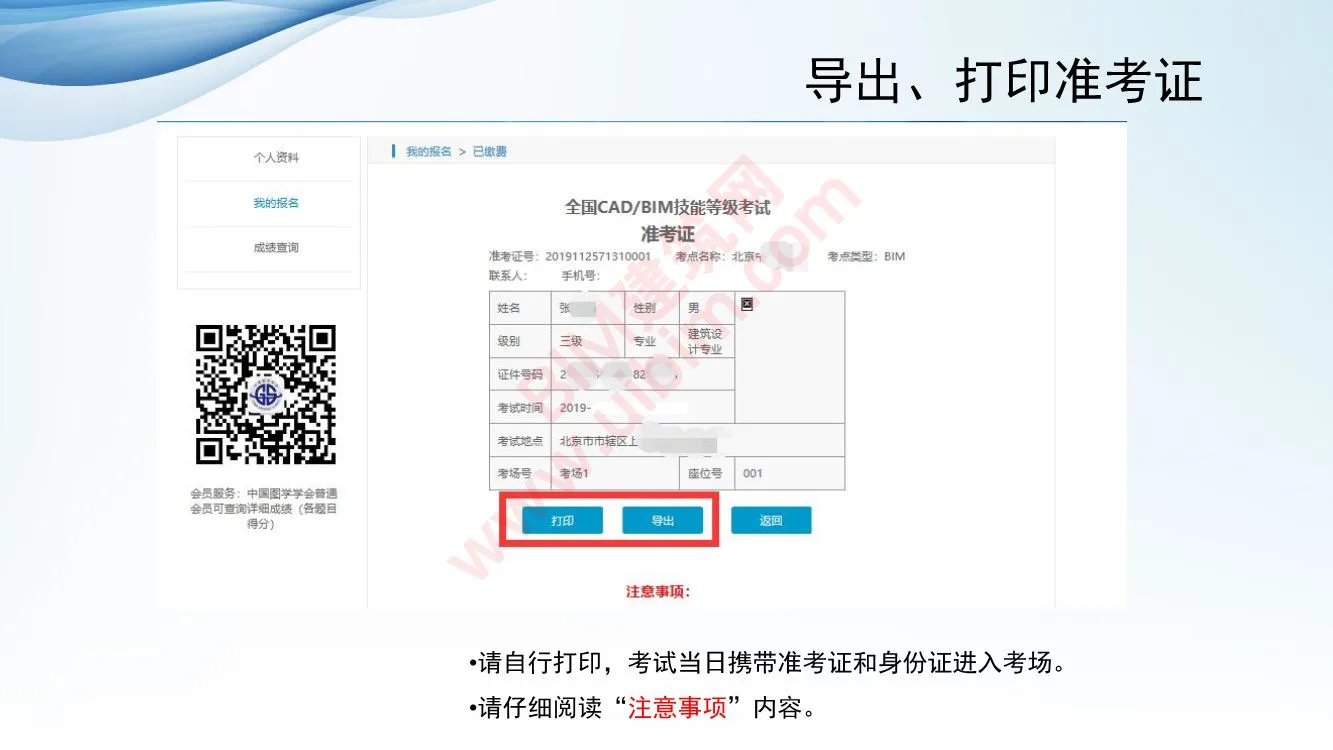
- Print your admission ticket for exam day.
- Bring your printed admission ticket and a valid ID to the examination center.
- Carefully review all exam “Precautions” before the test.
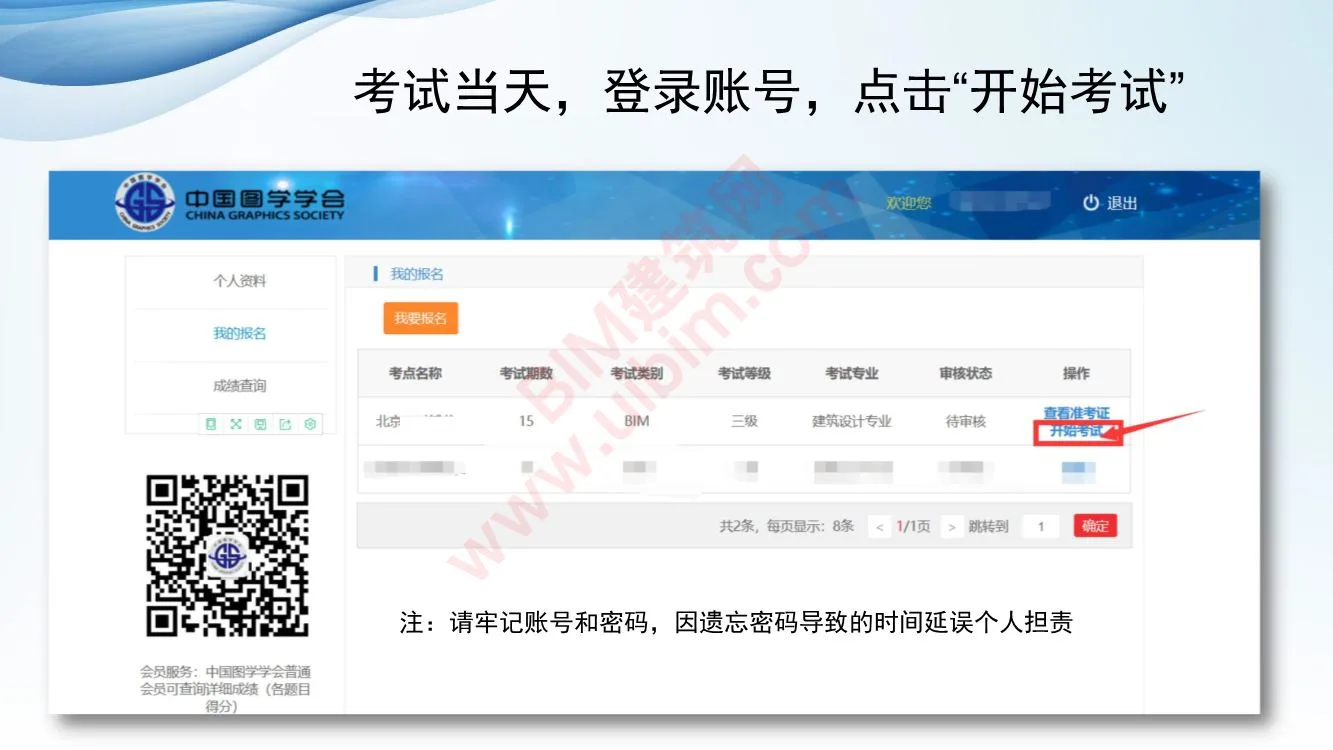
- On exam day, log into your account and click “Start Exam” to begin.
Note: Please remember your account credentials. Any delays caused by forgotten passwords are your responsibility.
Candidates must bring their own computers and software for the exam.
Internet access will be restricted in the examination room.

xuebim
Follow the latest BIM developments in the architecture industry, explore innovative building technologies, and discover cutting-edge industry insights.
← Scan with WeChat












Must log in before commenting!
Sign Up