
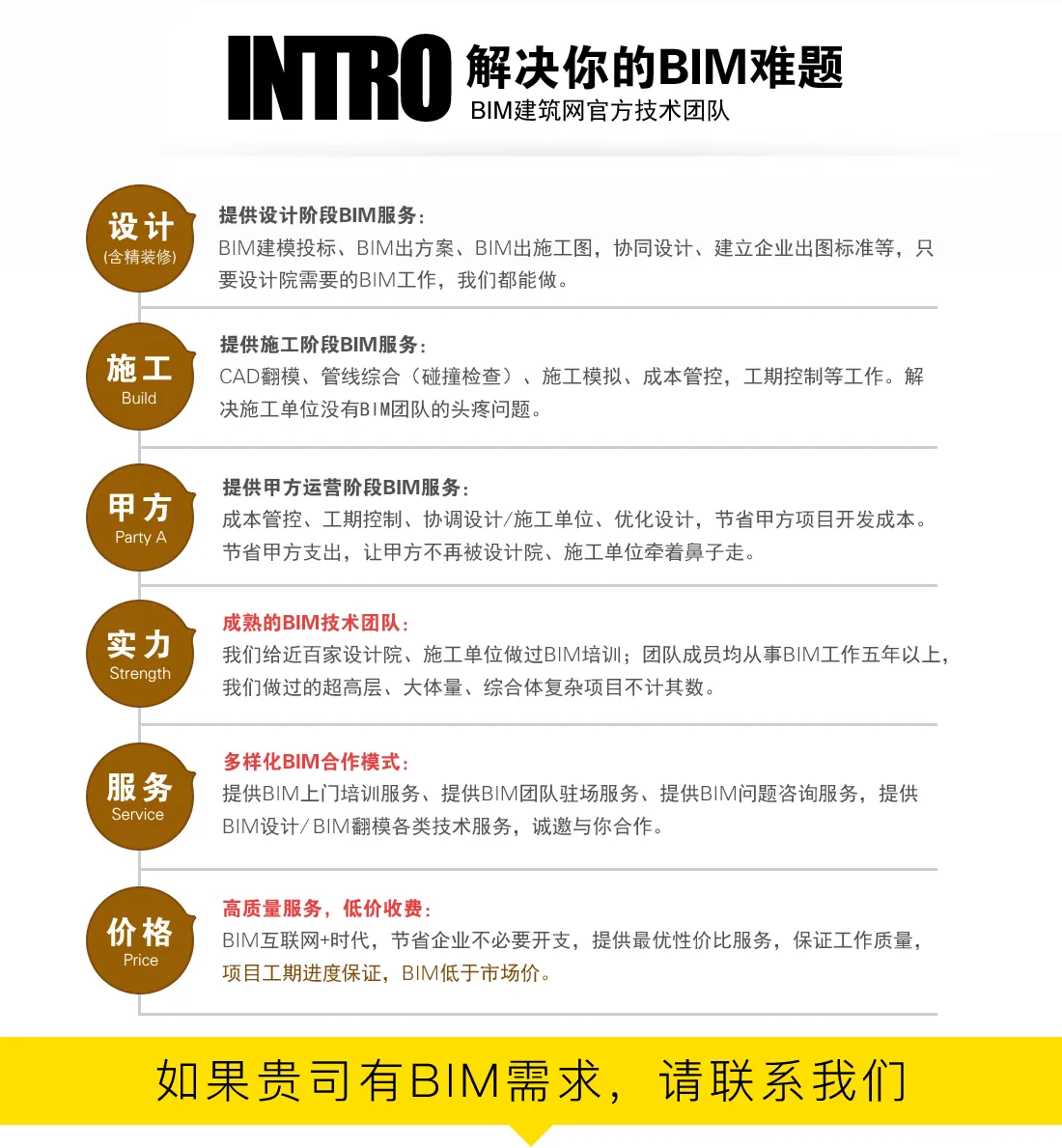
Our team currently consists of over 120 professionals, each with more than 5 years of experience in BIM projects. Their expertise ensures efficient project completion with shorter timelines, guaranteed quality, and reduced costs compared to industry peers.
We handle diverse BIM outsourcing projects through a dedicated BIM design management team, addressing the needs of design institutes and construction units lacking in-house BIM capabilities. Our services include BIM architectural design, construction drawing BIM conversion, and onsite BIM team support. We specialize in BIM projects for Grade A design institutes, covering civil engineering, fine decoration, pipeline integration, rendering, walkthroughs, construction drawings, quantity surveying, cost estimation, and more. Our expertise spans construction sectors such as commercial, residential, industrial, and healthcare facilities, along with mechanical and electrical systems, roads and bridges, airports, docks, and other civil engineering projects.
>> Need assistance? Contact us now.
Comprehensive BIM Consulting Services
| Phase | Major BIM Applications | Detailed Applications | Collaboration | Expected Results | ||
| Design Phase | Planning and Design Stage | Site Modeling and Walkthrough | Point 1.1 | Site modeling and walkthrough | Provide relevant electronic drawings and blueprints | Using the site’s infrastructure and terrain data, create 3D models including surrounding roads, pipelines, and buildings to visually represent the environment and export animations. |
| Realistic UAV Modeling | Point 1.2 | Pre-planning land use with drone scanning to generate accurate real-life models | Highly realistic site representations for data extraction. | |||
| Traffic Organization and Pipeline Relocation | Point 1.3 | Comprehensive review and simulation of municipal pipeline relocation and traffic flow | Includes pipeline collision checks, phased elevation adjustments, and traffic capacity analysis for evacuation planning. | |||
| BIM in Scheme Design | Parametric Design Assistance | Point 1.4 | Create multiple Rhino parametric models based on design intentions for detailed plan refinement | Provide design intention statements and hand sketches | Enable rapid development of various design options for easy comparison and selection. | |
| Building Performance Analysis | Point 1.5 | Analyze wind environment, sunlight, visibility, and thermal performance of proposed models | Deliver related electronic diagrams and models | Provide comprehensive performance analysis reports. | ||
| Scheme Walkthrough Animation | Point 1.6 | Create Twinmotion walkthrough animations based on the design model | Provide solution model | MP4 video showcasing design concepts. | ||
| 3D VR Walkthrough | Point 1.7 | Develop 3D VR walkthrough animations for immersive design experience | Provide solution model | VR animations compatible with mobile devices and VR headsets. | ||
| Model Expansion | Point 1.8 | Build detailed professional models from preliminary drawings | Provide preliminary drawings | LOD 200 level models across various disciplines. | ||
| Initial Collision Detection | Point 1.9 | Conduct collision checks among architectural, structural, and MEP models | Expanded models for different disciplines | Reports to help design teams optimize and update construction drawings. | ||
| BIM in Construction Drawing Design | Construction Drawing Modeling | Point 1.10 | Create comprehensive models based on construction drawings | Construction drawings for all disciplines | LOD 300 level models supporting construction. | |
| Collision Checking of Construction Models | Point 1.11 | Perform clash detection on architecture, structure, HVAC, plumbing, and electrical BIM models; submit correction reports | BIM models for construction drawings | Deliver reports including collision summaries, critical clash analyses, and clearance evaluations. | ||
| Pipeline Optimization | Point 1.12 | Analyze and optimize routing of major MEP pipelines to resolve ceiling space and layout challenges | Provide comprehensive positioning drawings and optimization plans. | |||
| BIM Deepening for Overall Layout | Point 1.13 | Model and adjust relationships among water supply, drainage, fire hydrants, underground pipelines, warehouses, and roads | General layout drawings | Deliver detailed pipeline and road layout models and drawings. | ||
| Energy Saving Analysis | Point 1.14 | Conduct energy efficiency assessments based on BIM models | Provide relevant electronic drawings | Export DWG files and energy calculation reports for construction applications. | ||
| Construction Drawing Model Walkthrough and Panoramic Views | Point 1.15 | Create walkthrough animations and 360-degree panoramic images of construction drawings | Construction BIM models | Provide animation files and panoramic images for visualization. | ||
| Quantity Surveying | Point 1.16 | Extract quantities from BIM models for owner reference | Construction BIM models | Use Revit schedules with cost parameters to compile major material quantities like concrete. | ||
| Interior Decoration Modeling | Point 1.17 | Develop detailed models for high-end interior areas | Provide relevant drawings | Establish fine decoration models addressing clashes and optimizing concealed engineering for smooth implementation. | ||
| Construction Bidding Stage | BIM Support for Construction Bidding | BIM Qualification Pre-Approval | Point 2.1 | Prepare BIM qualification pre-review documents | Bidding documents and company information | Assist in document preparation and attend preliminary review meetings. |
| Point 2.2 | BIM qualification pre-approval cooperation | Company and project disclosures | Support the qualification pre-approval process. | |||
| Construction Bidding Modeling | Point 2.3 | Collaborate with contractors to complete BIM-related tasks during general contract bidding | Relevant electronic diagrams | Establish BIM models to assist in construction plan and schedule preparation, covering civil, MEP, curtain wall, steel structure, and interior finishing. | ||
| Technical Proposal | Point 2.4 | BIM Application Solutions | Clarify client requirements | Provide BIM application plans highlighting BIM’s value in construction and issue pre-emptive reports to improve bid scores. | ||
| Point 2.5 | BIM Services for Construction Standards | Provide 3D layout, excavation, and specialized plans | Model construction technology plans and supply BIM renderings. | |||
| Point 2.6 | Bid Proposal Animation | Technical solutions (CAD, Word) | Create fast, cost-effective, and realistic construction animations using BIM software. | |||
| Construction Phase | BIM Management Platform | ProjectWise Management Platform | Point 3.1 | Setup of ProjectWise platform | Office space and servers | Install servers and platform software. |
| Point 3.2 | Configure ProjectWise modules | Customer requirements | Manage documents, models, and collaboration. | |||
| Point 3.3 | Client installation | Customer usage count | Install client software and configure IP settings. | |||
| BIM Modeling Services | Model Review | Point 3.4 | Review design models across disciplines | Design models and drawings | Identify issues to ensure BIM’s effective use in construction. | |
| Detailed Model Development | Point 3.5 | Develop detailed professional models when no design phase model exists | Construction drawings, plans, and section divisions | Create refined models tailored to construction needs. | ||
| Point 3.6 | Deepen existing design phase models to meet construction requirements | Enhance model detail and accuracy for construction. | ||||
| Model Maintenance | Point 3.7 | Manage changes and adjustments | Coordinate design, contracting, cost consulting, and supervision | Deliver dynamic, accurate engineering information models for efficient collaboration. | ||
| Construction Simulation | Construction Plan and Process Simulation | Point 3.8 | Identify simulation topics for construction plans and processes | Provide materials like documents, videos, drawings, and blueprints to support coordination among design teams, clients, and consultants. | Include key hazard plans, earthwork schemes, foundation pit enclosures, internal support demolition, tall formwork, major equipment installation, steel structure hoisting, and secondary structure construction. | |
| Point 3.9 | Feasibility analysis for simulating key construction stages | Assess effective simulation methods based on construction characteristics. | ||||
| Point 3.10 | Develop effectiveness models or family libraries for simulation | Prepare BIM models tailored to simulation needs. | ||||
| Point 3.11 | Simulate overall construction stages using BIM software | Visualize construction processes in 3D. | ||||
| Point 3.12 | Assist plan review and expert validation using simulation results | Organize rationality reviews and expert demonstrations. | ||||
| Point 3.13 | 3D visualization of construction plans and techniques | Use images, animations, and visual tools for better understanding. | ||||
| Point 3.14 | External demonstrations of construction plans at key stages | Present high-impact construction plan models in exhibit halls. | ||||
| 4D Progress Simulation | Point 3.15 | Simulate overall construction schedule progress | Provide complete schedule documentation and supporting materials. | 3D visualization of the entire construction timeline. | ||
| Point 3.16 | Simulate specific construction stages | 3D visualization of localized construction activities. | ||||
| Point 3.17 | On-site progress monitoring and analysis | Compare simulation with actual site progress visually. | ||||
| Simulated Construction Site Layout | Point 3.18 | Develop family libraries for site layout components | Provide site layout requirements and support materials. | Create and maintain BIM family libraries reflecting on-site conditions. | ||
| Point 3.19 | Dynamic 3D simulation of construction site layout | High-fidelity simulations and walkthroughs of critical construction phases. | ||||
| Point 3.20 | Simulation of living area layout plans | 3D layout and walkthroughs of residential or living spaces. | ||||
| Realistic Specialized Technology | Realistic Surveying and Mapping | Point 3.21 | Extract data from synthesized real-life models to assist surveying | Provide site conditions and drawings | Extract coordinates, dimensions, areas, and volumes from real-life models. | |
| Live-Action Simulation | Point 3.22 | Simulate construction within real-life models | Construction simulation plans and materials | Create animated videos simulating construction in actual environments. | ||
| On-site Organization and Planning | Point 3.23 | Integrate BIM and real-life models for layout and schedule planning | On-site BIM layouts and planning schemes | Produce realistic organizational plans and animated videos. | ||
| Realistic Reporting | Point 3.24 | Regularly report on real-life model progress | Reports and related materials | Analyze actual site status against plans and generate progress reports. | ||
| Professional BIM Application Services | Steel Reinforcement Application | Point 3.25 | Model complex reinforcement nodes and regions | Coordinate with steel reinforcement leaders | Provide auxiliary reinforcement schemes and cutting details. | |
| Mechanical and Electrical Engineering Applications | Point 3.26 | Assist in comprehensive pipeline installation and deepening design | Coordinate design, construction, and consulting teams | Identify potential clashes early and accelerate construction progress. | ||
| Point 3.27 | Optimize complex area design schemes | Collaborate with design and construction teams to develop 3D plans | Use 3D models to quickly identify optimal solutions. | |||
| Point 3.28 | Demonstrate construction plans | Work with construction and consulting parties to create optimal models | Present dynamic 3D visualizations of complex areas. | |||
| Point 3.29 | Pre-embedded quantity calculations | Use electronic drawings from design teams | Provide quantities for pre-embedded engineering works. | |||
| Point 3.30 | Optimize comprehensive bracket systems | Provide bracket configuration requirements | Achieve aesthetic effects, guide bracket production and arrangement, and coordinate with ceiling designs to verify clearances. | |||
| Point 3.31 | Measure actual dimensions of key node structures | Provide measurement tools and coordinate with construction staff | Adjust civil BIM models to prevent clashes from dimensional deviations. | |||
| Point 3.32 | Create full-scale 3D equipment models | Provide manufacturer 3D models or perspectives | Determine pipeline reservations, participate in integration, and provide visual displays. | |||
| Point 3.33 | Develop enterprise equipment and component libraries | Enter 3D models or perspectives provided by enterprises | Establish internal equipment libraries to enhance competitiveness. | |||
| Point 3.34 | Produce sectional and plan views | Based on drawing requirements | Refine cross-sectional and floor plan details. | |||
| Point 3.35 | 3D Dynamic Sectioning | Construction personnel specify models based on progress | Enable virtual disclosure guiding on-site construction teams. | |||
| Collision Detection | Point 3.36 | Detect clashes across installation specialties | Coordinate designers, contractors, and consultants | 1) Avoid approximately 10% construction delays. 2) Reduce rework and improve quality. 3) Enhance safety and efficiency. | ||
| Point 3.37 | Inspect installation and structural collisions | |||||
| Point 3.38 | Check collisions between installations and steel structures | |||||
| Point 3.39 | Issue collision reports | |||||
| Point 3.40 | Reserved hole positioning reports | |||||
| Point 3.41 | Net height inspections | |||||
| Point 3.42 | Manual walkthroughs | Coordinate designers, contractors, and consultants | Identify and resolve clashes early to accelerate construction. | |||
| Point 3.43 | Path-specific walkthroughs | |||||
| Point 3.44 | Dynamic collision detection during lifting and transportation | |||||
| Point 3.45 | Property queries | |||||
| BIM in Curtain Wall Design | Point 3.46 | Develop professional curtain wall models and optimize designs | Drawings | Support installation simulation and node optimization for curtain wall specialists. | ||
| BIM in Interior Decoration and Renovation | Point 3.47 | Create specialized models for decoration and renovation and optimize them | Drawings | Assist professionals with installation simulations and node optimizations. | ||
| BIM-Assisted Quantity Analysis | Point 3.48 | Internal multi-source comparison | Coordinate with cost and materials departments | Compare planned versus actual usage to identify management issues. | ||
| Subcontracting BIM Management | Point 3.49 | Develop project BIM management system | Authorize subcontracting permissions | Define BIM personnel roles, collaboration systems, and model acceptance standards. | ||
| Point 3.50 | Integrate subcontracting BIM models | Provide models including MEP, steel structure, fine decoration, and curtain wall | Deliver overall BIM models for coordination and data queries. | |||
| Point 3.51 | Manage subcontracting BIM progress | Coordinate professional subcontractors | Ensure accurate, constructible models are submitted before construction. | |||
| Point 3.52 | Manage subcontracting BIM quality | |||||
| Point 3.53 | Supervise BIM standard implementation | Coordinate subcontractors | Ensure BIM models meet quality standards. | |||
| BIM Construction Quality Management | Point 3.54 | Collect on-site data on quality defects and safety, linking to BIM models in real time | Coordinate internal and subcontracted teams | Enable quick statistical management and traceable rectification of quality issues. | ||
| Point 3.55 | Provide detailed quality analysis reports | Coordinate improvements based on reports | Implement preventative measures to reduce defects. | |||
| Point 3.56 | Check construction quality using point cloud technology | Provide drawings, site data, and quality requirements | Use 3D laser scanning to verify verticality, flatness, and installations by comparing point clouds with BIM models. | |||
| Point 3.57 | Apply point cloud tech for fine decoration BIM | Use scans before fine decoration to verify dimensions and assist in design and prefabrication. | ||||
| Point 3.58 | Laser layout to improve accuracy and efficiency | Guide precise layout by integrating laser scanning data with BIM. | ||||
| BIM Construction Safety Management | Point 3.59 | Establish safety facility family libraries | Collect project-specific safety data | Create a comprehensive safety equipment database. | ||
| Point 3.60 | Simulate safety facility layouts | Provide safety layout principles and placement guidelines | Conduct full 3D simulations and walkthroughs of safety setups. | |||
| Point 3.61 | Deliver detailed safety analysis reports | Coordinate safety improvements | Perform statistical analysis to prevent hazards and reduce risks. | |||
| On-site Data Management | Point 3.62 | Manage quality, safety, construction, and collaboration data | Coordinate construction, establishment, and consulting teams | Collect onsite data via mobile devices, link defects and risks to BIM models for real-time visualization and management. | ||
| Point 3.63 | Establish BIM-based engineering data archives | |||||
| Completion and Delivery Stage | BIM As-Built Model | Point 4.1 | Input engineering archive data | Engineering process data | Provide electronic, structured, searchable archives to prevent data loss. | |
| Point 4.2 | Maintain and update BIM models during construction | Provide completion model requirements | Enhance BIM models with rich data for operation and maintenance, enabling value-added services and virtual building realization. | |||
| On-site Training Services | BIM Application Guidance | Point 5.1 | BIM technology training | Establish BIM engineering meetings | Provide technology training and application guidance. | |
| Point 5.2 | BIM application guidance | |||||
| Knowledge Transfer | Point 5.3 | Transfer BIM application knowledge | Establish collaborative BIM management platforms | Introduce BIM and project management knowledge to elevate project and enterprise management. | ||
| Point 5.4 | Project management knowledge transfer | |||||
| Enterprise-Level BIM Services | Implementation Plan | Point 6.1 | Write overall BIM scheme | Provide project objectives and materials | Develop comprehensive implementation plans. | |
| BIM Application System Development | Point 6.2 | Develop BIM application processes | Provide construction organization designs, schedules, and participant information to organize BIM coordination meetings and supervise improvements | 1) Achieve refined management during construction. 2) Train and guide BIM use across roles. 3) Establish enterprise BIM management systems. | ||
| Point 6.3 | Develop BIM management systems | |||||
| Point 6.4 | Develop BIM operation manuals | |||||
| Point 6.5 | Assist in establishing an enterprise BIM center | |||||
| BIM Standards Development | Point 6.6 | Establish data standards | Provide existing standards | 1) Develop and improve BIM standards. 2) Clarify job roles. 3) Enforce unified standard requirements. | ||
| Point 6.7 | Set modeling standards | |||||
| Point 6.8 | Set model review standards | |||||
| Point 6.9 | Set model maintenance standards | |||||
| Point 6.10 | Set application standards | Provide collaborative management process systems | ||||
| BIM Training | Point 6.11 | BIM concept training | Arrange personnel, venues, and schedules | Support enterprises in building skilled BIM teams. | ||
| Point 6.12 | BIM modeling training | |||||
| Point 6.13 | BIM application training for various roles | |||||
Contact Us














Must log in before commenting!
Sign Up