
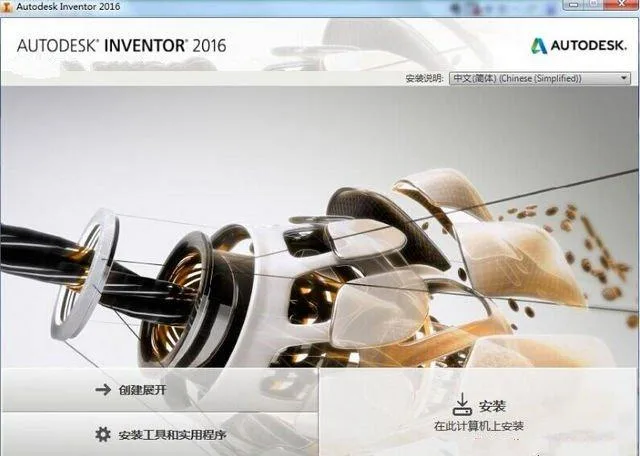
Autodesk Inventor 2016 is a 3D visualization and solid simulation software developed by Autodesk in the United States. It offers a wide range of features including 3D modeling, information management, collaborative work, and technical support. With Autodesk Inventor, users can create detailed 3D models as well as 2D manufacturing drawings. It supports the creation of adaptive features, parts, and subassemblies, and efficiently manages thousands of parts and large assemblies.
One standout feature is the “Connect to Network” tool, which enables team members to collaborate seamlessly by sharing data and communicating design concepts effectively among colleagues.
Inventor 2016 introduces significant improvements in user interface simplicity, 3D computing speed, and shading capabilities. Built on the ACIS 3D solid modeling kernel, it allows designers to quickly and easily achieve realistic representations of parts and assemblies. This reduces the gap between user design intent and system response time, minimizing any impact on creativity and innovation.
Features
Accurate Design Tools
The Inventor product line offers a comprehensive set of design tools that support 3D modeling, documentation, piping design, and validation processes. It integrates data management software, AutoCAD Mechanical 2D drawings, and detailed documentation, while also providing 3D design compatible with real DWG files. Inventor’s expert system can generate manufacturing drawings quickly, accelerating the transition from sketches to finished products.
Specialized Design Tools
Inventor includes specialized tools for creating and validating piping system designs, including pipes, fittings, and harnesses, which help save time and reduce prototype costs. Autodesk Inventor Professional supports the creation of complete designs—complex piping systems included—while automatically generating precise material lists and full manufacturing documentation.
Design Validation
Before finalizing designs, Inventor Professional allows users to simulate motion states of components and accurately predict instantaneous loads and accelerations. Integrated finite element analysis (FEA) tools assist engineers in performing stress-strain and modal analyses to avoid design errors.
Inventor offers different functionalities depending on the software configuration, making it an excellent choice for AutoCAD users involved in manufacturing processes.
Digital Prototyping
Create digital prototypes to refine design details and reduce costs associated with manufacturing physical components.
(Enhanced) 3D Virtual Modeling
Validating and simulating design results early in the design phase enables the creation of innovative and high-quality products. This approach reduces manufacturing costs and shortens the time to market. Users can verify conceptual and functional designs of parts and assemblies before producing physical models.
During or after the design process, Inventor allows concise viewing of sketches, parts, and assemblies to assist designers in selecting the best design solutions. Assembly position representations enable evaluation of design outcomes across various mechanism motion positions.
Interference and Contact Detection
Inventor’s assembly inspection tools help reduce design errors and improve manufacturability. Automated tools check for part interferences during assembly. Users can drag components to test contact with other parts and verify their interaction. Additionally, independent components can be selected from contact groups to determine if they move as expected.
Automatic Constraints
The automatic constraint feature monitors selected design parameters and displays color-coded warnings when values exceed defined limits, thereby reducing design errors. It can track dimensions such as length, distance, angle, diameter, perimeter, area, and mass.
In the assembly environment, Inventor models can be saved in STL format for use in rapid prototyping.
Installation Instructions
- Choose the correct version of Inventor 2016 for your operating system—32-bit or 64-bit. For example, use the 64-bit version for Windows 7 64-bit systems.
- Run the installation package and start the setup. Select a decompression folder path that contains no Chinese characters. The package size is approximately 10.3 GB.
- After decompression, the installation interface will launch automatically. Click “Install.”
- Accept the user agreement by selecting “I Accept,” then click “Next.”
- Enter the serial number:
066-666666666and the product key:208H1. Click “Next.” - Choose the installation options and directory, then click “Install” to begin installation.
- The installer will detect and configure all necessary components. Wait until the installation completes.
- Once installed, disconnect your computer from the internet. Launch Inventor 2016 from the desktop shortcut and click “Activate.”
- Open the Autodesk 2016 keygen tool and click the patch button.
- Copy the request code from Inventor into the keygen and click “Generate.”
- Copy the generated activation code back into Inventor and click “Next.”
- A confirmation window will indicate successful registration.
- The installation and activation are complete. You can now use Inventor 2016 indefinitely.












Must log in before commenting!
Sign Up