
Tekla Structures is a professional design software primarily used for steel structure engineering. It offers powerful features for planning and designing various structures, including 2D and 3D steel frameworks, component assemblies, and reinforced concrete. As a versatile drawing and modeling system, it has gained a large global following.
Projects created with Tekla Structures 16.0 have earned numerous awards, significantly boosting both quality and efficiency in workflows. The software supports detailed design work at nearly every level of steel structure projects, allowing for quick import and export of data for seamless editing. It also includes a comprehensive material library with most design templates and can automatically generate material lists for added convenience.
Tekla Corporation has released the latest version, Tekla Structures 20.0, which enhances the detailed design capabilities for steel structures. Key functionalities include full integration of 3D solid structural models with structural analysis, detailed 3D steel and reinforced concrete design, project management, automated shop drawing production, and automatic bill of materials (BOM) generation.
The 3D models contain all essential information needed for design, manufacturing, and construction phases. All drawings and reports are fully integrated within the model, ensuring consistent output files. Compared to previous systems, Tekla Structures delivers higher efficiency and better results, enabling designers to create more accurate models in less time.
By effectively managing the entire structural design process and enhancing design data management through a shared 3D interface, Tekla Structures streamlines collaboration across teams.
The software’s comprehensive detailing configuration includes modules for every aspect of detailed design. Users can create 3D models for both steel and concrete structures and generate output data for manufacturing and installation stages.
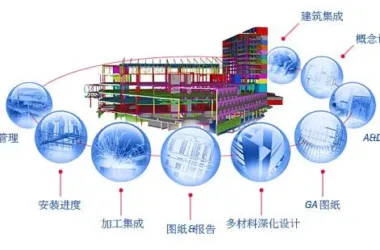
Tekla Structures is the first Building Information Modeling (BIM) system to cover the entire structural design workflow—from conceptual design through detailed drawings, manufacturing, and installation. Innovative tools allow users to easily and accurately design intelligent building models of any size and complexity. The software enables real-time collaboration between industrial and engineering phases, connecting information systems that were previously isolated.
Tekla develops and distributes model-based information software built on advanced open technologies, serving builders, homeowners, and infrastructure users in today’s information-driven society.
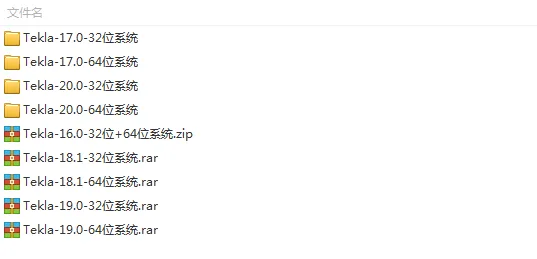
This website offers downloadable versions of Tekla Structures, including versions 16.0, 17.0, 18.0, 19.0, and 20.0, along with comprehensive installation guides!
Key Features
1. View models, create grid axes, and build 3D models.
2. Simulate 3D and 4D engineering progress.
3. Generate planning, cross-sectional, and installation diagrams.
4. Support multi-user collaboration on the same model.
5. Convenient data exchange supporting six different data formats.
6. Excellent compatibility with related software tools.
Installation Guide (Using Version 16.0 as an Example)
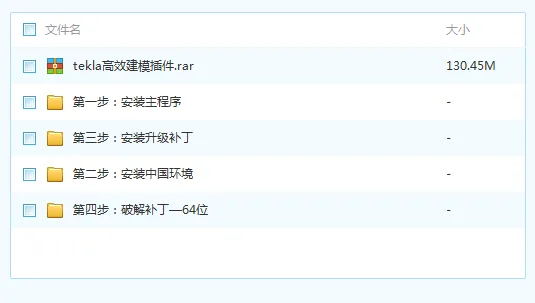
1. Download and unzip the software package. Choose the appropriate installer for your system (32-bit for 32-bit operating systems).
2. RunTeklaStructures160Software.exeand install it in the 32-bit folder.
3. Select Simplified Chinese as the language and click “OK”.
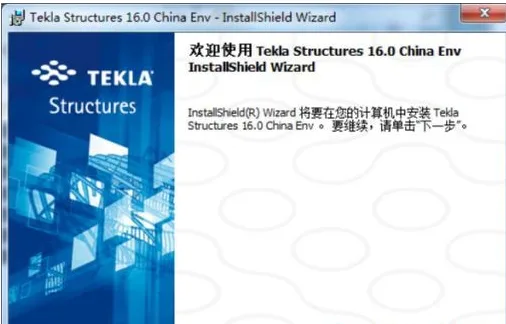
4. On the welcome screen, click “Next”.
5. Accept the license agreement and click “Next”.
6. Choose the installation directory (default is recommended) and click “Next”.
7. Choose the default folder for model data and click “Next”.
8. Select “Chinese (Simplified)” and click “Next”.
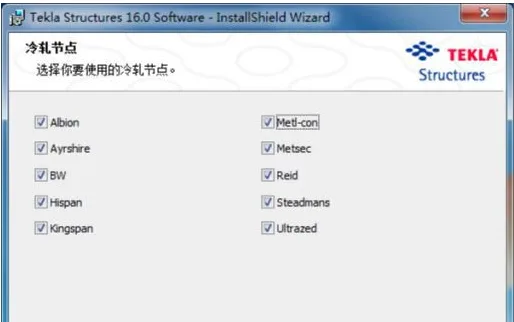
9. Select all cold-rolled nodes and click “Next”.
10. Click “Install” to begin installation.
11. After installation, click “Finish” to proceed with environment setup.
12. Wait patiently as the system installs the environment until “Installing Common… Completed” appears, then click “End”.
13. Navigate to the installation directory and runEnv_China_int_160.exe.
14. Select “Simplified Chinese” again and click “OK”.
15. Click “Next” on the welcome screen.
16. Click “Next” to accept default settings.
17. Click “Install” to complete environment installation.
18. After about a minute, click “Finish” to exit the setup wizard.
Activation Instructions (Using Version 16.0 as an Example)
1. Open the CR folder and copy
T16.0.exeto the installation directory.
2. RunT16.0.exeas an administrator.
3. In the activation window, click the “=__AI_S_SC_0_=” button and selectTeklaStructures.exefrom the main program files.
4. When the success message appears, click “OK”.
5. Double-click the “Tekla Structures 16.0” icon on your desktop to launch the software.












Why does the SR1 file prompt ‘You haven’t installed Tekla lectures 20.0 yet’ and then exit the installation
Has the file expired? Please update
The download link has been updated.
Win10 system cannot install Tekla?
Some versions cannot be installed
After running T16.0.exe as an administrator, I opened TeklaStructure.exe and the pop-up box displayed filesoze does not match or filesize cannot be determined, Why is this?
Is there a tutorial to learn
There are many tutorials, you need to choose one that suits you.
Perfect installation, not bad, not bad
Not bad, not bad. I haven’t finished mine yet, I don’t know what’s going on. What system are you using
Win7 system
I installed it according to the steps, but when I reached the CRACK step and opened it, it prompted me with an error opening the file. Why is that?
Run with administrator privileges
Is it okay with my Windows 10 system? After running T16.0.exe as an administrator, I opened TeklaStructure.exe and the pop-up box displayed filesoze does not match or filesize cannot be determined, Why is this?
It should be a compatibility issue. Right click on the properties, select Win7 compatibility, and run with administrator privileges.