
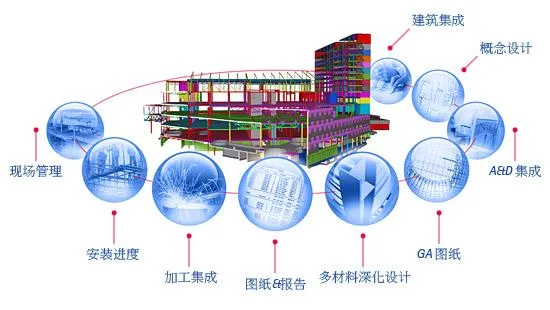
Tekla Structures, formerly known as XSTEEL until 2004, is a steel structure detailing software developed by Tekla. It enables the creation and management of highly accurate, detailed, and constructible 3D models, especially in complex material or structural scenarios. Tekla Structures offers a comprehensive solution suitable for any project—whether large or small, simple or complex—covering the entire building process from conceptual design through to manufacturing, installation, and construction management.
Its extensive features include full integration of 3D solid structural models and structural analysis, detailed 3D steel structure design, 3D reinforced concrete design, project management tools, automatic shop drawing generation, and bill of materials (BOM) automation. As a Building Information Modeling (BIM) software, Tekla Structures excels at handling complex materials and structures, providing an accurate and detailed 3D modeling environment that supports all phases of construction.
Tekla Structures Configuration
Tekla Structures is available in multiple configurations tailored to meet the specific requirements of different departments within the construction industry. It offers dedicated feature sets and can be used either as a standalone platform or integrated with other existing applications to develop custom in-house solutions. Its open platform supports collaborative workflows and standardization.
By leveraging the Tekla Open API application programming interface built on Microsoft .NET technology, Tekla Structures can connect with a variety of external systems. The software supports standard data formats such as IFC, CIS/2, SDNF, and DSTV. It also supports specialized formats including DWG, DXF, and DGN, ensuring compatibility with various industry tools.
The architecture and construction industry demands solutions that enhance communication and streamline the entire process from structural design and detailing to manufacturing and construction management. Tekla Structures, as an innovative BIM solution, not only promotes open integration of building models but also supports end-to-end construction workflows. It has empowered the construction and engineering sectors to achieve the most accurate, detailed, and data-rich structural models, facilitating easier construction and improved project delivery in today’s competitive market.
Tekla invests roughly 20% of its net sales annually in research and development to continuously provide state-of-the-art solutions. Thousands of Tekla Structures users worldwide have successfully collaborated on BIM-based projects, accelerating project completion and improving outcomes.
Installation Instructions:
- Install TsLicSrvSetup114.exe, which sets up the license server.
- Install TeklaStructures160Software.exe, the main program installer. If available, select Simplified Chinese during installation, then proceed.
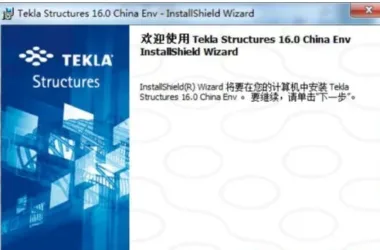
- Install Env_China_int_160.exe, the Chinese environment package.
- Install Env_Cmmon_inst_160.exe, the common file library.
- Run T16.0.exe from the CR folder, click the crack button in the bottom left corner, and apply the main program patch for XSTEEL located in the file path.
- Launch the program, remember to authorize it, and choose the “complete” option upon startup.












Your environment is in the UK, it is recommended to replace it.
The file TsLicSrvSetup114.exe is missing
What is the extraction code?
Why do I need an IP address
Hello, why doesn’t the installation package match the installation sequence above? How can I install it.
Fully decompress
Choose the version to install as needed.
Can’t download now?
Fixed and ready to download.