
By adding a time dimension to traditional 3D models, a 4D model is created. This additional dimension enhances the model’s ability to convey the information managers need. After completing the 3D model in Revit, the 4D model can be developed by integrating the construction schedule created in Project. This modeling process is facilitated through Naviswork software, which consolidates various engineering project data and enables functions such as clash detection and construction progress simulation.
Beyond simply integrating information, Naviswork supports secondary editing, allowing for more comprehensive modifications and improvements to the 4D model. Figure 1 illustrates the creation of a 4D model within Naviswork.
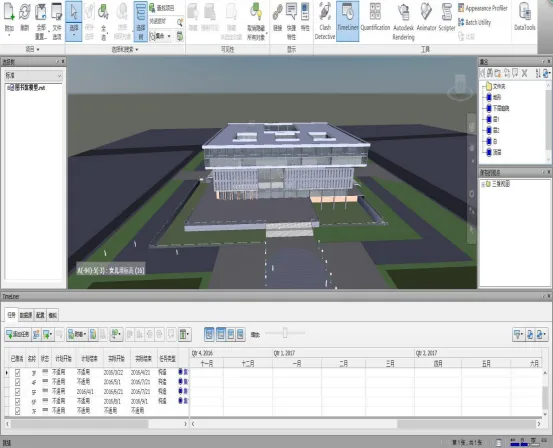
Figure 1: 4D Model Creation in Naviswork
In Naviswork, integrating files from different disciplines and software involves several steps. First, all files from various disciplines are converted into NWC format. Next, the timeline feature in Naviswork is synchronized with the schedule created in Project software. Finally, the schedule tasks are fully integrated with the 3D model, including Gantt charts and task details.
Adjustments can be made throughout this integration process within the software. The construction progress simulation in Naviswork offers a dynamic, step-by-step representation of the actual construction phases, aligned with specific time nodes and stages. Users can monitor daily progress in detail, and if discrepancies arise between the simulated and actual construction status, the simulation can be updated accordingly. Naviswork automatically applies these changes to keep the simulation current.
Additionally, animation viewpoints can be added during the simulation to make the visualization of construction progress more engaging and vivid.
















Must log in before commenting!
Sign Up