
Currently, the most widely used BIM software on the market is modeling software. There are four main categories of BIM modeling software: building design, structural design, mechanical and electrical systems and piping design, and site planning and design. Architectural design software includes Autodesk Revit, VectorWorks, and ArchiCAD. Structural design software features Autodesk Revit Structure and Tekla. For electromechanical and piping design, Autodesk Revit MEP and Magicad are commonly used. Site planning and design utilize Autodesk Revit Architecture and Autodesk Navisworks. This article primarily focuses on Revit and Navisworks management software.
Revit, developed by Autodesk, is a BIM-based software capable of creating models for architectural, structural, and mechanical and electrical disciplines. After completing the model, Revit can perform clash detection and performance analysis. It also supports data exchange and communication with other software. Revit’s power stems from its robust parameter-driven core components, allowing automatic updates to all related designs when a change is made.
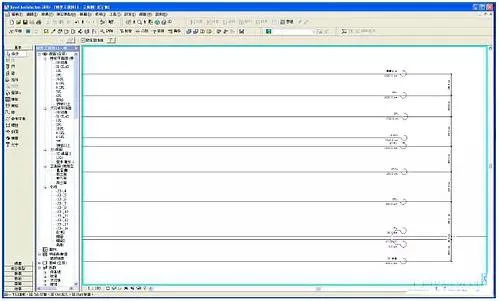
Figure 1: Establishing Floor Lines in Revit
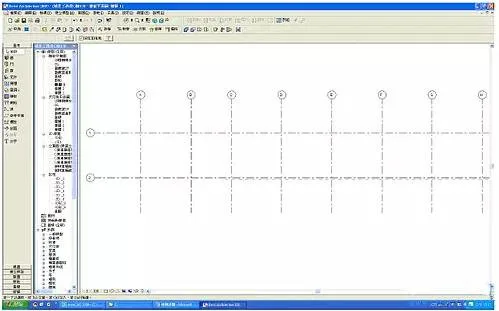
Figure 2: Creating a Grid in Revit
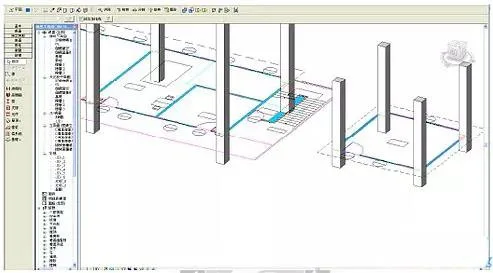
Figure 3: Creating Columns in Revit
Navisworks is another BIM-based software that plays a crucial role in BIM workflows. Navisworks Manage integrates clash detection, project scheduling, and building information modeling for optimal coordination. It also offers navigation displays, creates construction animations, and supports construction guidance.
BIM Modeling Process
The basic BIM modeling workflow includes:
Starting the BIM model → Creating floor lines and grids → Importing CAD files → Creating structural components like beams, slabs, columns, and walls → Adding architectural elements such as stairs, doors, and windows → Incorporating rain shelters, railings, and balconies → Visualizing the 3D model → Completing the BIM modeling process. This sequence is illustrated in Figures 1 to 3.
As construction progresses, the information within the model becomes more detailed. After establishing the basic BIM model, further detailed design and development can be conducted. The base model can be integrated with site layout, cost planning, and construction scheduling information within a 5D platform. An example of this integration is shown in Figure 4.
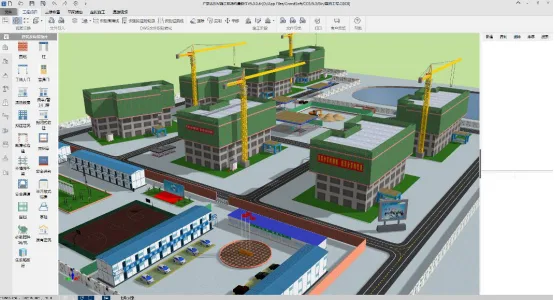
Figure 4: BIM Model Integration Example
















Must log in before commenting!
Sign Up