BIM World
A Professional BIM Learning Platform


BIM Q&A | SolidWorks Tutorial: Automatically Generating Unfolded Dimensions for Sheet Metal in SolidWorks

Start by drawing an open part diagram randomly within the sheet metal module.
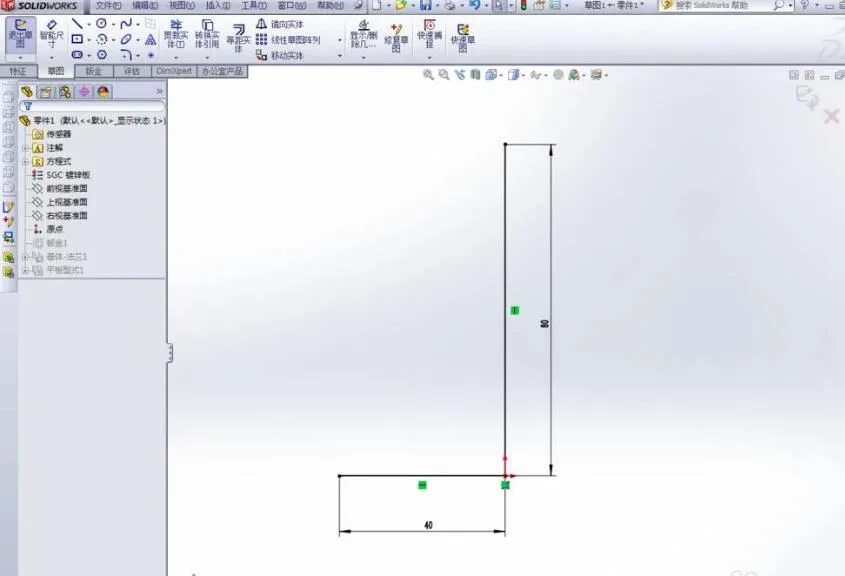
BIM Q&A | SolidWorks Tutorial: How SolidWorks Sheet Metal Automatically Generate Unfold Dimensions

The created part appears as shown in the image. The next step is very important.
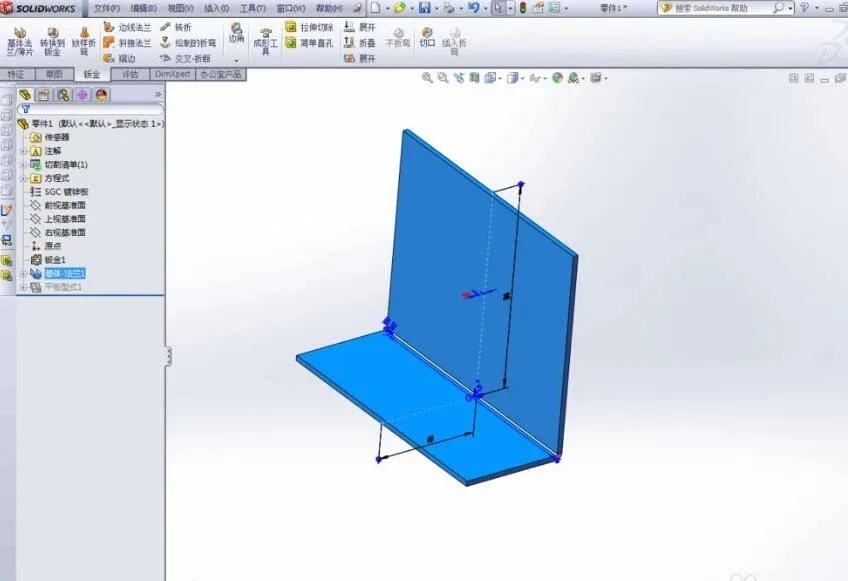
BIM Q&A | SolidWorks Tutorial: How SolidWorks Sheet Metal Automatically Generate Unfold Dimensions

Unfold the sheet metal part and add dimensions while displaying the edge frame in the flat plate type from the design library. It is crucial to ensure that the dimension is marked as a Reference Dimension (this command is located on the left side of the image). Be sure to select it; otherwise, the unfolding dimensioning will not work correctly. The correct reference dimension will appear in gray, while incorrect ones will be shown in pink and cannot be exported.
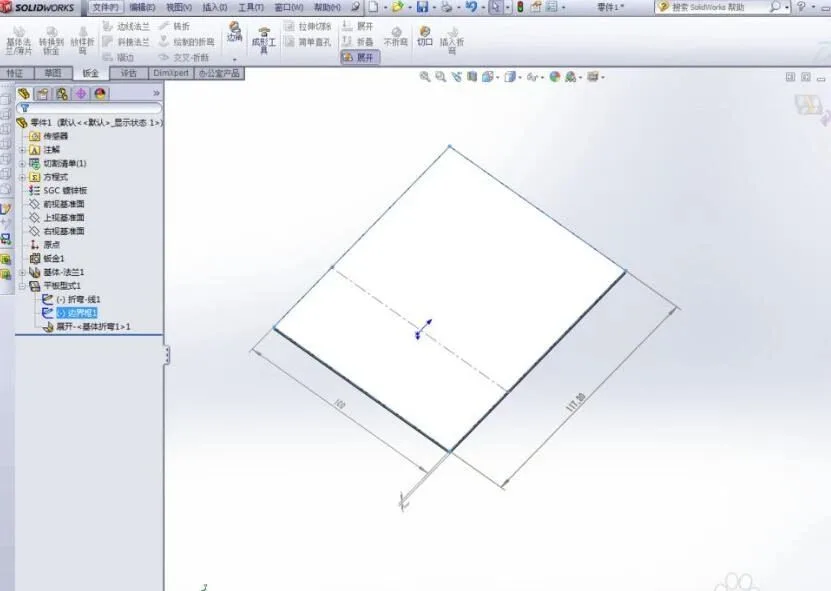
BIM Q&A | SolidWorks Tutorial: How SolidWorks Sheet Metal Automatically Generate Unfold Dimensions

Next, customize the file properties of the subcomponent as shown below. The unfolding dimensions are linked: simply click on the previously marked dimensions and separate them using an asterisk “*”. The expanded size formula should be: length * width * plate thickness.
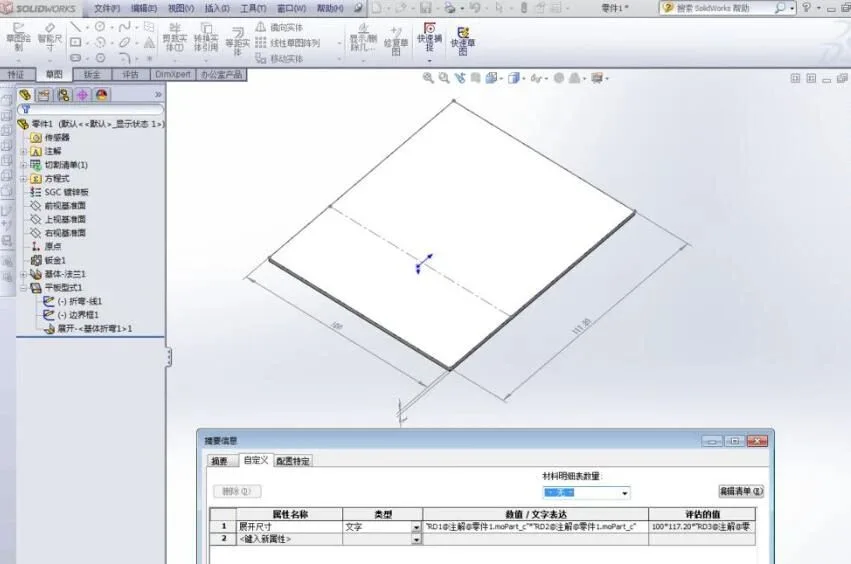
BIM Q&A | SolidWorks Tutorial: How SolidWorks Sheet Metal Automatically Generate Unfold Dimensions

After completing these steps, make sure to fold the sheet metal parts back. Failing to do so may cause assembly relationships to become disorganized. If you find the gray dimensioning distracting in the viewport, you can hide it by clicking View > All Annotations.
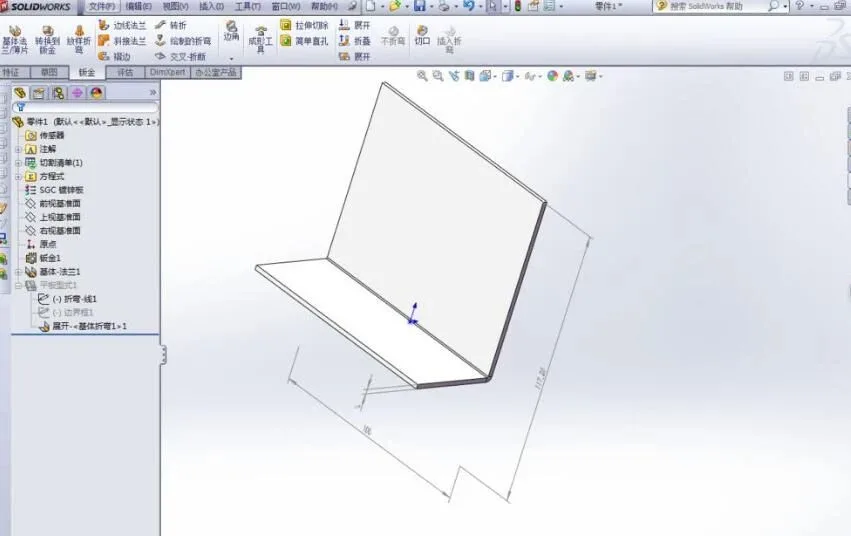
BIM Q&A | SolidWorks Tutorial: How SolidWorks Sheet Metal Automatically Generate Unfold Dimensions

Finally, during assembly, use the material list to review your parts and dimensions.
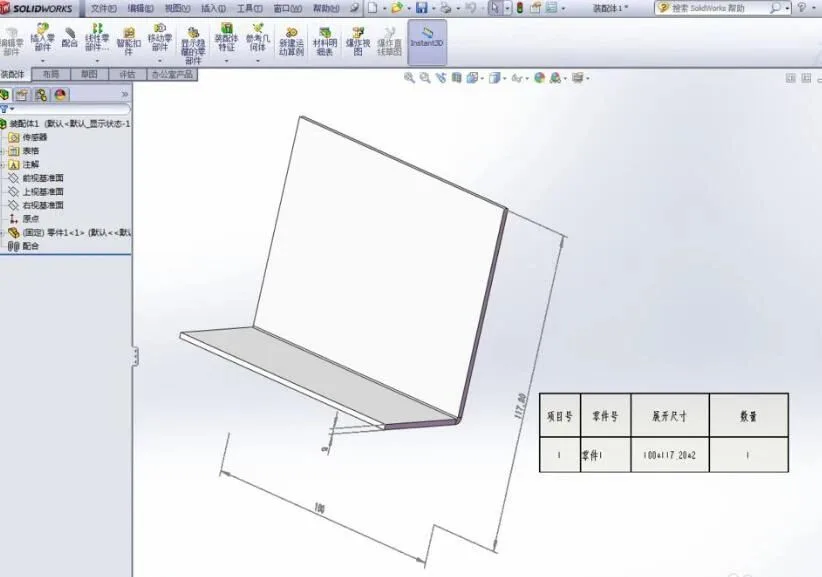
BIM Q&A | SolidWorks Tutorial: How SolidWorks Sheet Metal Automatically Generate Unfold Dimensions

xuebim
Follow the latest BIM developments in the architecture industry, explore innovative building technologies, and discover cutting-edge industry insights.
← Scan with WeChat
Like(0) 打赏
BIM WORLD » BIM Q&A | SolidWorks Tutorial: Automatically Generating Unfolded Dimensions for Sheet Metal in SolidWorks

Comment Get first!

Must log in before commenting!


BIM World, A Professional BIM Learning Platform

Stay updated on the latest architecture trends and share new building technologies.

Contact UsAbout Us

觉得文章有用就打赏一下小编吧

非常感谢你的打赏,我们将继续提供更多优质内容,让我们一起创建更加美好的网络世界!

支付宝扫一扫

微信扫一扫

Account Login

By signing in, you agree toUser Agreement

Sign Up














