
Learning Lumion allows you to quickly create stunning static and animated projects, including architectural planning, landscape design, virtual cities, and more. In the future, animation will become the mainstream method for showcasing the effects of architecture, interior decoration, and gardens.
Lumion is emerging as one of the most promising software tools, poised to transform the traditional way images are used to represent architectural and decorative effects. With Lumion, animations become more vivid, intuitive, and immersive—almost like stepping directly into the scene. Users can create virtual reality experiences right from their own computers.
One of Lumion’s major advantages is its ability to significantly reduce production time by rendering high-definition movies much faster than before. The accompanying video demonstrates how you can produce impressive architectural visualizations in just seconds.
Lumion is a real-time 3D visualization tool designed to create both movies and still images, applicable across architecture, urban planning, and design fields. It also supports live demonstrations. Lumion’s strength lies in delivering excellent image quality combined with fast, efficient workflows, helping you save time, effort, and money.
By following this tutorial, anyone can learn to create impressive works using Lumion.
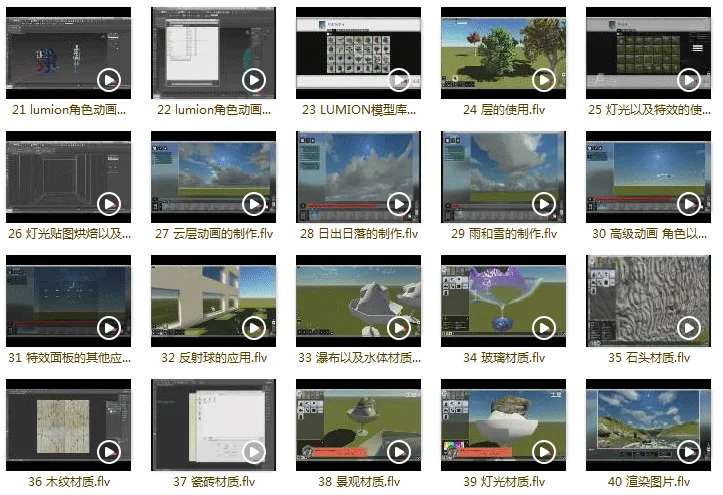
Lumion Video Tutorial Catalog
- 01 Introduction to Lumion
- 02 Installation
- 03 Operation and Setting Details
- 04 Terrain and Contour Generation
- 05 Terrain Materials and Custom Materials
- 06 Oceans and Water Bodies
- 07 Sun and Night Settings
- 08 Cloud and Fog Effects
- 09 Scene Camera
- 10 3DS Max Model Import and Menu Explanation
- 11 Lumion Aircraft Model Material Assignment
- 12 Precautions for Exporting 3DS Max Models
- 13 SketchUp Model Export and Material Assignment
- 14 SketchUp Model Export Rules
- 15 SpeedTree Model Export
- 16 3DS Max Plant Model Export
- 17 3DS Max Plant Animation
- 18 3DS Max Object Animation
- 19 3DS Max Propeller Animation
- 20 3DS Max FX Dynamic Fabric Animation
- 21 Explanation of Lumion Character Animation Issues
- 22 Lumion Character Animation Solutions
- 23 Lumion Model Library and List Usage
- 24 Usage of the Floor Tool
- 25 Lighting and Special Effects Usage
- 26 Lighting Texture Baking and Application
- 27 Cloud Animation Production
- 28 Sunrise and Sunset Production
- 29 Creating Rain and Snow Effects
- 30 Advanced Animation: Characters and Object Movement
- 31 Other Applications of the Special Effects Panel
- 32 Reflector Balls Application
- 33 Waterfalls and Water Body Materials
- 34 Glass Material
- 35 Stone Material
- 36 Wood Grain Material
- 37 Ceramic Tile Material
- 38 Landscape Materials
- 39 Lighting Materials
- 40 Rendered Images
- 41 Techniques and Settings for Rendering Movies
- 43 Lumion Slice Animation Production
- 44 Project File Export and Saving
- 45 LumenRT Introduction
- 46 LumenRT RT Installation
- 47 LumenRT Water Surface Material
- 48 LumenRT Glass Material
- 49 LumenRT Concrete Material
- 50 LumenRT Wood Flooring Material
- 51 LumenRT Ceramic Tile Material
- 52 LumenRT Animation Production
- 53 LumenRT Program Packaging
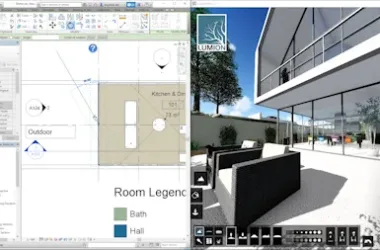
Lumion Video Tutorial Screenshots













Must log in before commenting!
Sign Up