
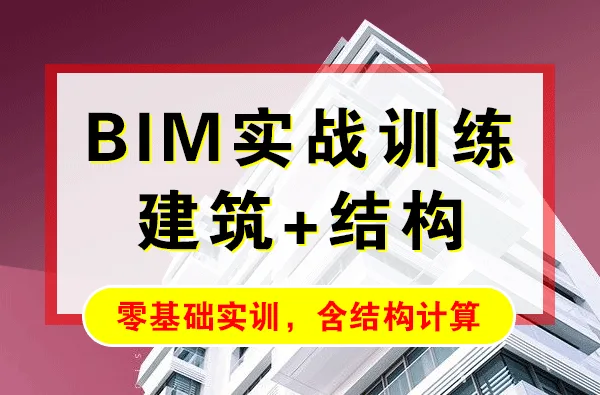
This course uses a multi-story factory building with a frame structure located in a seismic zone 7 as a case study. It offers step-by-step guidance on integrating various software tools—Revit, PKPM, YJK, GSCAD, TSSD, and others—for BIM architectural and structural design. This approach enables students to quickly apply their professional skills to real-world projects, effectively meeting the demands of BIM information development.
The course is divided into two main parts: BIM Architectural Design and BIM Structural Design.
BIM Architectural Design primarily focuses on Revit, the leading BIM platform, to create detailed factory building models. The training covers everything from project preparation to creation and extension, all documented through instructional videos.
BIM Structural Design emphasizes the use of TSSD for structural layout and YJK for structural calculations. It includes data export from related software such as GSCAD and PKPM. The Guangsha GSplot platform is utilized for generating structural construction drawings automatically, while Guangsha’s automatic preliminary budgeting tools assist designers with cost estimation.
The extension section covers the creation of families used in this project to fulfill user requirements for parametric component drawings. This aligns with the future trends of the construction industry: standardization, informatization, parameterization, and intelligence.
This course is ideal for professionals who need to quickly master BIM software like Revit for practical project design.
Course Catalog
Chapter 1: BIM Architectural Design
Project Preparation
- Architectural drawing recognition and analysis
- Project template setup and selection
Project Creation Process
- Starting a new project
- Creating project elevations
- Drawing grid lines
- Drawing interior and exterior walls on floors 1 through 4
- Drawing roof-level walls and parapets
- Placing doors and windows on all floors
- Drawing roof and floor slabs
- Drawing first-floor stairs and sprinkler system
- Drawing factory staircases LT1 and LT2
- Creating roof parapet pressure elements
- Adding axis mesh and door/window dimension annotations on floors 1 through 4
- Dimensioning grids on the roof
- Dimensioning north, south, east, and west facades
- Dimensioning section A-A
- Creating 3D views
- Generating door and window schedules
- Listing wall materials
- Listing floor surface materials
- Drawing layout and printing
Extension Section
- Creating entrance staircase family
- Creating entrance sliding door family
- Creating window families
- Applying plugins for floor, column, and grid dimension annotations
Chapter 2: BIM Structural Design
Structural Layout and Computational Analysis
- Layout of vertical structural components (columns, shear walls)
- Layout of horizontal structural components (beams, slabs)
- Importing structural calculation models into YJK
- Verifying and supplementing structural components
- Inputting floor loads
- Assembling floors and defining parameters
- Setting calculation parameters
- Load verification and special component definitions
- Reviewing calculation results
- Importing basic layout of upper structure
- Performing basic calculations and reviewing results
- Importing computational models into Guangxia CAD
Export and Application of Computational Models
- Automatically generating construction drawings with GSplot
- Applying automatic budgeting in Guangxia
- Importing models into PKPM and Revit
- Linking BIM models for verification
- Dimensioning grid axes on each structural floor plan
- Dimensioning beams, slabs, and columns per floor
- Creating floor and column detail tables
- Drawing layout and printing
Extension Section
- Creating structural column families
- Creating structurally independent base families
Architectural Video Screenshot

Structural Video Screenshot

Architectural Major BIM Video Playback Screenshot

High Definition Recording – Partial Enlarged Screenshot:

Structural Major BIM Video Playback Screenshot

High Definition Recording – Partial Enlarged Screenshot:














The extraction code is incorrect
That’s correct, enter in order.
Where are the practice drawings
The file format is EXE, there are no video tutorials available
EXE is an executable high-definition recording video tutorial
The tutorial is very good and cutting-edge
Very good, suitable for both beginner and advanced stages.
[嘻嘻]
May I ask if you have purchased this tutorial?