
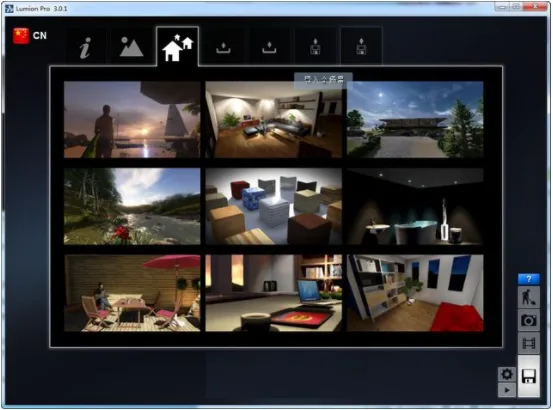
Lumion 3.0 is a Chinese-customized version of the building visualization software, designed to enhance user convenience. It features a fully Chinese interface, ultra-fast performance, and other advanced functionalities. If you’re interested, you can download it from IT Mop!
Lumion 3.0.1 Overview
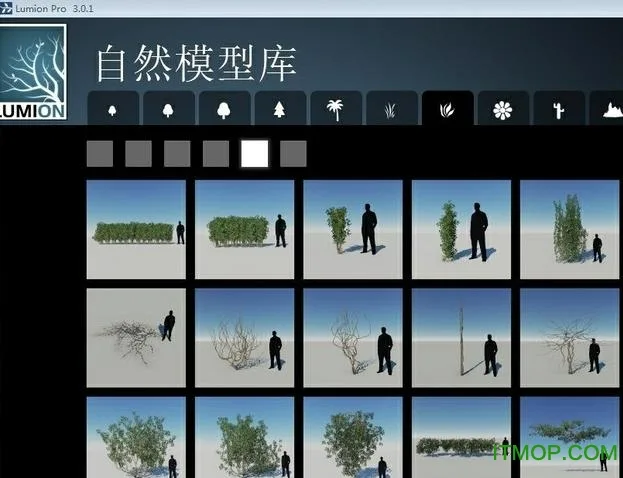
The latest update introduces additional 3D models and materials, making it even more suitable for architects. Lumion 3.0 offers intuitive preview capabilities tailored for professionals in architecture, planning, and design. It supports importing a wide range of file formats, including SKP, DAE, FBX, MAX, 3DS, OBJ, and DXF. With its extensive content library, Lumion 3.0 is an essential tool for 3D designers.
Lumion 3.0 Localization Patch Details
Addressing incomplete localization:
Although Lumion provides a Simplified Chinese language pack, it is only partially localized. Many interface elements remain in English, which complicates both learning and usage, as illustrated below.
Correcting numerous translation errors:
The official Simplified Chinese package lacks professional translation, resulting in many mistakes. For example, the operation prompt “Space” was mistakenly translated as “space.” This action actually refers to evenly distributing selected objects.
Fixing incomplete and garbled Chinese characters:
Lumion’s multi-language mode allows for flexible switching during use, but its Chinese interface suffers from significant display issues. Many Chinese characters are either partially shown or appear garbled. For instance, “weather” is displayed as “day,” and “too yang” appears as “too.” These incomplete prompts can be confusing and difficult to understand.
Update Highlights
- Introduced new operation modes:
- Shift + AWSDQE for standard movement
- Dual speed with Spacebar + AWSDQE
- Ultra-high speed mode exceeding Lumion 3.0’s previous maximum speed
- Fixed irregularities with the horizon line and abnormal cloud rendering
- Resolved installation and runtime issues on Windows 32-bit systems
- Repositioned CTRL + RELOAD buttons to prevent obstruction of other controls
- Restored normal shadow rendering by fixing shadow range bugs present since version 2.5
- Corrected inconsistent walking speeds of 3D characters













Must log in before commenting!
Sign Up